Handoff Pack Claude Code mod: a Claude Code handoff report with goal, tasks and checks
A /handoff command that prints a report: goal, tasks, changed files and test results marked PASS, STALE or FAIL.
Permissions
- Reads filesCan read files and list directories on your machine ($.fs.read / list / stat / exists).
- Runs commandsCan run shell programs on your machine ($.process.run / spawn). Check the source for exactly which ones.
- Intercepts tool callsSees every tool call Claude makes (tool.call / tool.check) and could block or change it.
- Changes the UIDraws into the Claude Code interface: bands, panes, status text, toasts (ui.render / $.ui.*).
- Adds commands/toolsRegisters new slash commands or tools that you or Claude can invoke ($.command.register / $.tool.register).
- Stores dataKeeps data between sessions in the plugin's private store ($.store.*).
- tested with
- v2.1.310
- last tested
- requires
- Claude Code ≥ 2.1.287
- surfaces
- transcript
- source
- YeonwooSung (Apache-2.0)
Install inside Claude Code:
/plugin install handoff-pack --marketplace YeonwooSung/my-claude-code-modsWhat does this mod do?
Handoff Pack is a community mod by YeonwooSung (YeonwooSung), one plugin in the my-claude-code-mods collection. It builds a Claude Code handoff report: a Markdown summary you can paste to a teammate or into the next session so the work can be picked up again. The report combines what you type (a goal, a task list, notes) with what the mod observes (changed files from Git, and whether your tests or lint were run and are still valid).
It adds one slash command, /handoff:
/handoff goal <text>sets the goal./handoff todo <text>adds a task, and/handoff done <id>ticks it off./handoff note <text>adds a note./handoff preview, or/handoffwith no argument, prints the report./handoff resetclears this mod's records, and/handoff helpprints the syntax.
The report has these sections: Goal, Changed files, Tasks, Verification (observed only), Failed approaches (latest 200) and Notes. The reply appears as command text in the transcript, so it works in the terminal, in Desktop and in headless sessions. Nothing is exported to a file.
Install
Use any of the methods in the install block; they install straight from the author's own marketplace, my-claude-code-mods. Reload plugins afterwards (or restart Claude Code) so /handoff is registered. To try it without installing, point --plugin-dir at the handoff-pack folder of a checkout:
claude --plugin-dir ./handoff-pack$ install handoff-pack
Requires Claude Code ≥ 2.1.287
Installs from the author's own marketplace: YeonwooSung/my-claude-code-mods
1.One line, inside Claude Code
/plugin install handoff-pack --marketplace YeonwooSung/my-claude-code-modsPaste into a running session (v2.1.275+). Claude Code asks to add the marketplace first.
2.From your shell
claude plugin marketplace add YeonwooSung/my-claude-code-mods claude plugin install handoff-pack@my-claude-code-modsThen run /reload-plugins in any session that is already open.
3.Try it without installing
git clone https://github.com/YeonwooSung/my-claude-code-mods claude --plugin-dir ./my-claude-code-mods/handoff-packLoads the mod for one session only. Nothing is added to your settings.
How it works
The plugin is one hooks module, hooks/register.ts, plus a data class in hooks/core/feature.ts and helpers in hooks/core/runtime.ts and hooks/core/redact.ts. On session.start it registers the command. On command.run it loads the saved state from $.store, hands the arguments to the Feature class and saves the state back if it changed. The key includes the working directory and the session id, so two folders or sessions never share a report.
The distinctive part is the tool.call hook. For every Bash call it fingerprints the repository before and after, forwards the call untouched, and then lets Feature.observe record the outcome. From feature.ts:
if (result === 'fail') this.data.failures = bounded([...this.data.failures, command + ' — ' + safeText(object(e.result).text ?? '(no output captured)', 500)])
if (isCheck(String(e.input.command ?? ''))) this.data.checks = bounded([...this.data.checks.filter(c => c.command !== command), { command, result, revision: e.before, changed: e.before !== e.after }])
The fingerprint (revision in runtime.ts) hashes HEAD, the unstaged diff, the staged diff, git status and the contents of up to 200 untracked files. It gives up and reports unknown if a symlink, a dirty submodule or more than 2 MiB is involved. When you print the report, a check shows PASS only if its result was a pass and the fingerprint now equals the one taken before it ran. Any later edit turns it into STALE. Every string is passed through safeText, which strips terminal escapes and masks obvious secrets before it is stored or shown.
Customize it
There are no options in /config. The limits are constants in the source: 200 entries per list (bounded in runtime.ts), text caps of 2000 characters for the goal and 1000 for a task or note, 500 for a failure's output, a 10-second timeout on each Git call (register.ts) and a 256 KiB cap on saved state. The list of recognized check commands is the regular expression in isCheck. Edit them in a local checkout and load it with --plugin-dir if you want different ones.
Permissions & safety
We read every file the plugin can execute before running it: .claude-plugin/plugin.json, hooks/hooks.json, hooks/register.ts, hooks/core/feature.ts, hooks/core/runtime.ts, hooks/core/redact.ts and the two test files, plus the repository's marketplace.json and LICENSE. There is no package.json inside the plugin, no install script, no bin/, no bundled or minified code and no binary. Findings:
- Network: none. We searched for
fetch,http,eval,import(andchild_processand found nothing in the code. No telemetry. - Processes:
$.process.runatregister.ts:20-23accepts onlygit, as an argument array with no shell and a 10-second timeout. The commands arerev-parse --show-toplevel,rev-parse --verify HEAD,diff(plain and--cached),status --porcelainandls-files --others(runtime.ts:57-77). Git itself honors the repository's own configuration, so a hostile repository could still make Git run a program it configures. - Files: it never writes files.
$.fs.readand$.fs.statread the untracked files in the current repository to fingerprint them, at most 200 files and 2 MiB, and symlinks are not followed. State goes through$.store; nothing is written to~/.claude, settings, shell files or LaunchAgents. - Daemons: none.
- Secrets: it reads no environment variables or credential files. It does store text from your Bash commands: a failed command (up to 1000 characters) and its output (up to 500), and the text of recognized test commands. These go through
redactSecrets, which the README calls best effort, so a secret in an unusual form can end up in the plugin store and in the report. The store is local. - Prompt influence: none. It injects nothing into prompts and returns only the command's own text.
- Tool hook:
tool.callobserves every tool but only acts on Bash. It forwards the original call once and returns the result unchanged, never retries it, and never blocks it. A failed save shows a toast, "observation not saved".command.runanswers only/handoff. - Requirements:
giton your PATH and a Git repository for the changed-files and verification sections. Without Git the report is marked INCOMPLETE and no check shows PASS. - License: Apache-2.0, with a
LICENSEfile at the repository root.
Parts of the README are written as notes addressed to a reviewer ("these are not credential reads or command execution"). We treated them as documentation and checked each claim against the code; they held. claude plugin validate passed with no errors or warnings. Its notes say the command.run and tool.call hooks have no .catch, and that its directory check does not apply the directory's rules to hooks modules. The author's 8 tests (2 files) passed with claude plugin test on Claude Code 2.1.310.
- Reads files
- Can read files and list directories on your machine ($.fs.read / list / stat / exists).
- Runs commands
- Can run shell programs on your machine ($.process.run / spawn). Check the source for exactly which ones.
- Intercepts tool calls
- Sees every tool call Claude makes (tool.call / tool.check) and could block or change it.
- Changes the UI
- Draws into the Claude Code interface: bands, panes, status text, toasts (ui.render / $.ui.*).
- Adds commands/tools
- Registers new slash commands or tools that you or Claude can invoke ($.command.register / $.tool.register).
- Stores data
- Keeps data between sessions in the plugin's private store ($.store.*).
Compatibility & troubleshooting
Checked with Claude Code 2.1.310 on macOS (validate and tests). The author tested on 2.1.302 and says the live terminal and Desktop rendering was not checked. If /handoff does not respond:
- Run
/reload-pluginsor restart Claude Code after installing. - Run
/handoff helpto see the syntax. An unknown word returns the usage line instead of saving. - "Changed files" is empty or marked INCOMPLETE when the session is not inside a Git repository. The README advises running from the repository root.
- Every check shows UNKNOWN if Git evidence is unavailable, for instance in a repository with no commits, with a dirty submodule or with more than 200 untracked files.
- "Session changed; operation not applied" means the folder or session id changed while the command was running. Run it again.
- An empty report after a restart usually means a different folder or session id, because records are keyed on both.
To check that it works, run /handoff goal Try it, /handoff todo First task and then /handoff.
FAQ
- Does Handoff Pack write the handoff to a file?
- No. The report is returned as command text in the transcript. The help line says "Markdown preview only; no automatic file export", and the plugin has no file-write call. Copy the text where you want it.
- What do PASS, STALE, FAIL and UNKNOWN mean in the report?
- FAIL is a recognized check that failed. PASS is a check that succeeded and whose Git state (HEAD, staged and working changes, untracked files) is unchanged since. STALE means the files changed after it ran. UNKNOWN means the result or the Git state could not be established.
- Which commands count as a verification check?
- Only a short allowlist, matched against the whole Bash command. npm, pnpm or yarn test, typecheck and lint, npx tsc, vitest, jest or eslint, pytest, cargo test, check or clippy, and go test. Compound commands with ; & | < > are not counted, and list-only or --help runs are skipped.
- Does it send anything over the network?
- Not in the code we read. There is no fetch, HTTP or socket call, and no telemetry. The only program it runs is git, with local read-only subcommands.
- Does it slow down or block my Bash commands?
- It never blocks or rewrites a tool call. For each Bash call it takes a Git fingerprint before and after, which means several git commands and a read of untracked files, so it adds some time in large or very dirty repositories.
# Related mods
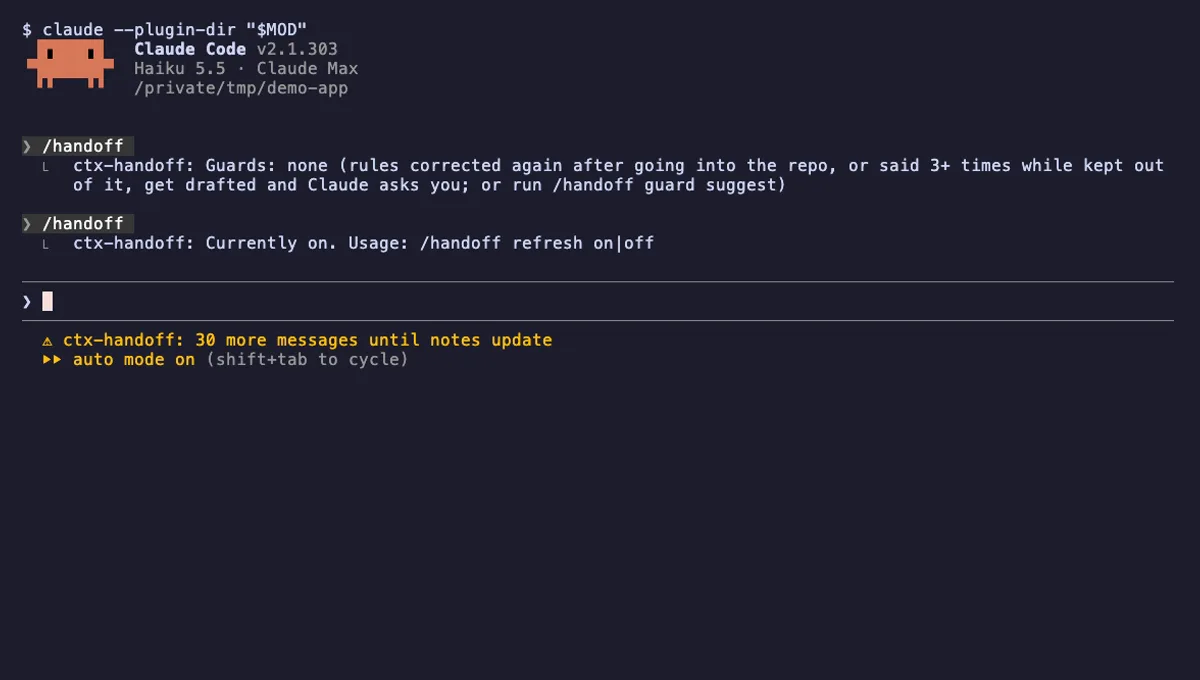 Featured
ctx-handoff
Keeps the prompt cache warm, writes project notes from what you teach Claude, and can hand off a full context.
- above-prompt
- status
- toast
- Reads files
- Writes files
- Calls the model (uses your quota)
- Intercepts tool calls
- Reads your prompts
- Changes the UI
- Adds commands/tools
- Stores data
tested with v2.1.303
Session Saver
Names untitled sessions through unpause, saves where you left off with /park, and shows that note when you resume.
- above-prompt
- toast
- Reads files
- Runs commands
- Calls the model (uses your quota)
- Reads your prompts
- Changes the UI
- Adds commands/tools
- Stores data
tested with v2.1.307
Decision Ledger
A /decision command that records a choice, the reason and the rejected alternative, tied to a file or symbol.
- transcript
- Reads files
- Runs commands
- Intercepts tool calls
- Changes the UI
- Adds commands/tools
- Stores data
tested with v2.1.307
More in Timers, todos, standups, Slash commands.