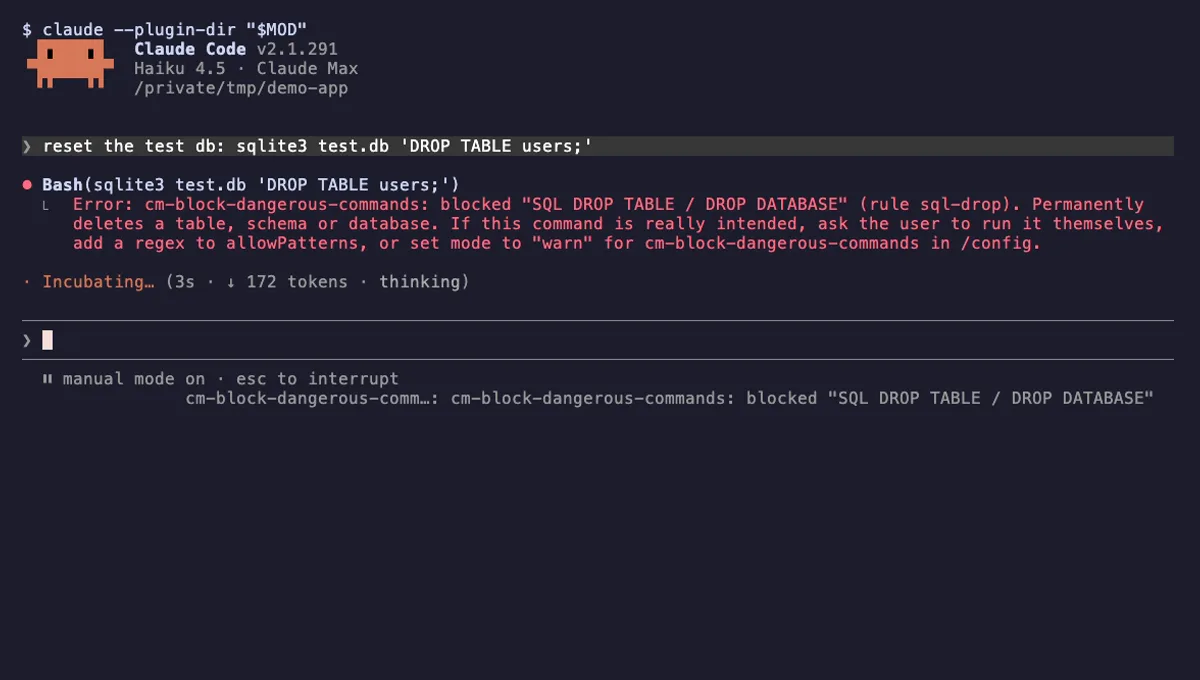
Block Dangerous Commands
Refuses rm -rf /, force-push to main, DROP TABLE, curl | sh and other destructive Bash commands before they run.
- toast
- Intercepts tool calls
- Changes the UI
tested with v2.1.291
Claude Code git mods show your branch and changes, guard risky git commands, shape commit and PR text and surface GitHub state without leaving the session.
Refuses rm -rf /, force-push to main, DROP TABLE, curl | sh and other destructive Bash commands before they run.
tested with v2.1.291
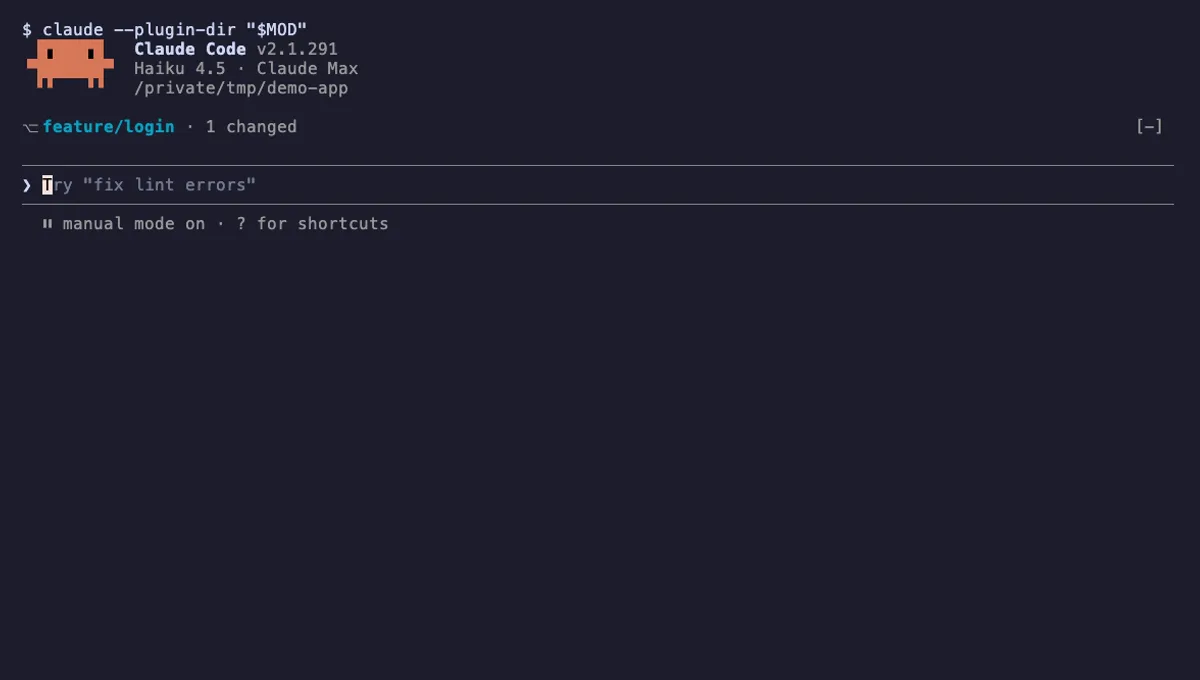
Shows your git branch, changed-file count and ahead/behind status in a one-line band above the Claude Code prompt.
tested with v2.1.291
Claude Code git mods keep version control visible and a bit safer while Claude edits your code. They show the current branch and how many files changed, warn before a force-push to main, rewrite commit attribution text, or surface pull request and CI state from GitHub.
Display mods read the repository with $.process.run(['git', 'status', '--porcelain=v1', '-b'], { cwd }), using $.session.cwd() to find the folder, then draw the result in the AbovePrompt band or the status line. They refresh on session.start, on turn.complete, and right after a tool.call for Bash whose command mentions git, so a checkout Claude makes shows up at once. A slow $.clock.every timer catches changes you make in another terminal.
Guard mods use the same tool.call hook to refuse commands like git push --force origin main or git clean -fdx. Mods that change how commits and PRs are signed handle attribution.text. GitHub-aware mods run gh or call the GitHub API with $.http.fetch. The mods reference has the full event list.
Expect Runs commands on nearly every git mod. The question is which commands. A display mod should only run read-only ones such as git status, git rev-parse or git log, with a timeout and no shell string. If a mod shows Network, find out which host it calls and whether it needs a token; a GitHub token in userConfig should be marked sensitive.
On a very large repository, git status can take a noticeable moment. Prefer mods that refresh on events and let you lengthen the timer in /config.
Claude already runs git for you through the Bash tool. Git mods do not replace that; they show you the result without asking, and they put limits on what Claude may run. A branch band plus a force-push guard covers the two most common surprises: committing on the wrong branch and rewriting shared history.