Vercel Deploy Status Claude Code mod: the build queue above the prompt
Pins the Vercel deploy queue of the linked project above the prompt: queued, building and finished deploys.
Permissions
- Reads filesCan read files and list directories on your machine ($.fs.read / list / stat / exists).
- Runs commandsCan run shell programs on your machine ($.process.run / spawn). Check the source for exactly which ones.
- Intercepts tool callsSees every tool call Claude makes (tool.call / tool.check) and could block or change it.
- Changes the UIDraws into the Claude Code interface: bands, panes, status text, toasts (ui.render / $.ui.*).
- tested with
- v2.1.307
- last tested
- requires
- Claude Code ≥ 2.1.287
- surfaces
- above-prompt, toast
- source
- Ray Amjad (ray-amjad) (MIT)
Install inside Claude Code:
/plugin install vercel-deploy-status --marketplace ray-amjad/claude-code-modsWhat does this mod do?
Vercel Deploy Status is a community mod by Ray Amjad (ray-amjad), published in his claude-code-mods repository. It pins the Vercel deploy queue of the linked project in the band above the Claude Code prompt. Every deploy that is queued, building or just finished gets one line with its phase, target (Production or Preview), branch, elapsed time and commit subject.
The header shows the project name and the counts that are not zero, for example ▲ my-site · 1 building · 1 queued. In-flight deploys are yellow, Ready is green, Error and Canceled are red. A toast appears when a deploy starts and when it finishes. A finished deploy stays on the board for 5 minutes. When the queue is empty and nothing is waiting, nothing is drawn.
The mod never starts a turn and never writes to the transcript. It only draws what the vercel CLI reports.
Install
The install block above adds the author's marketplace and installs the plugin from it. You also need the vercel CLI on your PATH, logged in, and a repo linked with vercel link, which writes .vercel/project.json. After installing from the shell into an open session, run /reload-plugins.
$ install vercel-deploy-status
Requires Claude Code ≥ 2.1.287
Installs from the author's own marketplace: ray-amjad/claude-code-mods
1.One line, inside Claude Code
/plugin install vercel-deploy-status --marketplace ray-amjad/claude-code-modsPaste into a running session (v2.1.275+). Claude Code asks to add the marketplace first.
2.From your shell
claude plugin marketplace add ray-amjad/claude-code-mods claude plugin install vercel-deploy-status@claude-code-modsThen run /reload-plugins in any session that is already open.
3.Try it without installing
git clone https://github.com/ray-amjad/claude-code-mods claude --plugin-dir ./claude-code-mods/plugins/vercel-deploy-statusLoads the mod for one session only. Nothing is added to your settings.
How it works
The plugin is one function-hooks module, hooks/deploy-status.tsx, plus hooks/queue.ts, which holds the pure logic (types, the push-detection regex, formatters and the merge of one poll into the next queue). session.start finds the link file, reads the project name and starts a poll loop that runs vercel ls in the linked directory. A tool.call hook on Bash wakes the loop after a push or deploy command finishes. This is from deploy-status.tsx:
on('tool.call', { tool: 'Bash' }, async ($, e, next) => {
  const command = typeof e.command === 'string' ? e.command : ''
  if (!isDeployCommand(command)) return next(e)

  // Let the push finish first: Vercel has nothing to report until it lands.
  const result = await next(e)
  await wake?.()
  return result
})
The poll command itself is [vercelBin, 'ls', '--format', 'json', '--non-interactive'] with a 25 second timeout. A deploy that was in flight and then falls off the newest-deploys list is shown as Ready; the README lists this as a known limit.
Customize it
The plugin declares six user options: vercelBin (default vercel), activePollSeconds (15), idlePollSeconds (60), holdFinishedMinutes (5), watchAfterPushMinutes (6) and maxRows (8). The README says options are read from your user settings only, under pluginConfigs with the key vercel-deploy-status@claude-code-mods. A pluginConfigs block in a project's .claude/settings.json is not read. Set vercelBin to a full path if Claude Code's PATH differs from your shell's.
Permissions & safety
We read every file the plugin loads: plugin.json, hooks/hooks.json, hooks/deploy-status.tsx, hooks/queue.ts, the README and the test files. queue.ts imports nothing. There is no package.json, no binary, no minified code and no bundled dependencies. Findings:
- Runs commands (
$.process.run): only the configured Vercel executable, as an argv array with no shell:vercel ls --format json --non-interactive, run from the linked directory. BecausevercelBinis a setting, whatever you put there is what runs. - Network: none in the plugin code. The
vercelCLI contacts Vercel using your login. - Reads files:
.vercel/project.json(for the project name) and directory listings to find it, at most a few levels below the repo root, skippingnode_modulesand dot folders. Nothing is read from outside the repo. - Writes files: none. It does not touch
~/.claude, settings, shell files or LaunchAgents, and starts no daemon; the timers end with the session. - Watches Bash calls: the
tool.callhook reads the command string to matchgit push,gh pr mergeorvercel deploy. It never edits or blocks the call, and it waits for the command to finish before polling.claude plugin validatenotes that this hook has no.catch. - Secrets, environment, telemetry: no environment variables are read and nothing is sent anywhere by the plugin. No injected prompt text or hidden Unicode was found.
- Licence: MIT, with a LICENSE file in the repo (copyright Ray Amjad).
claude plugin validate reported no errors and no warnings on the manifest or hooks. Its directory check flagged one non-blocking item: the plugin has no icon. claude plugin test passed 3 of 3 tests on Claude Code 2.1.307 (the band draws other mods' bands under it, a headless session starts no poll loop, an interactive one does). We did not run a real Vercel deployment, so the live queue output is as described by the author and the code, not recorded by us.
- Reads files
- Can read files and list directories on your machine ($.fs.read / list / stat / exists).
- Runs commands
- Can run shell programs on your machine ($.process.run / spawn). Check the source for exactly which ones.
- Intercepts tool calls
- Sees every tool call Claude makes (tool.call / tool.check) and could block or change it.
- Changes the UI
- Draws into the Claude Code interface: bands, panes, status text, toasts (ui.render / $.ui.*).
Compatibility & troubleshooting
Tested with Claude Code 2.1.307 on macOS. The mod needs function hooks and does nothing in -p or SDK sessions. If nothing shows up:
- Check that the repo has
.vercel/project.json. Without it the mod logsno .vercel/project.json in this repo, staying quiet. - Run
vercel whoamiin the same shell to confirm the CLI is logged in, and setvercelBinif Claude Code cannot find it. - Start Claude Code with
--debug-file load.logand look forhooks module vercel-deploy-status loaded. - A push made in another terminal is only picked up by the next idle poll, up to 60 seconds later.
- To try it without installing, run
claude --plugin-dir /path/to/plugins/vercel-deploy-statusfrom a linked repo.
FAQ
- Do I need the Vercel CLI to see the Vercel deploy status?
- Yes. The mod runs `vercel ls --format json --non-interactive` on your machine, so the `vercel` CLI must be on your PATH and logged in (check with `vercel whoami`). If the CLI fails, the mod logs one line to the debug log per outage and draws nothing.
- Which projects does it watch?
- The one linked by `.vercel/project.json`. It looks in the session directory, then the repo root, then up to a few levels down for a linked package in a monorepo. The first hit wins, and there is one project per session. With no link file it logs one line and stays quiet.
- When does it poll?
- Every 60 seconds while idle and every 15 seconds while a deploy is in flight. A Bash command containing `git push`, `gh pr merge`, `vercel deploy` or `vercel --prod` (without `--dry-run`) triggers an immediate poll and a "waiting for a deploy" line for up to 6 minutes. All of these are options.
- Does it work in claude -p or SDK sessions?
- No. The session.start hook returns early when the session is not interactive, so no polling starts there. The test suite includes a check for this.
- Does it send my code or prompts anywhere?
- The plugin code makes no network calls and has no telemetry. The only external contact is the `vercel` CLI talking to Vercel, which is what it would do if you ran `vercel ls` yourself.
# Related mods
 Featured
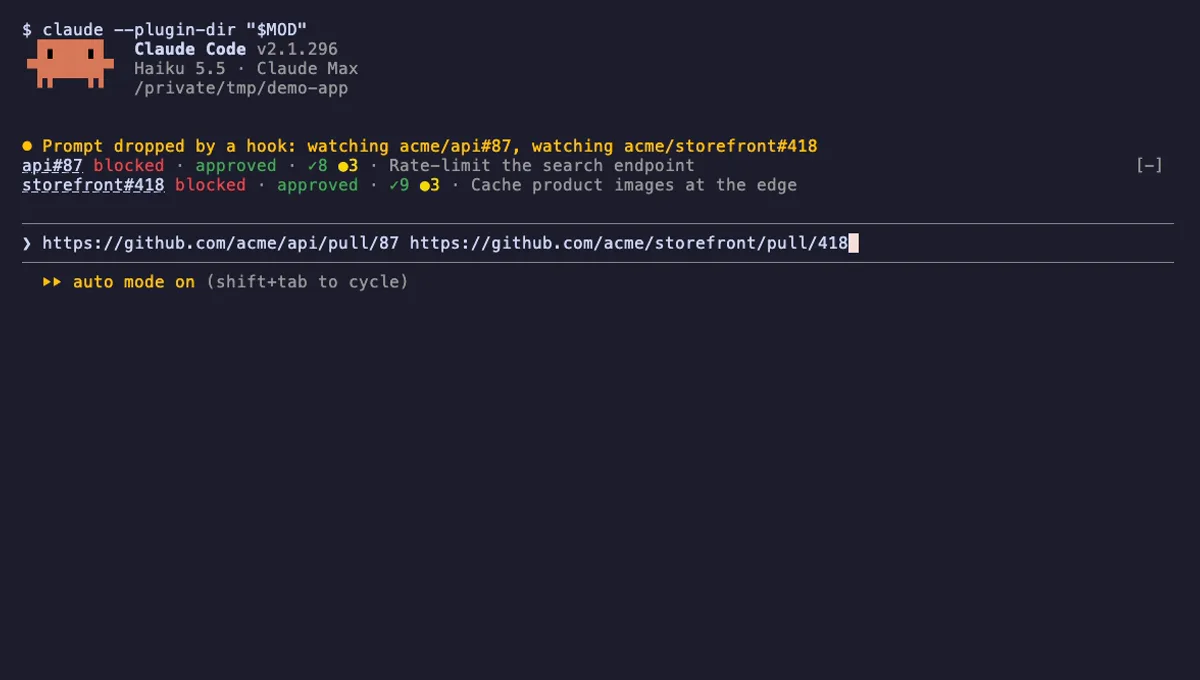
cc-pr-tracker
One line per GitHub PR above the Claude Code prompt: merge state, review, required checks, and alerts on change.
- above-prompt
- toast
- Reads files
- Runs commands
- Intercepts tool calls
- Reads your prompts
- Changes the UI
- Adds commands/tools
- Stores data
tested with v2.1.296
 Featured
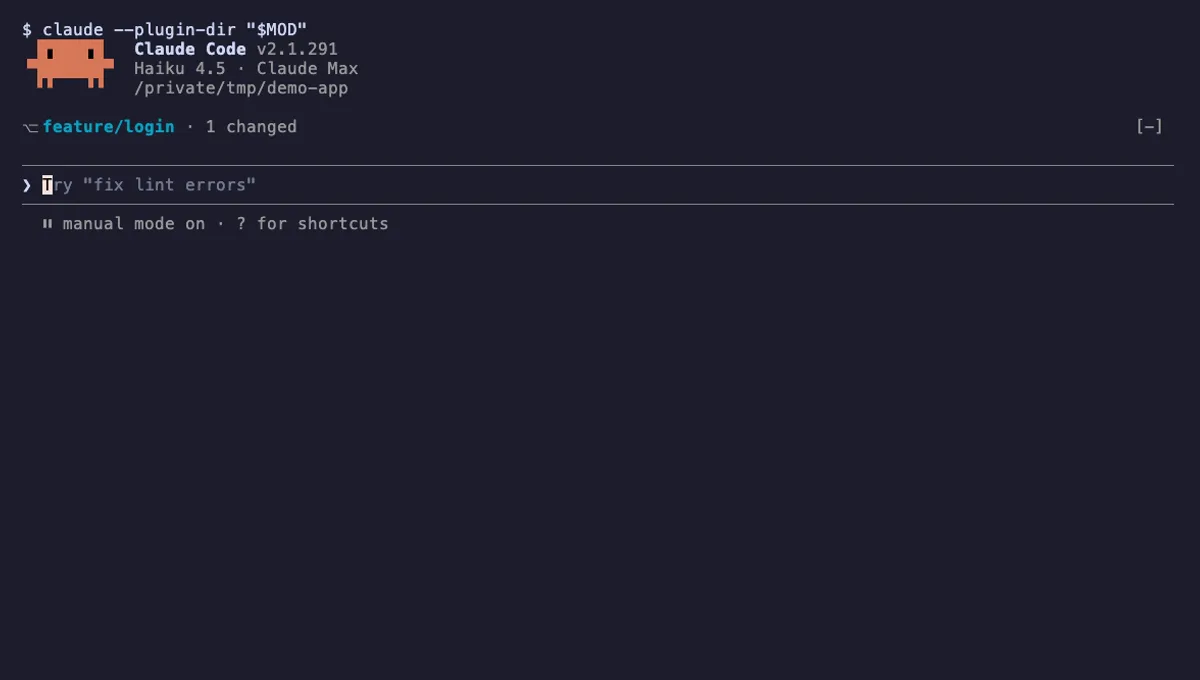
Git Branch Above Prompt
Shows your git branch, changed-file count and ahead/behind status in a one-line band above the Claude Code prompt.
- above-prompt
- Runs commands
- Intercepts tool calls
- Changes the UI
tested with v2.1.310
More in Timers, todos, standups, Git & GitHub.