What Are Claude Code Mods?
Updated
What are Claude Code mods? They are plugins that run your own JavaScript or TypeScript inside Claude Code, so they can change how it looks and behaves: draw a line above the prompt, put numbers in the status line, refuse a dangerous shell command, or add a slash command. Mods arrived in Claude Code 2.1.287 and are on by default.
This guide explains what a mod is made of, what it can and cannot touch, how mods differ from settings hooks, MCP servers and skills, and how to judge whether one is safe to install. It ends with a working mod you can build in two minutes.
What is a Claude Code mod?
A mod is a normal Claude Code plugin with one extra file: a hooks module. The module exports a register(on, options) function. When Claude Code loads the plugin, it calls register, and the mod uses on(...) to subscribe to events such as "a tool is about to run", "a turn finished" or "the spinner is being drawn".
Each handler receives three arguments:
$, the mods API. Every effect a mod has goes through it:$.ui.status,$.ui.toast,$.process.run,$.fs.read,$.command.registerand so on.e, the event, for example the Bash command that is about to run.next, which passes the event on to Claude Code's own behaviour.
A handler can observe (call next(e) and look at the result), rewrite (call next with a changed event) or answer (return its own result and never call next, which is how a guard denies a tool call).
What makes a plugin a mod is a single key. If hooks/hooks.json contains modules, the plugin is a mod:
{
  "modules": ["./register.js"]
}
Mods run in Claude Code's process with your user permissions. They are not sandboxed. The useful trade-off is that every effect has to go through $, so Claude Code can read a mod's source and list exactly which events it handles and which API calls it makes before you run it.
What can a mod change?
The event list is long, but most mods use a handful of areas:
| Area | Events | Example |
|---|---|---|
| Tools | tool.call, tool.check |
Block rm -rf / before it runs |
| Turns | turn.start, turn.complete |
Chime when a long answer is ready |
| Session | session.start, session.compact |
Start a timer, refresh after compaction |
| Interface | ui.render |
Add text beside the spinner or above the prompt |
| Commands | command.run |
Answer /tally without calling the model |
| Prompts | prompt.submit, prompt.context |
Add context to what you send |
Mods can also open panes, register tools for Claude to call, run subagents, read and write files, make HTTP requests and keep data in a small key-value store. Each of those is a $ call that shows up in validation.
Mod UI draws in the terminal (including the JetBrains plugin) and in the desktop app's Code tab. In the VS Code extension chat panel, claude -p and the Agent SDK, hooks still run but nothing is drawn. A guard therefore keeps protecting you in headless runs, while a status line mod simply has nowhere to show its text.
Mods vs hooks vs MCP servers vs skills
These four extension points overlap in name only:
- Settings hooks run a shell command at fixed points (before a tool, after a tool, on stop). They are separate processes that talk to Claude Code through JSON on stdin and stdout. They cannot draw UI or keep live state.
- Mods run in-process with a typed API. They can do what a hook does, plus draw on render sites, register commands and tools, and react to events that hooks never see, such as the spinner drawing or a compaction starting.
- MCP servers give Claude new tools and data sources over a protocol. Claude decides when to call them. They do not change Claude Code's interface or intercept its built-in tools.
- Skills are instructions and files Claude loads when a task matches. They change what Claude knows, not what Claude Code does.
A rough rule: if you want Claude to know or be able to do something new, reach for a skill or an MCP server. If you want Claude Code itself to look or behave differently, write a mod.
Are Claude Code mods safe?
A mod can do anything you can do in a terminal, so treat installing one like installing any developer tool. Three habits keep the risk small:
- Read the validate output.
claude plugin validate <dir>prints ahooks:line and acalls:line for the module. A status-line mod that lists$.http.fetchor$.fs.writedeserves a closer look. - Check the permission badges. Every mod page on ClaudeMods turns those calls into plain labels such as "Runs commands" or "Intercepts tool calls", with a sentence on why the mod needs each one.
- Know the off switches.
/plugin disable <name>turns one mod off.claude --safe-modestarts a session with all mods disabled."disableAllHooks": truein settings keeps them off.
Organisations can go further. Administrators can allow only managed mods, block sideloading with --plugin-dir, and order an approved guard mod ahead of everything users install. The details are in the mods admin docs.
Which Claude Code version do I need?
Run claude --version. The terminal needs 2.1.287 or later. The desktop app bundles its own copy of Claude Code, and mods work there from 2.1.286. Every mod on this site lists the version it was last tested with; at the time of writing that is 2.1.291.
Build a tiny mod to see one work
Three files are enough. Create this layout:
hello-status/
├── .claude-plugin/
│   └── plugin.json
└── hooks/
    ├── hooks.json
└── register.js.claude-plugin/plugin.json:
{
  "name": "hello-status",
  "version": "0.1.0",
  "description": "Writes a fixed message to the Claude Code status line",
  "author": { "name": "Your Name" }
}
hooks/hooks.json holds the modules key shown earlier, pointing at ./register.js. Then hooks/register.js:
export function register(on) {
  on('session.start', async ($, e, next) => {
    const started = await next(e)
    $.ui.status('hello from my first mod')
    return started
  })
}
Check it before you run it:
claude plugin validate ./hello-statusOn Claude Code 2.1.291 this prints:
  ❯ ./register.js hooks: session.start
  ❯ ./register.js calls: $.ui.status

✔ Validation passed
Now start a session with the mod loaded for this run only:
claude --plugin-dir ./hello-statusThe status line shows your message. Edit register.js and save; Claude Code reloads the module without a restart. The mod is loaded as hello-status@inline and is gone when you quit. The mods tutorial covers tests and publishing.
Where to find mods
Mods are distributed through plugin marketplaces, which are Git repositories or URLs with a marketplace.json. ClaudeMods keeps one, and every mod in the directory has a page with a demo recording, the install command, its options, the code that does the work and the permissions it uses. Each one is validated, tested and recorded on a real Claude Code build before its page goes live.
Ready to add one? How to install Claude Code mods covers every install method, plus updating and removing.
FAQ
- Are mods the same as plugins?
- A mod is a kind of plugin. Any plugin whose hooks/hooks.json has a modules key is a mod. It is installed, updated and removed with the same /plugin and claude plugin commands as any other plugin.
- Do I need Node.js or a build step to write a mod?
- No. Claude Code loads .js and .ts hooks modules directly, so a mod is plain files in a folder. Node.js, npm and bundlers are not involved.
- Can a mod call the model?
- Yes, through $.model.complete and related calls. claude plugin validate lists those calls, so you can see before installing whether a mod spends tokens.
- Do mods work in claude -p and the VS Code extension?
- Their hooks run there, so a guard such as a command blocker still works. Nothing they draw is shown, because only the terminal and the desktop app's Code tab render mod UI.
- How do I turn every mod off quickly?
- Start Claude Code with claude --safe-mode to disable all mods for that session, or set "disableAllHooks": true in your settings to keep them off.
# Mods mentioned in this guide
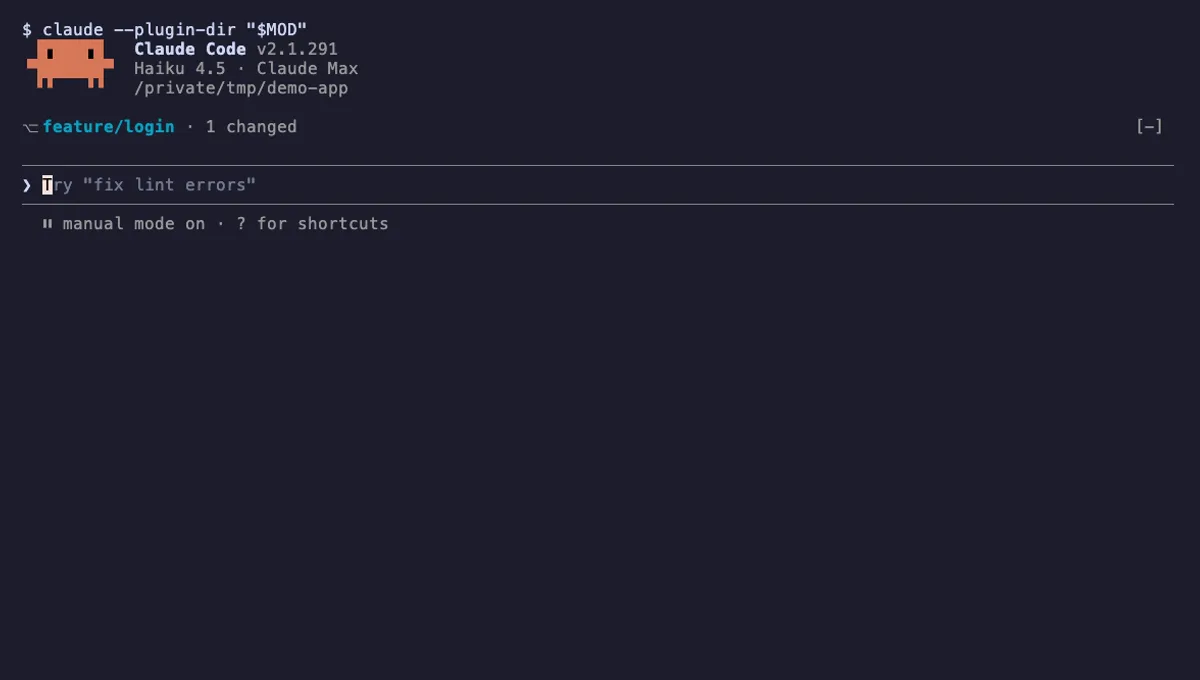
Git Branch Above Prompt
Shows your git branch, changed-file count and ahead/behind status in a one-line band above the Claude Code prompt.
- above-prompt
- Runs commands
- Intercepts tool calls
- Changes the UI
tested with v2.1.291

Context Meter
Context-window fill, 5-hour and 7-day plan usage and session cost in the status line, plus a warning near the limit.
- status
- toast
- Changes the UI
tested with v2.1.291
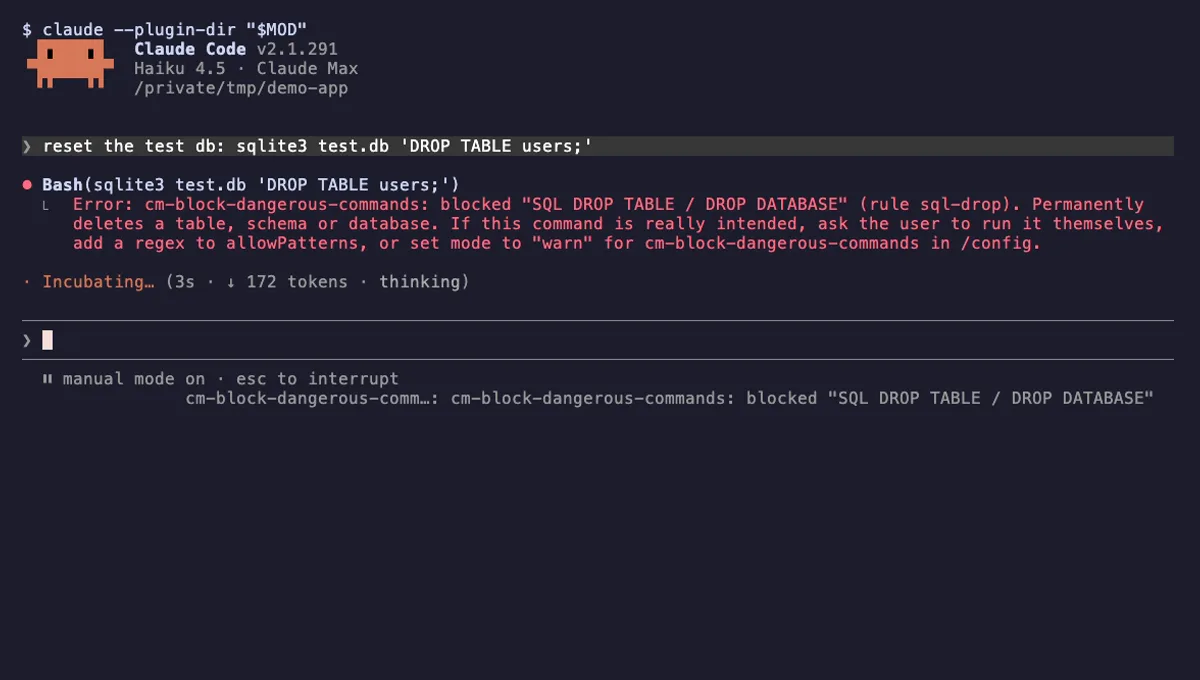
Block Dangerous Commands
Refuses rm -rf /, force-push to main, DROP TABLE, curl | sh and other destructive Bash commands before they run.
- toast
- Intercepts tool calls
- Changes the UI
tested with v2.1.291
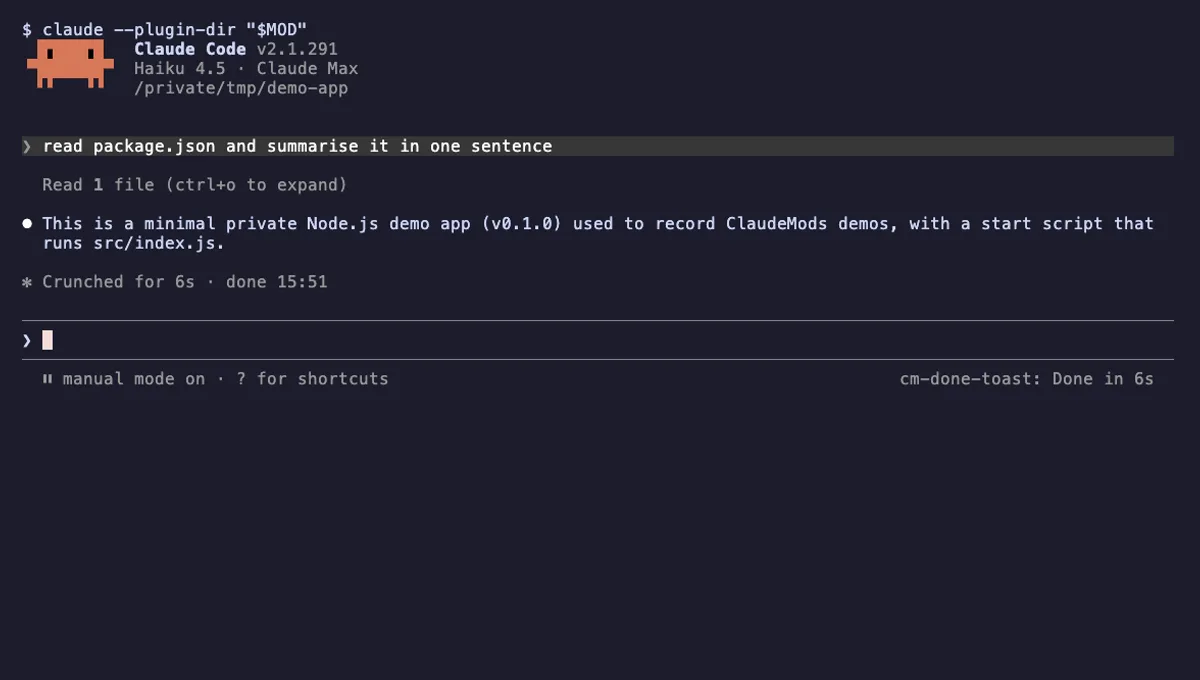
Done Toast
A "Done in 2m 14s" toast and a short chime when a long Claude turn finishes, plus an optional desktop notification.
- toast
- Runs commands
- Changes the UI
- Plays sound
tested with v2.1.291

Tool Call Counter
Counts Claude's tool calls per turn and session, shows the count by the spinner, and adds /tally for a breakdown.
- spinner
- transcript
- status
- Intercepts tool calls
- Changes the UI
- Adds commands/tools
tested with v2.1.291