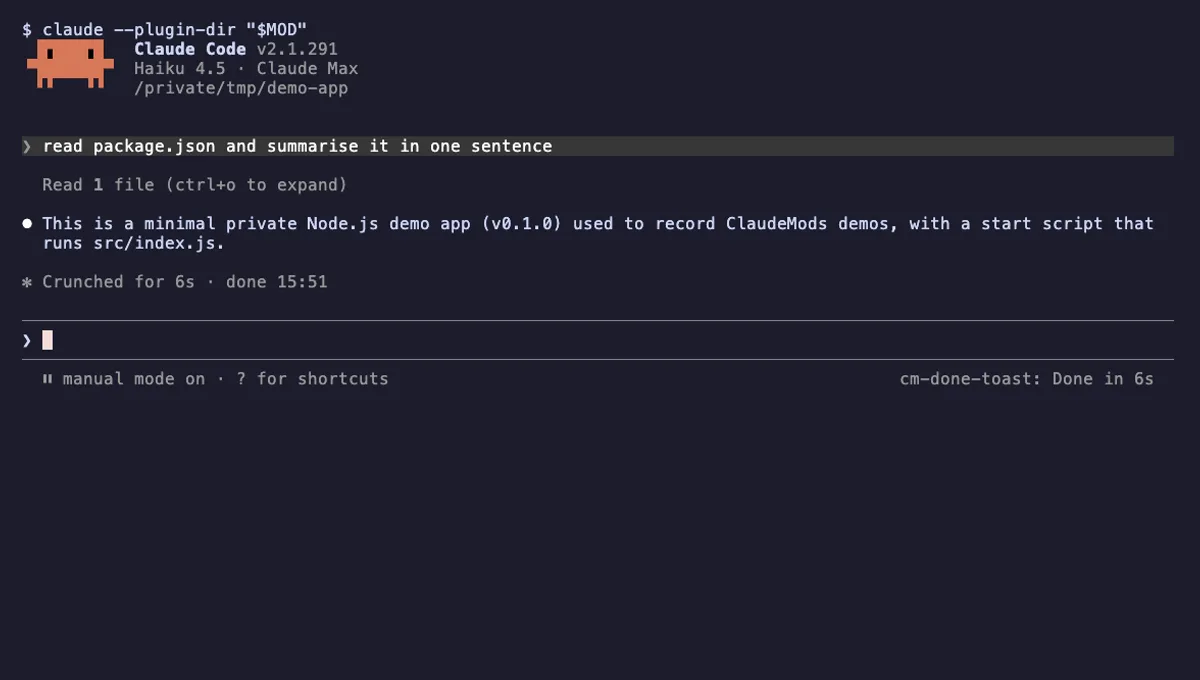
Done Toast
A "Done in 2m 14s" toast and a short chime when a long Claude turn finishes, plus an optional desktop notification.
- toast
- Runs commands
- Changes the UI
- Plays sound
tested with v2.1.291
Claude Code productivity mods time your turns, ping you when Claude is done, keep a todo list next to the prompt and draft a standup from what changed today.
A "Done in 2m 14s" toast and a short chime when a long Claude turn finishes, plus an optional desktop notification.
tested with v2.1.291
Claude Code productivity mods help you manage the time around Claude's work. They tell you when a long turn is done, time how long tasks take, keep a small todo list beside the prompt, or draft a standup note from the day's commits and sessions. Most are small, but they save the habit of checking back every minute.
Timing mods read turn.start and turn.complete; the second carries durationMs, so a mod can show "Done in 2m 14s" with $.ui.toast and play a chime with $.audio.play. Timers and reminders use $.clock.after and $.clock.every. Todo lists usually register a command with $.command.register, keep items in $.store so they survive restarts, and draw them in the AbovePrompt band or a pane.
A standup mod reads git history with $.process.run, and may ask Claude to summarise it with $.model.complete. Some mods also handle prompt.suggest to put a suggested next prompt in the input box. The mods reference lists these events and methods.
Look for Stores data if the mod keeps a list between sessions; that is expected and stays on your machine. Calls the model (uses your quota) means the mod sends its own requests to Claude, for example to write a summary. That is fine for an occasional standup and wasteful if it runs on every turn, so read when it fires.
Runs commands is normal for a standup mod that reads git log, and for a timer that raises a desktop notification. Reads your prompts is rarely needed for productivity features; ask why if you see it.
Start with a done notification: it changes how you work during long turns more than anything else. Add a todo list if you often lose track of what you asked Claude to do next. Leave standup and summary mods for later, once you know how much model usage you want to spend on them.