Assumption Tracker Claude Code mod: a Claude Code assumption tracker
Log claims with /assume, then confirm or refute each one with written evidence; the history is kept per session.
Permissions
- Reads filesCan read files and list directories on your machine ($.fs.read / list / stat / exists).
- Runs commandsCan run shell programs on your machine ($.process.run / spawn). Check the source for exactly which ones.
- Intercepts tool callsSees every tool call Claude makes (tool.call / tool.check) and could block or change it.
- Changes the UIDraws into the Claude Code interface: bands, panes, status text, toasts (ui.render / $.ui.*).
- Adds commands/toolsRegisters new slash commands or tools that you or Claude can invoke ($.command.register / $.tool.register).
- Stores dataKeeps data between sessions in the plugin's private store ($.store.*).
- tested with
- v2.1.307
- last tested
- requires
- Claude Code ≥ 2.1.287
- surfaces
- none
- source
- YeonwooSung (Apache-2.0)
Install inside Claude Code:
/plugin install assumption-tracker --marketplace YeonwooSung/my-claude-code-modsWhat does this mod do?
Assumption Tracker is a community mod by YeonwooSung (YeonwooSung), one of the plugins in the my-claude-code-mods collection. It is a Claude Code assumption tracker: you write down something you or Claude are taking for granted, and later mark it confirmed or refuted with a line of evidence. It is for the moments in a long session when "I think the API returns UTC" quietly turns into a fact nobody checked.
Everything goes through one slash command, /assume:
/assume add <claim> | <reference>records a claim asUNVERIFIED. The reference, such as a file path, is optional./assume confirm <id> | <evidence>and/assume refute <id> | <evidence>set the status. Evidence is required, so a claim cannot be resolved with nothing written./assume reopen <id>goes back toUNVERIFIED, clears the current evidence and keeps the history./assume show <id>prints one claim with its history,/assume list(or/assumealone) prints all of them, and/assume resetclears the records.
The answer comes back as plain command text, so it also works in headless sessions. The mod draws nothing on screen.
Install
Use any of the methods in the install block; they install straight from the author's own marketplace. Reload plugins or restart Claude Code, then run /assume help.
$ install assumption-tracker
Requires Claude Code ≥ 2.1.287
Installs from the author's own marketplace: YeonwooSung/my-claude-code-mods
1.One line, inside Claude Code
/plugin install assumption-tracker --marketplace YeonwooSung/my-claude-code-modsPaste into a running session (v2.1.275+). Claude Code asks to add the marketplace first.
2.From your shell
claude plugin marketplace add YeonwooSung/my-claude-code-mods claude plugin install assumption-tracker@my-claude-code-modsThen run /reload-plugins in any session that is already open.
3.Try it without installing
git clone https://github.com/YeonwooSung/my-claude-code-mods claude --plugin-dir ./my-claude-code-mods/assumption-trackerLoads the mod for one session only. Nothing is added to your settings.
How it works
The mod keeps its data in a small Feature class in hooks/core/feature.ts, and hooks/register.ts wires it to the /assume command and saves it with $.store. The part that matters is the status change, from feature.ts:
if (verb !== 'reopen' && !evidence) return 'Resolution evidence required: confirm/refute <id> | <evidence>'
item.status = verb === 'confirm' ? 'CONFIRMED' : verb === 'refute' ? 'REFUTED' : 'UNVERIFIED'
item.evidence = verb === 'reopen' ? '' : safeText(evidence, 2000)
item.history = [...item.history, { status: item.status, evidence: item.evidence || '(reopened)' }].slice(-20)
Each command runs through a queue, so two commands never write at once. The storage key combines the working directory and the session ID. If either changed while a command was running, the command is dropped with "Session changed; operation not applied". The text is cleaned by safeText (escape codes removed, obvious secrets masked) before it is saved, and the state is checked for size before the write. If the write fails, you get a visible error instead of a silent loss.
Customize it
There are no options in /config. The limits (200 claims, 20 history entries, the text lengths) are constants in hooks/core/feature.ts and hooks/core/runtime.ts if you want to edit a local copy. The | character separates the parts of a command, so a claim or an evidence line cannot contain one.
Permissions & safety
We read every file the plugin can execute before running it: plugin.json, hooks/hooks.json, hooks/register.ts, the three files in hooks/core/, and the tests. There is no package.json inside the plugin, no install script and no bundled or minified code. The repository's own package.json only holds development scripts and two dev dependencies.
- Network: none. We found no
fetch, HTTP or socket code, and the README says there are no network calls. No telemetry. - Stores data: claims, references, evidence and history go to the plugin's
$.store, keyed by folder and session. Nothing else is written, and the mod does not touch~/.claude,settings.json, shell files or any daemon. - Processes and files, disclosed but not used:
register.tsbuilds a shared helper (lines 13 to 36) that can read files, rungitandnodethrough$.process.run, and replay a Bash command through$.tool.call. That is whyclaude plugin validatelists$.process.run,$.fs.*and$.tool.call. In this plugin,Feature.commandnever uses any of them, so/assumeruns no commands and reads no files. The helper is code the author shares across the collection. - Tool-call hook:
claude plugin validatereports thetool.callandcommand.runhooks as gating hooks without a.catch. The tool hook only observes when theFeatureclass has anobservemethod (register.ts:9). This one has none, so the hook returnsnext(e)untouched and never blocks or rewrites a call./assumeitself wraps its work in atry/catchand returns the error text. - Model influence: the mod does not add anything to prompts or tool results, and we found no hidden or zero-width characters. Its output goes to you as command text. If you paste that text back to Claude, Claude will read it, so keep claims honest.
- Secrets: it reads no environment variables or credential files for
/assume. Typed text is masked on a best-effort basis (core/redact.ts). - External requirements: none for
/assume. The shared helper would callgitandnode, but only if code reached it, which it does not. - License: Apache-2.0, with a
LICENSEfile at the repository root (Copyright 2026 Yeonwoo Sung), so the mod is redistributable. The plugin folder has none of its own.
claude plugin validate reported no errors or warnings for the manifest and the hooks. It gave one non-blocking directory note: the plugin has no icon. The author's 7 tests passed on Claude Code 2.1.307.
- Reads files
- Can read files and list directories on your machine ($.fs.read / list / stat / exists).
- Runs commands
- Can run shell programs on your machine ($.process.run / spawn). Check the source for exactly which ones.
- Intercepts tool calls
- Sees every tool call Claude makes (tool.call / tool.check) and could block or change it.
- Changes the UI
- Draws into the Claude Code interface: bands, panes, status text, toasts (ui.render / $.ui.*).
- Adds commands/tools
- Registers new slash commands or tools that you or Claude can invoke ($.command.register / $.tool.register).
- Stores data
- Keeps data between sessions in the plugin's private store ($.store.*).
Compatibility & troubleshooting
Checked with Claude Code 2.1.307 on macOS (validate and tests). The author ran their tests on 2.1.302 and says the live terminal and Desktop displays have not been checked. If /assume does not respond:
- Run
/reload-pluginsor restart Claude Code after installing; the command is registered at session start. - You get an empty list in a new session or folder, because records are separate for each folder and session ID.
- "Assumption not found" means the ID is not in the latest 200 claims; IDs keep counting up and restart only after
/assume reset. - Put
|between the parts:/assume confirm 1 | evidence text. Without evidence you get "Resolution evidence required".
To check it works, run /assume add The config is read at startup | src/config.ts, then /assume confirm 1 | checked in src/config.ts line 12 and /assume show 1.
FAQ
- Does the Assumption Tracker check whether my evidence is true?
- No. The README says the truth of the evidence text is not evaluated. /assume confirm and /assume refute only require that the evidence is not empty, and the mod stores whatever you wrote. There is no model call and no automatic source editing.
- Where are my assumptions stored?
- In the plugin's own store through $.store, under a key built from the working directory and the session ID. Reloading or resuming the same session brings them back, and a different folder or session starts with an empty list. /assume reset clears this mod's records only.
- How many assumptions and history entries does it keep?
- The latest 200 claims, and the last 20 status changes of each claim. Claims are cut to 2,000 characters, references to 500 and evidence to 2,000. The saved state is capped at 256 KiB, and a larger state is not saved.
- Does it hide secrets I type into a claim or evidence?
- It masks obvious ones, such as API_TOKEN=value, Bearer tokens, --password flags and passwords inside URLs, and it strips terminal escape codes, before storing or showing the text. The README calls this best effort, so do not paste real secrets into a claim.
- Does it change how Claude behaves or block my tools?
- No. It registers a tool.call hook, but in this version the hook returns the call untouched. The mod never injects text into prompts; /assume only returns text to you.
# Related mods
 Featured
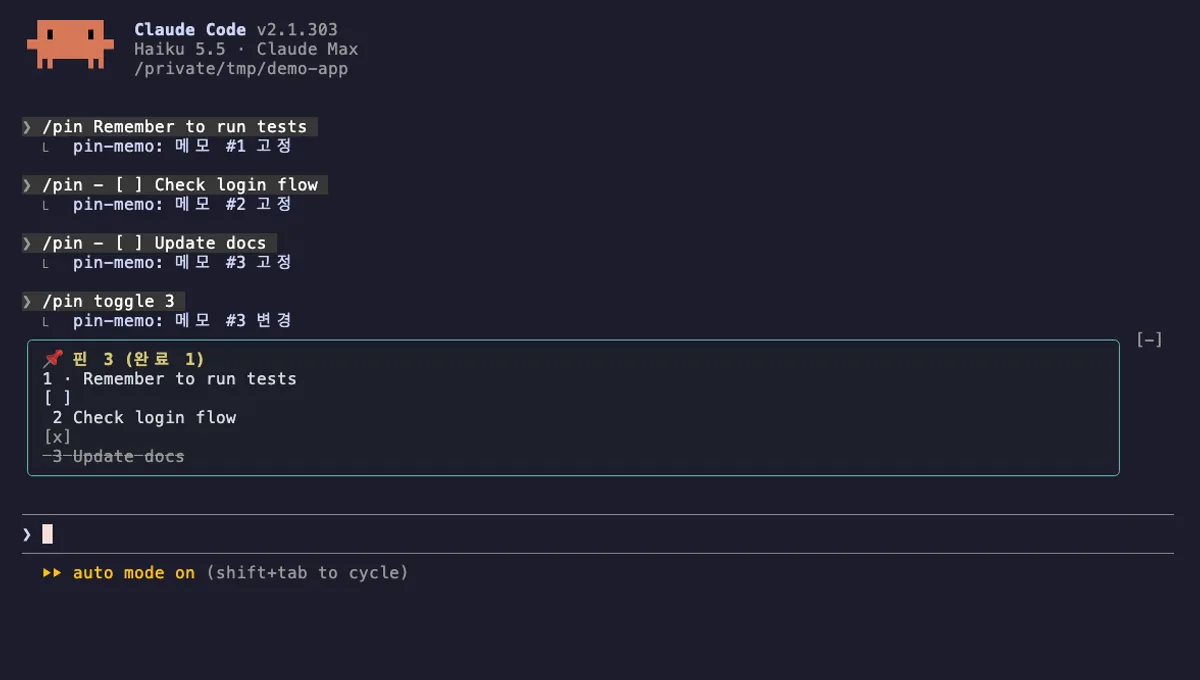
Pin Memo
Pin notes and clickable todo checkboxes above the Claude Code prompt with /pin, saved per session.
- above-prompt
- Changes the UI
- Adds commands/tools
- Stores data
tested with v2.1.303
 Featured
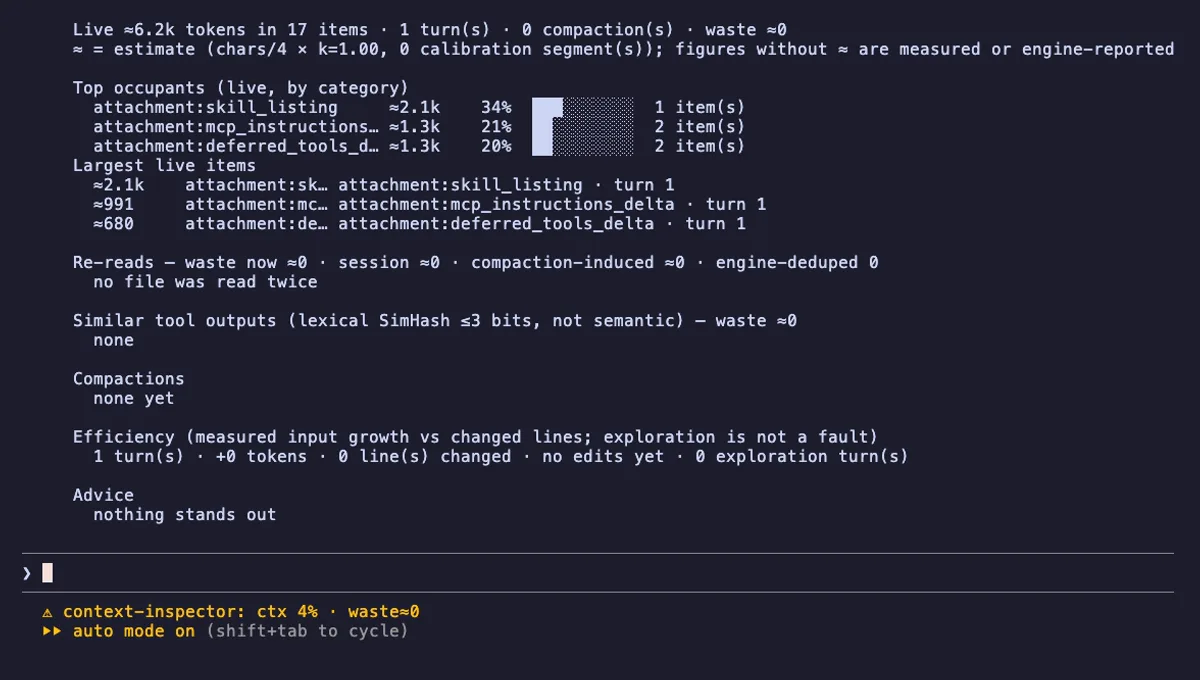
Context Inspector
Shows what fills your Claude Code context, how much is re-reads and duplicates, and what compaction kept.
- status
- pane
- toast
- Writes files
- Intercepts tool calls
- Reads your prompts
- Changes the UI
- Adds commands/tools
tested with v2.1.303
Loop Detective
Opens a case when the same Bash command fails the same way three times in a row, and shows it in the status line.
- status
- toast
- pane
- Intercepts tool calls
- Changes the UI
- Adds commands/tools
tested with v2.1.303
More in Timers, todos, standups, Slash commands.