Pin Memo Claude Code mod: Claude Code pinned notes and todos by the prompt
Pin notes and clickable todo checkboxes above the Claude Code prompt with /pin, saved per session.
#18 in Best Claude Code ModsPermissions
- Changes the UIDraws into the Claude Code interface: bands, panes, status text, toasts (ui.render / $.ui.*).
- Adds commands/toolsRegisters new slash commands or tools that you or Claude can invoke ($.command.register / $.tool.register).
- Stores dataKeeps data between sessions in the plugin's private store ($.store.*).
- tested with
- v2.1.303
- last tested
- requires
- Claude Code ≥ 2.1.287
- surfaces
- above-prompt
- source
- YeonwooSung (Apache-2.0)
Install inside Claude Code:
/plugin install pin-memo --marketplace YeonwooSung/my-claude-code-modsWhat does this mod do?
Pin Memo is a community mod by YeonwooSung (GitHub), one plugin in the my-claude-code-mods collection. It gives Claude Code pinned notes: you type /pin Remember to run tests and the note stays in a teal bordered band above the prompt, so it is still in view after the conversation scrolls past it.
Notes can also be todos. /pin - [ ] Check login flow adds an unchecked item and /pin - [x] Update docs adds a finished one. Finished todos stay visible, dimmed and struck through, and the band title counts how many items are pinned and how many are done. You tick an item off by clicking its [ ] box, by focusing the band with ctrl+x tab, or with /pin toggle <id>.
The list belongs to the session. It is saved in the plugin's own store under the working folder and session ID, so resuming the same session in the same folder restores the notes, while a new session or /clear starts with an empty list. The mod is close to our After mod in spirit, but it is a plain list: it does not schedule anything and never sends a note to Claude. The band is drawn on the terminal and Desktop app; the author notes that VS Code chat and headless sessions can use the command and the saved list.
Demo
The recording starts Claude Code with the mod loaded in the small demo project and runs four /pin commands, with no model turn. First /pin Remember to run tests pins a plain note: Claude Code confirms "메모 #1 고정" (note #1 pinned) and the band appears with the title "핀 1 (완료 0)". Then two todos are added, - [ ] Check login flow and - [ ] Update docs, and the band grows to three rows. Finally /pin toggle 3 ticks the last todo: the title changes to "핀 3 (완료 1)" and the row is dimmed with a strikethrough. In the recording the checkbox buttons are drawn on their own line above each todo's text.
Install
Use any of the methods in the install block; they install straight from the author's own marketplace. The band appears as soon as you pin something, and /pin is registered when the session starts.
$ install pin-memo
Requires Claude Code ≥ 2.1.287
Installs from the author's own marketplace: YeonwooSung/my-claude-code-mods
1.One line, inside Claude Code
/plugin install pin-memo --marketplace YeonwooSung/my-claude-code-modsPaste into a running session (v2.1.275+). Claude Code asks to add the marketplace first.
2.From your shell
claude plugin marketplace add YeonwooSung/my-claude-code-mods claude plugin install pin-memo@my-claude-code-modsThen run /reload-plugins in any session that is already open.
3.Try it without installing
git clone https://github.com/YeonwooSung/my-claude-code-mods claude --plugin-dir ./my-claude-code-mods/pin-memoLoads the mod for one session only. Nothing is added to your settings.
How it works
The adapter in hooks/register.tsx registers /pin on session.start, answers it on command.run, and renders the band at the AbovePrompt site. The storage key is built from the folder and the session ID, in hooks/core/controller.ts:
export function storeKey(cwd: string, id: string): string {
  if (!cwd || !id || !/^(?:\/|[A-Za-z]:[\\/])/.test(cwd)) throw new Error('세션 폴더와 ID를 확인할 수 없습니다.')
  // ...trailing slashes are trimmed from the folder...
  return `pin-memo:v1:${JSON.stringify([folder, id])}`
}
Commands are parsed by pure functions in hooks/core/memo.ts and run one after another through a queue, so rapid commands all persist. A change is written to the store before it is reported as done; if the write fails the previous state stays and an error toast appears. A saved document that fails validation is shown as an error and is not overwritten until you run /pin clear. Old checkbox handles are checked against the current session, so a stale click cannot change another session's list. When a survey is open above the prompt, the band steps aside.
Customize it
There are no options in /config. The commands are /pin <memo>, /pin add <memo> (for text that starts with a command word), /pin list, /pin toggle|check|uncheck|remove <id>, /pin edit <id> <memo>, /pin clear and /pin help. Editing a note without a checkbox marker turns a todo back into a plain note. To change the look, edit the colors in register.tsx (#62B8AD for the border, #1D2029 for the background) or the Korean labels in hooks/core/view.ts and hooks/core/memo.ts.
Permissions & safety
We read every file the plugin can execute before running it: .claude-plugin/plugin.json, hooks/hooks.json, hooks/register.tsx, hooks/core/controller.ts, memo.ts and view.ts, plus the tests. The plugin has no package.json, install script, binary or bundled code, and nothing was left unread.
Changes the UI covers the band above the prompt. Adds a command covers /pin. The mod uses $.session.cwd and $.session.id to build its storage key, and $.store to save the list. It does not use the network, run processes or shell commands, write files, read environment variables or secrets, send telemetry, run a background service, block or rewrite tool calls or prompts, or add text to the model's context. The one thing to know is that your notes are stored as plain JSON in the plugin store, so do not pin secrets. The repository has an Apache-2.0 LICENSE at its root, which allows redistribution. claude plugin validate reported no errors or warnings, and the author's 29 tests passed on Claude Code 2.1.303.
- Changes the UI
- Draws into the Claude Code interface: bands, panes, status text, toasts (ui.render / $.ui.*).
- Adds commands/tools
- Registers new slash commands or tools that you or Claude can invoke ($.command.register / $.tool.register).
- Stores data
- Keeps data between sessions in the plugin's private store ($.store.*).
Compatibility & troubleshooting
Checked with Claude Code 2.1.303 on macOS (validate, tests and the demo recording); the author's README names 2.1.292. If something looks wrong:
- Nothing appears: the band only shows once at least one note exists, so run
/pin helpand pin something. - Notes are gone: a new session or
/clearhas its own list; resume the earlier session in the same folder to get the old one back. A folder reached through a different symlink counts as a different folder. - The band does not show in VS Code chat or headless runs;
/pin liststill works there. - A "session changed" or "cannot read the saved memo" message means the folder or session ID could not be read, or the saved document is damaged. Try the command again, or run
/pin clearto reset a damaged list. - Two processes editing the same session have no live sync, so the last write wins.
FAQ
- Do the pinned notes go to the model?
- No. The author's README says notes do not enter model context automatically, and we found no code that adds them to a prompt. They only show in the band and in the output of /pin list.
- Where are the notes stored?
- In the plugin's own store through $.store, under a key made of the working folder and the session ID. The mod writes no files of its own and has no network or shell code.
- Will my notes come back after I restart Claude Code?
- Only if you resume the same session in the same folder. A new session or /clear gets an empty list, and resuming the old session brings its notes back.
- How many notes can I pin?
- Up to 100 notes, each at most 2,000 characters. IDs are never reused after a deletion, and there is no automatic expiry.
- Why is the band in Korean?
- The author wrote the interface strings in Korean, for example the title "핀 3 (완료 1)" meaning "3 pinned (1 done)" and the confirmations after each command. The commands, your note text and the checkboxes work in any language; only those labels are fixed.
# Related mods
 Featured
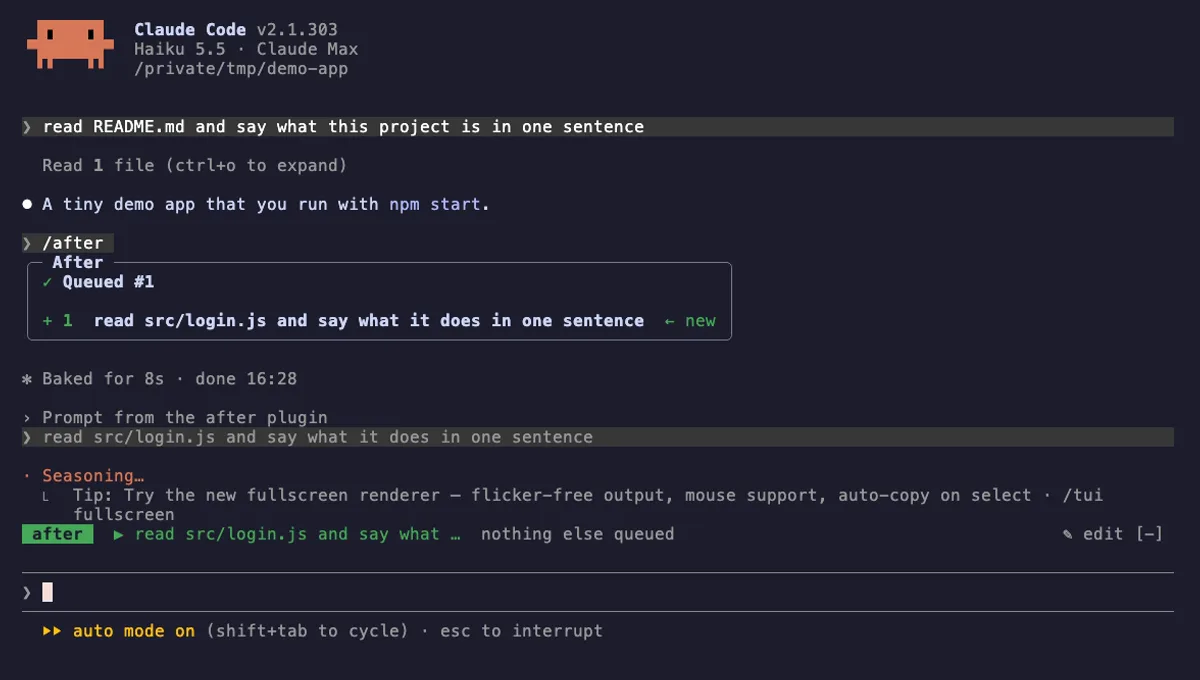
After
A prompt queue for Claude Code: /after runs your next task when the current one ends, without steering it.
- above-prompt
- pane
- toast
- status
- Calls the model (uses your quota)
- Reads your prompts
- Changes the UI
- Adds commands/tools
- Stores data
tested with v2.1.303
More in Timers, todos, standups, Slash commands.