After Claude Code mod: a Claude Code prompt queue that doesn't steer
A prompt queue for Claude Code: /after runs your next task when the current one ends, without steering it.
Permissions
- Calls the model (uses your quota)Can send its own requests to Claude, which count against your plan's usage ($.model.* / $.agent.spawn).
- Reads your promptsCan see what you type and the conversation transcript (prompt.* / session.append / session.messages).
- Changes the UIDraws into the Claude Code interface: bands, panes, status text, toasts (ui.render / $.ui.*).
- Adds commands/toolsRegisters new slash commands or tools that you or Claude can invoke ($.command.register / $.tool.register).
- Stores dataKeeps data between sessions in the plugin's private store ($.store.*).
- tested with
- v2.1.303
- last tested
- requires
- Claude Code ≥ 2.1.287
- surfaces
- above-prompt, pane, toast, status
Install inside Claude Code:
/plugin install after --marketplace midudev/better-claudeWhat does this mod do?
After is a community mod by Miguel Ángel Durán (midudev), and it works as a Claude Code prompt queue. /after <task> adds a task that runs when Claude finishes what it is doing; if Claude is idle, the task starts at once. /before <task> puts a task at the front so it runs next. The point is that queued tasks do not steer the current turn: Claude does not see them until their turn comes.
Each command answers with a bordered card in the transcript that shows what changed: a new task, a moved one, an edited one, or a removed one. While something is queued, a one-line band above the prompt shows what runs now and what comes next. Bare /after opens a pane where you pick, edit, reorder and delete tasks with the keyboard. You can also type plain language, such as /after remove the tests one or /after tests, write a README explaining them; Haiku works out what you mean when the text may refer to something already queued.
Other commands: /after rm 2, mv 3 1, edit 2 <text>, pause, resume, undo, clear, list and help. The author's README says it needs a Claude Code version with mods, 2.1.289 or newer.
Demo
The recording starts Claude Code with the mod loaded in the small demo project and asks Claude to read README.md and say what the project is in one sentence. While Claude is still working, the clip types /after read src/login.js and say what it does in one sentence. A card titled After appears with Queued #1 and the task marked ← new, and the band above the prompt shows the task. When the first answer ends, the mod submits the queued task as a message ("Prompt from the after plugin"), the band changes to ▶ read src/login.js and say what… nothing else queued, and Claude starts on it. The clip ends there.
Install
Use any of the methods in the install block; they install straight from the author's own marketplace. If you install into a session that is already open, run /reload-plugins first. Then try /after <task> while Claude is working.
$ install after
Requires Claude Code ≥ 2.1.287
Installs from the author's own marketplace: midudev/better-claude
1.One line, inside Claude Code
/plugin install after --marketplace midudev/better-claudePaste into a running session (v2.1.275+). Claude Code asks to add the marketplace first.
2.From your shell
claude plugin marketplace add midudev/better-claude claude plugin install after@better-claudeThen run /reload-plugins in any session that is already open.
3.Try it without installing
git clone https://github.com/midudev/better-claude claude --plugin-dir ./better-claude/plugins/afterLoads the mod for one session only. Nothing is added to your settings.
How it works
The whole mod is one hooks module, hooks/register.tsx, over plain JavaScript under src/. /after and /before are registered as immediate commands, so they run even mid-turn. The queue is held in $.state for the band and pane, and saved in $.store per session. When a turn ends, the next task is handed to Claude:
on('turn.complete', async ($, e, next) => {
  const result = await next(e)
  if (e.agentId === undefined) await finishTurn($, e.reason === 'answer')
  return result
})
// ...
reason = (await $.prompt.submit({ text: item.text, asUser: true })).drop
Only answered turns of the main agent move the queue; Esc, a refusal or an API error stop it until the next normal end. To keep tasks out of Claude's context, the command answers with only a short reference such as #lq2x9k-3, a ui.render hook on CommandOutput draws the card in its place, and a session.append hook blanks the command's arguments in the transcript record, as the demo's /after line shows. Plain-language text goes to $.model.complete only when it may refer to the queue, and local heuristics take over if the model gives no answer.
Customize it
/config lists three options, or set them under pluginConfigs.after.options in settings.json:
smart(default on): ask a small model what a command means. Off uses local matching only.model(defaulthaiku): an alias or a full model id for those requests.display(defaultband):bandabove the prompt,statusas one line under it, ornone.
Permissions & safety
We read every file the plugin loads before running anything: plugin.json, hooks/hooks.json, hooks/register.tsx, all of src/ (pure JavaScript with no Node APIs and no imports outside the plugin), the types and the tests. There is no package.json in the plugin, install script, bundled or minified code, or binary. The repo has an MIT LICENSE file.
Changes the UI covers the band, the pane, the cards and a toast, "After · all queued tasks done". Adds commands covers /after and /before. Stores data covers the queue and the cards, in the plugin's own $.store, pruned after 7 and 30 days.
Findings you should know about:
- It submits prompts for you.
$.prompt.submitsends each queued task as your own message when a turn ends. Claude then works under your normal permission settings, but queued tasks run unattended, so check the queue with/after listor the band. - It sends queue text to a model. Plain-language commands send the command and the queued task texts to Haiku through Claude Code's own client (
$.model.complete, 25 s timeout). That is the same account you already use, with no extra host or key; turn it off withsmart. - It rewrites the transcript record. The
session.appendhook removes the arguments of/afterand/beforefrom what the model reads. It does not block or change tool calls or your prompts;validatelists it as a gating hook without a.catch, and the code matches the README. - It does not use the network on its own, run shell commands, read environment variables, or write outside its store.
scripts/eval-haiku.jsdoes spawnclaude -p, but it is a developer script that the plugin never loads. - It checks for old
after.mdandbefore.mdfiles in~/.claude/commandsand only logs a message asking you to delete them. It does not touch them.
claude plugin validate reported no errors or warnings, and the author's 20 tests passed on Claude Code 2.1.303.
- Calls the model (uses your quota)
- Can send its own requests to Claude, which count against your plan's usage ($.model.* / $.agent.spawn).
- Reads your prompts
- Can see what you type and the conversation transcript (prompt.* / session.append / session.messages).
- Changes the UI
- Draws into the Claude Code interface: bands, panes, status text, toasts (ui.render / $.ui.*).
- Adds commands/tools
- Registers new slash commands or tools that you or Claude can invoke ($.command.register / $.tool.register).
- Stores data
- Keeps data between sessions in the plugin's private store ($.store.*).
Compatibility & troubleshooting
Checked with Claude Code 2.1.303 on macOS (validate, tests and the demo). If it does not work:
/afteris missing: confirm the plugin is loaded in/plugin, and run/reload-pluginsafter installing.- A file named
after.mdorbefore.mdin~/.claude/commands(left by After 0.1) shadows the mod; delete it. - Nothing runs: the queue may be paused, so run
/after resume. After Esc or an error it waits until a turn ends normally. - The pane needs input support on your surface; without it, use the commands directly.
- To build a queue before anything starts while Claude is idle, run
/after pause, add your tasks, then/after resume.
FAQ
- What is the difference between typing while Claude works and using /after?
- Text typed during a turn is injected into that turn and can change what Claude is doing now. A task queued with /after stays out of Claude's context until the current turn ends, then arrives as your own message.
- Does After call a model?
- Only for plain-language commands such as "/after remove the tests one", and only when the text may refer to a queued task. It asks Haiku through Claude Code's own client, so there is no API key. Set the smart option to off to use local matching only.
- What happens if I press Esc?
- Esc interrupts the running task as usual and the queue waits until a later turn ends normally. You can also hold it yourself with /after pause and let it run with /after resume.
- Does the queue survive a restart or /clear?
- Yes. The queue is saved in the plugin's own store per session, so a resumed session finds it with nothing marked as running, and /clear keeps it for the new conversation.
- How do I hide the band above the prompt?
- Set the display option to status for one line under the prompt, or none to show the queue only through /after. Options are in /config.
# Related mods
 Featured
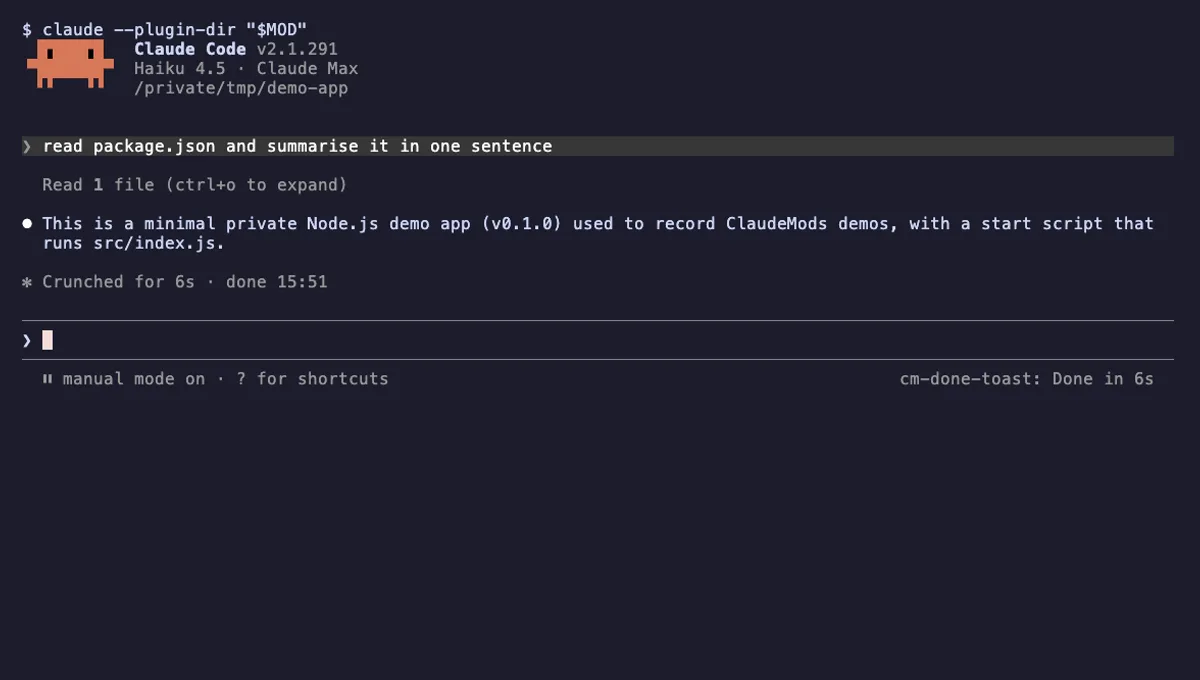
Done Toast
A "Done in 2m 14s" toast and a short chime when a long Claude turn finishes, plus an optional desktop notification.
- toast
- Runs commands
- Changes the UI
- Plays sound
tested with v2.1.310
 Featured
Tool Call Counter
Counts Claude's tool calls per turn and session, shows the count by the spinner, and adds /tally for a breakdown.
- spinner
- transcript
- status
- Intercepts tool calls
- Changes the UI
- Adds commands/tools
tested with v2.1.310
More in Timers, todos, standups, Slash commands.