Claude Code Notification When Done: Toast and Chime
A "Done in 2m 14s" toast and a short chime when a long Claude turn finishes, plus an optional desktop notification.
Permissions
- Runs commandsCan run shell programs on your machine ($.process.run / spawn). Check the source for exactly which ones.
- Changes the UIDraws into the Claude Code interface: bands, panes, status text, toasts (ui.render / $.ui.*).
- Plays soundCan play audio or speak text ($.audio.*).
- tested with
- v2.1.291
- last tested
- requires
- Claude Code ≥ 2.1.287
- surfaces
- toast
- source
- ClaudeMods (MIT)
Install inside Claude Code:
/plugin install cm-done-toast --marketplace rotbit/claudemods-marketplaceWhat does this mod do?
Done Toast gives you a Claude Code notification when done: once a turn that took a while finishes, a toast says Done in 2m 14s and a short two-note chime plays. A turn that ends on an error says Stopped on an error after 2m 14s instead. Short turns, interrupted turns and subagent turns stay silent, so the sound means "come back, your answer is ready".
If you work in another window during long tasks, turn on the system notification option and the same message appears in macOS Notification Center or as a Linux notify-send popup. Requires Claude Code 2.1.287 or later.
Demo
The recording sends Claude a task that takes longer than the threshold. When the turn completes, the toast with the turn's duration appears at the bottom of the screen.
Install
Choose one of the methods in the install block. Sound works on macOS out of the box; system notifications are opt-in.
$ install cm-done-toast
Requires Claude Code ≥ 2.1.287
1.One line, inside Claude Code
/plugin install cm-done-toast --marketplace rotbit/claudemods-marketplacePaste into a running session (v2.1.275+). Claude Code asks to add the marketplace first.
2.From your shell
claude plugin marketplace add rotbit/claudemods-marketplace claude plugin install cm-done-toast@claudemodsThen run /reload-plugins in any session that is already open.
3.Try it without installing
git clone https://github.com/rotbit/claudemods-marketplace claude --plugin-dir ./claudemods-marketplace/cm-done-toastLoads the mod for one session only. Nothing is added to your settings.
How it works
The mod has a single hook. From hooks/register.ts:
on('turn.complete', async ($, e, next) => {
  const result = await next(e)
  if (!shouldNotify(e, minSeconds)) return result

  const text = toastText(e, includeAnswerPreview)
  $.ui.toast(text)

  if (sound) {
    $.audio.play({ asset: 'sounds/done.wav' }).catch(() => undefined)
  }

  if (systemNotification) {
    platform ??= $.process
      .run(['uname', '-s'], { timeoutMs: 5000 })
      .then(ran => (ran.exitCode === 0 ? parseUname(ran.stdout) : undefined))
      .catch(() => undefined)
    platform
      .then(found =>
        found === undefined ? undefined : $.process.run(notificationArgv(found, 'Claude Code', text), { timeoutMs: 10000 }),
      )
      .catch(() => undefined)
  }

  return result
})
turn.complete fires when Claude finishes a turn. The hook awaits next(e) first, so it never delays the turn's result. shouldNotify in hooks/format.ts returns false for subagent turns (those with an agentId), aborted turns and anything shorter than minSeconds. toastText formats the duration as 45s, 2m 14s or 1h 3m.
The chime is sounds/done.wav, bundled with the mod and played with $.audio.play. The mods API has no platform field and no notification call, so when system notifications are on, the mod asks uname -s once and caches the answer. It then runs osascript -e 'display notification …' on macOS or notify-send on Linux. Arguments go in as an argv array with no shell, so quotes in Claude's answer cannot break out. The sound and notification are fire-and-forget; errors are swallowed.
Customize it
Change these options in /config. To use your own sound, replace sounds/done.wav in the mod folder, or change the asset path in the hook. The toast wording comes from toastText in hooks/format.ts, and the notification title 'Claude Code' is the second argument to notificationArgv.
| Setting | Type | Default | What it does |
|---|---|---|---|
| minSeconds | number | 30 | Minimum turn length (seconds). Only turns at least this long raise the toast, sound and notification. |
| sound | boolean | true | Play a sound. Play a short chime when the turn finishes (macOS only: Claude Code plays clips with afplay). |
| systemNotification | boolean | false | System notification. Also raise a desktop notification via osascript (macOS) or notify-send (Linux). |
| includeAnswerPreview | boolean | false | Include answer preview. Add the first 80 characters of Claude's answer to the toast and notification. |
Change these in Claude Code with /config — the mod hot-reloads.
Permissions & safety
Changes the UI covers the toast. Plays sound covers the chime. Runs commands appears because $.process.run is in the code, but it is only used when you turn on systemNotification: then it runs uname -s once, followed by osascript or notify-send with fixed arguments. With the default settings no process is started.
The mod does not intercept tool calls, read your prompts, touch files or use the network. Disable it with /plugin disable cm-done-toast, or start a session with all mods off using claude --safe-mode.
- Runs commands
- Can run shell programs on your machine ($.process.run / spawn). Check the source for exactly which ones.
- Changes the UI
- Draws into the Claude Code interface: bands, panes, status text, toasts (ui.render / $.ui.*).
- Plays sound
- Can play audio or speak text ($.audio.*).
Compatibility & troubleshooting
Tested with Claude Code 2.1.291 on macOS in the terminal. If nothing happens when a turn ends:
- Check
claude --versionis 2.1.287 or later and the mod is enabled in/plugin. - Run
/reload-pluginsafter installing from the shell. - The turn may have been shorter than
minSeconds. - No sound outside macOS is expected.
- On macOS, allow notifications for your terminal app in System Settings if the system notification never shows.
- On Linux, install libnotify (
notify-send) for system notifications.
FAQ
- Why didn't I get a notification after a short answer?
- Turns shorter than minSeconds (30 by default) stay quiet. Set minSeconds to 0 to be told about every turn.
- Why is there no sound on Linux or Windows?
- Claude Code plays audio clips with afplay, which exists only on macOS. The toast still appears on every platform.
- How do I get a macOS Notification Center alert?
- Turn on systemNotification in /config. The mod then runs osascript on macOS or notify-send on Linux. macOS may ask once whether your terminal can send notifications.
- Will subagents trigger it?
- No. Turns with an agentId are skipped, as are interrupted turns, so you get one notification per answer.
- Can the notification include Claude's answer?
- Turn on includeAnswerPreview to add the first 80 characters. It is off by default because the text then appears in your system notification history.
# Related mods

Context Meter
Context-window fill, 5-hour and 7-day plan usage and session cost in the status line, plus a warning near the limit.
- status
- toast
- Changes the UI
tested with v2.1.291

Tool Call Counter
Counts Claude's tool calls per turn and session, shows the count by the spinner, and adds /tally for a breakdown.
- spinner
- transcript
- status
- Intercepts tool calls
- Changes the UI
- Adds commands/tools
tested with v2.1.291
Git Branch Above Prompt
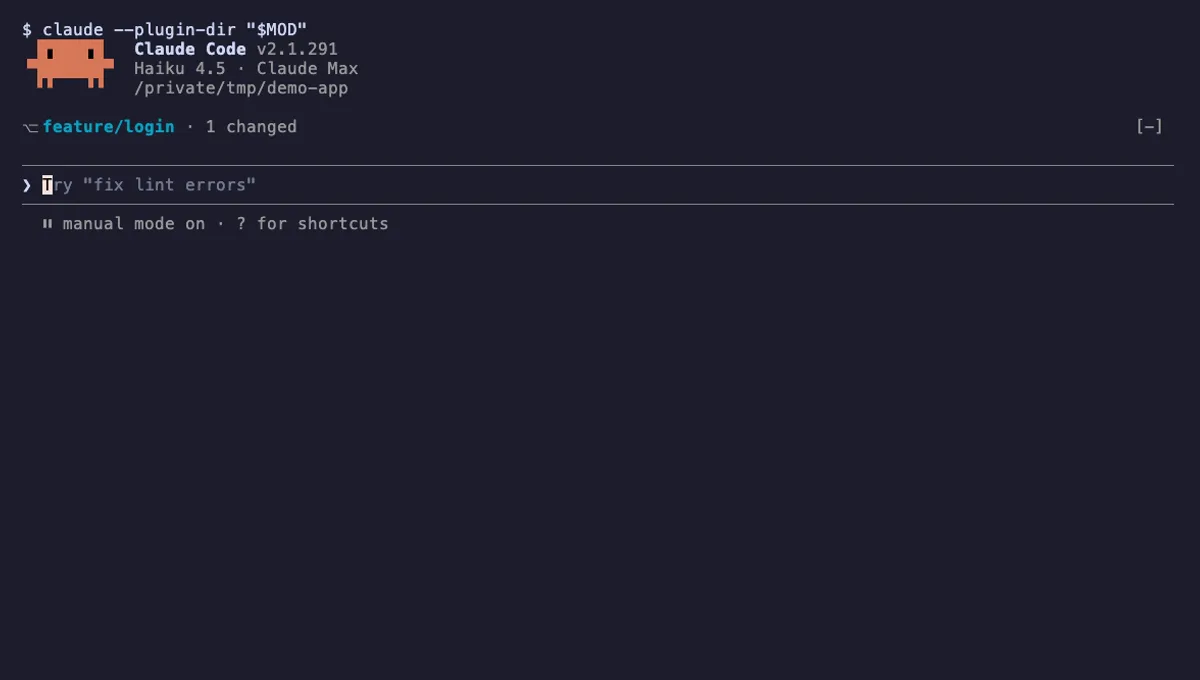
Shows your git branch, changed-file count and ahead/behind status in a one-line band above the Claude Code prompt.
- above-prompt
- Runs commands
- Intercepts tool calls
- Changes the UI
tested with v2.1.291