Project Sentinel Claude Code mod: Claude Code context handoff on autopilot
A status band, context handoff, prompt cache tracking and permission rules for long Claude Code runs.
Permissions
- Reads filesCan read files and list directories on your machine ($.fs.read / list / stat / exists).
- Runs commandsCan run shell programs on your machine ($.process.run / spawn). Check the source for exactly which ones.
- Calls the model (uses your quota)Can send its own requests to Claude, which count against your plan's usage ($.model.* / $.agent.spawn).
- Intercepts tool callsSees every tool call Claude makes (tool.call / tool.check) and could block or change it.
- Reads your promptsCan see what you type and the conversation transcript (prompt.* / session.append / session.messages).
- Changes the UIDraws into the Claude Code interface: bands, panes, status text, toasts (ui.render / $.ui.*).
- Adds commands/toolsRegisters new slash commands or tools that you or Claude can invoke ($.command.register / $.tool.register).
- Stores dataKeeps data between sessions in the plugin's private store ($.store.*).
- tested with
- v2.1.296
- last tested
- requires
- Claude Code ≥ 2.1.287
- surfaces
- above-prompt, pane, spinner, status, toast
Install inside Claude Code:
/plugin install project-sentinel --marketplace Arjun0014/project-sentinelWhat does this mod do?
Project Sentinel is a community mod by the Project Sentinel contributors (Arjun0014). It is built for long Claude Code runs, and its best-known feature is a Claude Code context handoff: when the context window fills up, Context Autopilot asks Claude to finish the current unit of work, write a notes file, and then clears the context and starts a fresh one that reads those notes. The mod was called Control Room until version 1.4.0, which is why the panel and the status band still carry that name.
Around that it adds a lot. A status band above the prompt shows context use, the prompt cache and the run cost. The Cache Guardian tracks how long the prompt cache stays warm and asks before a model switch that would re-send 100k or more tokens. Permission categories let you set package installs, pushes, deploys and similar actions to ask or deny. Other parts include a Mission Queue and Decision Inbox, subagent limits, a model router, a machine-load governor and an optional pixel companion. The author's README lists them in full; this page covers what we checked in the code.
Demo
The recording starts Claude Code with the mod loaded in the small demo project and asks Claude to read README.md and describe the project in one sentence. Before the prompt, the band above the input reads "Ready" with a Control Room badge and RUN $0.00. While the turn runs it changes to "Thinking" and then shows the context meter filling to 4%. When the turn ends it shows "Read 1 file", the context bar, CACHE 1h left and the run cost of under one cent.
Install
Use any of the methods in the install block; they install straight from the author's own marketplace, named control-room. The band appears on the next session start. Run /control-room or /cr to open the panel.
$ install project-sentinel
Requires Claude Code ≥ 2.1.287
Installs from the author's own marketplace: Arjun0014/project-sentinel
1.One line, inside Claude Code
/plugin install project-sentinel --marketplace Arjun0014/project-sentinelPaste into a running session (v2.1.275+). Claude Code asks to add the marketplace first.
2.From your shell
claude plugin marketplace add Arjun0014/project-sentinel claude plugin install project-sentinel@control-roomThen run /reload-plugins in any session that is already open.
3.Try it without installing
git clone https://github.com/Arjun0014/project-sentinel claude --plugin-dir ./project-sentinel/plugins/project-sentinelLoads the mod for one session only. Nothing is added to your settings.
How it works
The plugin has one hooks module, hooks/register.tsx, which builds a single host adapter for every engine call and registers each hook as a few lines that call a runtime object. Every gating hook has a .catch that falls back to Claude Code's own behavior. The tool-call hook, from hooks/register.tsx:
on('tool.call', async ($, e, next) => {
  if (rt.isStandby) return next(e)
  if (rt.host === null) rt.bind(hostOf($))
  const tool = String(e.tool)
  const input: Record<string, unknown> = isRecord(e) ? { ...e } : {}
  const refusal = await rt.beforeTool(tool, input, e.tool_use_id, e.agentId)
  if (refusal !== null) return { deny: refusal }
  // ... then next(e), with afterTool in a finally block
})
beforeTool tokenizes shell commands, classifies each segment into a permission category and applies the strictest setting. If that check crashes, the .catch still refuses obviously dangerous commands. State lives in the plugin's $.store (settings, run records, cache memory) and in $.state atoms that the render hooks read.
Customize it
Everything is set from the panel (/cr) or the /cr command: profiles, Autopilot threshold (70% of the window by default, or a token count), the handoff file name, permission states per category, answer style, router strategy, subagent mode and limit, resource ceilings, Keep warm and the companion. /cr reset confirm restores the defaults. The author's docs/CONFIGURATION.md lists every option.
Permissions & safety
We read the manifest, hooks/hooks.json, hooks/register.tsx, the host adapter, core/settings.ts, features/prompts.ts, features/permissions/decide.ts, app/formerStore.ts and the author's SECURITY.md. The plugin has roughly 60 TypeScript files (about 7,800 lines in the four largest). We did not read every line of the UI, panel and 3,000-line companion module (kit.client.tsx); for those and the rest we searched every file for network calls, eval, dynamic imports, process calls, file writes, secrets and hidden Unicode, and found none beyond what is listed here. There is no package.json in the plugin, no install script, no binary and no minified code.
Findings:
- Network: none. No
fetch, sockets or hosts. Model requests go through Claude Code's own client (the optional guard check, and Keep warm, which is off by default and re-sends the last request with a short "reply ok" message). - Processes:
top -l 0 -s 2 -n 0(a long-lived CPU and memory sampler that runs while "Live CPU and memory" is on, which is the default) andsysctl -n kern.memorystatus_levelon macOS;typeperfandsysteminfoon Windows;git status --porcelain=v1 --branchin git repositories. All use fixed arguments and no shell. The sampler stops when the session ends. - File writes: none by the plugin itself, only its own
$.storefile. The handoff notes file (NEXT_SESSION_PROMPT.mdby default) is written by Claude with its normal, permission-checked tools. It reads the old Control Room store file under~/.claude/plugins/store/once, to carry settings over; that file is never changed. - Daemons: none. Timers for watchers live in the Claude Code process.
- Environment: it reads
HOME,USERPROFILEandCLAUDE_CONFIG_DIR(to find the old store) and the prompt cache settingsCLAUDE_CODE_PROMPT_CACHE_TTL,ENABLE_PROMPT_CACHING_1HandFORCE_PROMPT_CACHING_5M. The author's SECURITY.md summary says it never reads environment variables, but its own table lists this read. Nothing is sent anywhere. - Telemetry: none.
- Model influence: it adds a policy section to the system prompt when features such as Autopilot or Frontier Max are on, adds short notes with tool results, offers two tools (
milestonesanddecision_request), and submits its own prompts (handoff, continuation, queued work). The wording is infeatures/prompts.ts. Frontier Max (off by default) tells Claude the session "is being evaluated for frontier-level autonomous capability" and to avoid stopping early. We found no hidden or zero-width text and no instructions aimed at a reviewer. - Gating hooks: it can refuse tool calls (defaults: force pushes, resets and dangerous commands denied; installs, downloads, pushes, deploys, deletes and edits outside the project ask), ask before a model switch or a resume of a large cold context, hide or refuse subagents, and continue a turn that stopped early (guard, off by default). It never answers a permission check and never loosens a deny. This matches the README.
- External requirements: none beyond Claude Code 2.1.287 or later.
topandsysctlship with macOS. - License: MIT, with a LICENSE file in the repository and in the plugin folder.
claude plugin validate reported no errors and no warnings. The claude plugin test command found no *.test.ts files in the plugin folder, because the author keeps the test harness in a separate tools/test folder of the repository, so we could not run the author's tests. Treat the mod as broad and invasive: it can rewrite prompts, deny tools and clear your context when you enable those features.
- Reads files
- Can read files and list directories on your machine ($.fs.read / list / stat / exists).
- Runs commands
- Can run shell programs on your machine ($.process.run / spawn). Check the source for exactly which ones.
- Calls the model (uses your quota)
- Can send its own requests to Claude, which count against your plan's usage ($.model.* / $.agent.spawn).
- Intercepts tool calls
- Sees every tool call Claude makes (tool.call / tool.check) and could block or change it.
- Reads your prompts
- Can see what you type and the conversation transcript (prompt.* / session.append / session.messages).
- Changes the UI
- Draws into the Claude Code interface: bands, panes, status text, toasts (ui.render / $.ui.*).
- Adds commands/tools
- Registers new slash commands or tools that you or Claude can invoke ($.command.register / $.tool.register).
- Stores data
- Keeps data between sessions in the plugin's private store ($.store.*).
Compatibility & troubleshooting
Checked with Claude Code 2.1.296 on macOS (validate and a recorded session). If something looks wrong:
- Run
/crto see the panel and the current settings. - If the band is missing, check Setup for the band style; it can be set to off.
- If Claude refuses a command, look at Guardrails: the default permission states deny force pushes and dangerous commands.
- If you also have the old
control-roomplugin loaded, Project Sentinel stands by and says so once. - On Windows, the CPU and memory counters need an English-language Windows.
FAQ
- Does Project Sentinel do anything unless I turn it on?
- It draws the status band, compact tool rows and the Control Room panel, runs a CPU and memory sampler for the band, and applies the default permission rules (installs, downloads, pushes and deploys ask; force pushes and dangerous commands are denied). Context Autopilot, Frontier Max, the router, Keep warm and the companion are off until you enable them.
- Does it send data anywhere?
- It makes no network requests of its own and has no telemetry. Two features ask Claude Code to send model requests that you can see in the panel: the guard's optional smart check, and Keep warm (off by default).
- Can it clear my context on its own?
- Only with Context Autopilot turned on, or when you ask for a handoff. It asks Claude to write a notes file first, checks that the file was freshly written, then runs /clear and submits a continuation prompt.
- What is the difference from Context Bar or Compact Adviser?
- Those show or advise on context use. Project Sentinel is a larger suite: besides context it covers the prompt cache, permission categories, subagent limits, queued work and watchers, and it can act on the session.
- How do I open the panel?
- Run /control-room, or /cr for short. The panel has tabs for activity, context, cache, guardrails, behavior and setup.
# Related mods
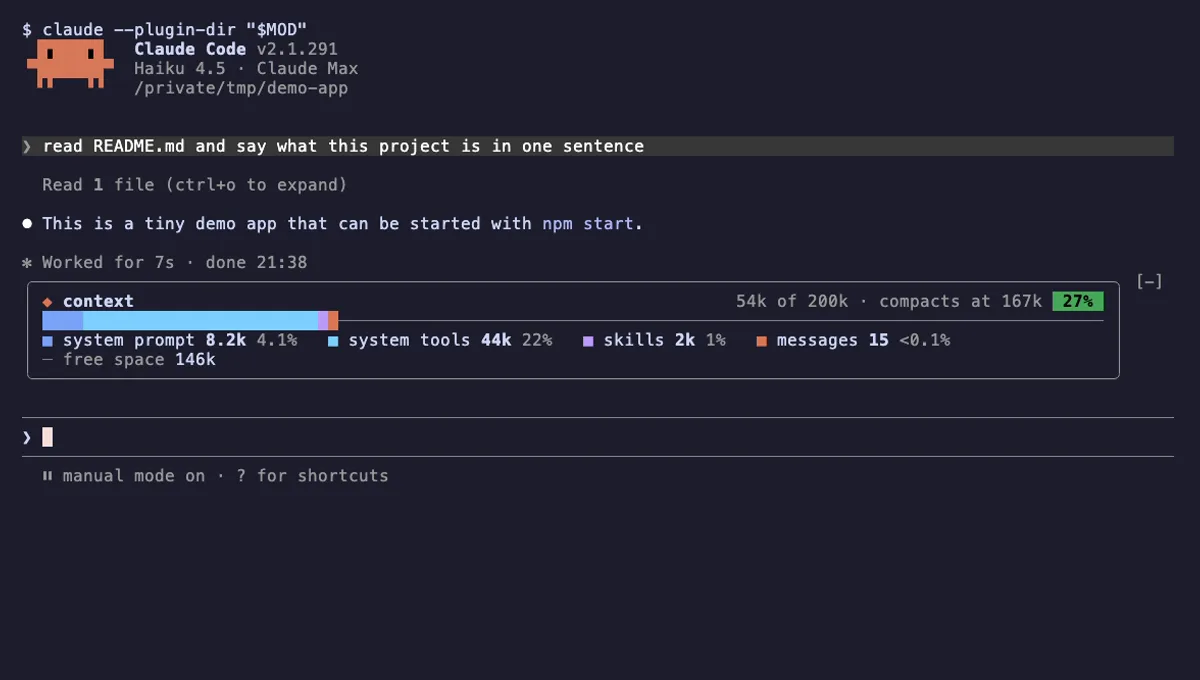 Featured
Context Bar
Your Claude Code context window as one stacked bar above the prompt, a color per category, with token counts.
- above-prompt
- Changes the UI
- Adds commands/tools
- Stores data
tested with v2.1.291
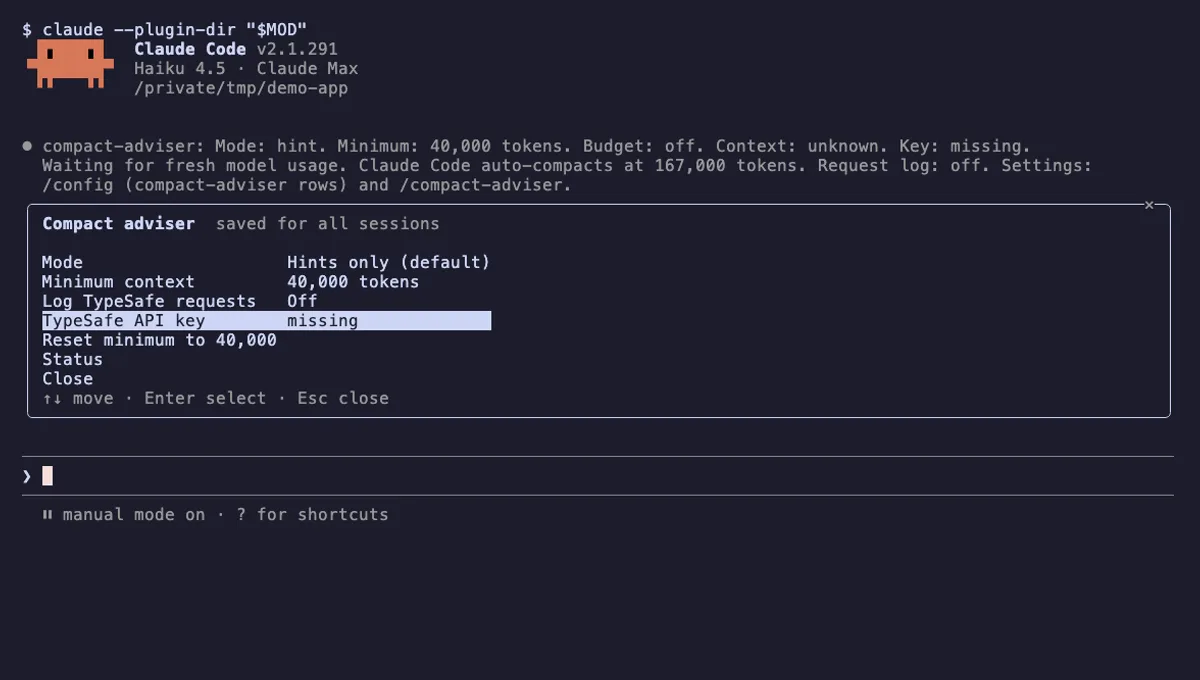 Featured
Compact Adviser
Suggests running /compact when your Claude Code session reaches a finished checkpoint, judged by TypeSafe's Jev model.
- status
- pane
- toast
- Reads files
- Writes files
- Network
- Reads your prompts
- Changes the UI
- Adds commands/tools
- Stores data
tested with v2.1.291
 Featured
Context Meter
Context-window fill, 5-hour and 7-day plan usage and session cost in the status line, plus a warning near the limit.
- status
- toast
- Changes the UI
tested with v2.1.310
More in Timers, todos, standups, Safety guards, Context, quota, cost.