Human in the loop Claude Code mod: keep the tasks only you can do in front of you
Claude assigns you the tasks only you can do. They wait in a My tasks pane, counted under the prompt, until you answer.
Permissions
- Intercepts tool callsSees every tool call Claude makes (tool.call / tool.check) and could block or change it.
- Reads your promptsCan see what you type and the conversation transcript (prompt.* / session.append / session.messages).
- Changes the UIDraws into the Claude Code interface: bands, panes, status text, toasts (ui.render / $.ui.*).
- Adds commands/toolsRegisters new slash commands or tools that you or Claude can invoke ($.command.register / $.tool.register).
- Stores dataKeeps data between sessions in the plugin's private store ($.store.*).
- tested with
- v2.1.310
- last tested
- requires
- Claude Code ≥ 2.1.287
- surfaces
- pane, status, toast, transcript
Install inside Claude Code:
/plugin install human-in-the-loop --marketplace tzafrir/human-in-the-loopWhat does this mod do?
Human in the loop is a community mod by Tzafrir Rehan (tzafrir). It is a human in the loop Claude Code mod for one situation: Claude needs something only you can do, such as a key put in .env, an approval on staging, a command on your own machine or a decision. Normally it says so in the middle of a reply, and the ask scrolls away. With this mod Claude assigns the ask as a task instead.
The mod registers three tools, assign_task, list_tasks and withdraw_task, and adds a few lines to the system prompt that tell Claude to use assign_task for anything only you can do, reviews of its work included. A task has a title, a one-sentence reason, an optional "done when", and a kind: do (you do it and mark it done), answer (Claude needs your words) or choose (pick one of 2 to 4 options). Open tasks wait in a My tasks pane and are counted in the status line under the prompt, like ☐ 1 task for you · /my-tasks. You can reply with Done, an option, an answer or a rejection with a reason.
Tasks do not block Claude. It carries on with other work, and your response reaches it as a message when you give it. Limits from the code: at most 5 open tasks, the same ask twice is one task, and only the main agent can assign them.
Demo
The recording starts Claude Code with the mod loaded in the small demo project and asks Claude to use assign_task to give us one task: put STRIPE_KEY in .env. Claude calls the tool, and the transcript shows a yellow ☐ Assigned you a task: Put your STRIPE_KEY in the .env file row, followed by the tool result saying the task is #1 and that open tasks are 1 of 5. Under the prompt the status line reads ☐ 1 task for you · /my-tasks, and a toast at the right of the footer says human-in-the-loop: Claude assigned you a task: Put your STRIPE_KEY in the .env file. See /my-tasks. In this narrow recording the pane did not seat itself, which is what the toast is for, so the clip does not show the pane or answering a task.
Install
Use any of the methods in the install block; they install straight from the author's own marketplace. Start a new session, or run /reload-plugins, after installing. /my-tasks opens the pane.
$ install human-in-the-loop
Requires Claude Code ≥ 2.1.287
Installs from the author's own marketplace: tzafrir/human-in-the-loop
1.One line, inside Claude Code
/plugin install human-in-the-loop --marketplace tzafrir/human-in-the-loopPaste into a running session (v2.1.275+). Claude Code asks to add the marketplace first.
2.From your shell
claude plugin marketplace add tzafrir/human-in-the-loop claude plugin install human-in-the-loop@human-in-the-loopThen run /reload-plugins in any session that is already open.
3.Try it without installing
git clone https://github.com/tzafrir/human-in-the-loop claude --plugin-dir ./human-in-the-loopLoads the mod for one session only. Nothing is added to your settings.
How it works
hooks/register.tsx is the only hooks module. The assign_task handler checks the arguments, refuses duplicates and a sixth open task, stores the task and opens the pane. From hooks/register.tsx:
on('tool.call', { tool: ASSIGN }, async ($, e) => {
  if (e.agentId !== undefined) {
    return { deny: 'Only the main agent assigns tasks to the user. Say what you need from the user in your result instead.' }
  }
  const ask = parseAsk(e as unknown as Record<string, unknown>)
  if ('error' in ask) {
    return { deny: ask.error }
  }
  // ...
  return { result: assignedOf(task, active.length + 1) }
})
Tasks live in $.state and in one $.store key per session, under the project folder, written by a 60-second heartbeat so that a session that ended or went quiet can have its tasks taken on by the next one. Your responses are sent with $.prompt.submit when Claude is idle, or appended as a row with $.session.append while it works. A prompt.compose hook adds the steering text, and a prompt.context hook lists open tasks at the start and after a compaction.
Customize it
There are no options. You control it with the pane buttons and keys: d for Done, 1 to 4 for options, r to answer, x to reject, and Save for later or Send now for timing. Long answers go through your own prompt box: Long answer… starts it with ↳ Answer to #3:. To change limits, the constants MAX_OPEN and MAX_TITLE are in hooks/tasks.ts and BATCH_MS is in hooks/register.tsx.
Permissions & safety
We read every file the plugin loads before running anything: .claude-plugin/plugin.json, hooks/hooks.json, hooks/register.tsx, pane.ts, project.ts, tasks.ts, text.ts, the type declarations and the tests. There is no package.json, install script, bundled or minified code, or binary other than PNG and GIF images. There is a LICENSE file (MIT).
- Network, processes, files, environment: none. A search of the hooks found no
fetch,child_process,$.process,$.http,evalor dynamicimport(). The only storage is$.storeand$.state, with the data model described indocs/privacy.md. No telemetry; the author's privacy policy says nothing leaves your machine. - Daemons: none; a
$.clock.everyheartbeat runs only while the session does. - Model influence: this is the notable part. The mod adds three tools, a three-line section at the end of the system prompt (
STEERING), ahumanInTheLoopcontext block listing open tasks, and a digest of task updates attached to your next prompt. It also makes its three tools always visible instead of deferred. The text is plain and matches the README; we found no hidden or zero-width characters in the code or the manifest (only in emoji test strings). - Gating hooks:
tool.callhooks answer only the mod's own three tools, andprompt.submitreads your prompt to recognize a long answer (↳ Answer to #N:) and to attach unsent responses. An answer that looks like a secret is dropped with a notice instead of being sent. Every other tool call passes through.validatenotes that these hooks have no.catch. - Prompts it submits: your responses to tasks in your words, and one fixed line,
I answered a task while you were finishing your reply; my answer is above. - Requirements: function hooks must be enabled in Claude Code (the README calls them early access). No external binary or account.
claude plugin validate passed with no errors and no warnings, and the author's tests passed: 192 pass, 0 fail, on Claude Code 2.1.310.
- Intercepts tool calls
- Sees every tool call Claude makes (tool.call / tool.check) and could block or change it.
- Reads your prompts
- Can see what you type and the conversation transcript (prompt.* / session.append / session.messages).
- Changes the UI
- Draws into the Claude Code interface: bands, panes, status text, toasts (ui.render / $.ui.*).
- Adds commands/tools
- Registers new slash commands or tools that you or Claude can invoke ($.command.register / $.tool.register).
- Stores data
- Keeps data between sessions in the plugin's private store ($.store.*).
Compatibility & troubleshooting
Checked with Claude Code 2.1.310 on macOS (validate, tests and the recording). If nothing happens:
- Function hooks are enabled, and the plugin is loaded in
/plugin. - You started a new session or ran
/reload-pluginsafter installing. - Claude only assigns a task when the system prompt carries the steering text; it is not added in
-p(print) or bare mode. - On a narrow terminal the pane is not opened unasked. Run
/my-tasks, and click it or pressctrl+x tabto use the keys. - The mobile app draws no answer field, so there you only get Done, options and an immediate Reject.
FAQ
- How is a task different from AskUserQuestion?
- AskUserQuestion blocks Claude until you answer. A task does not: Claude keeps working while it waits, and your response reaches Claude as a message whenever you give it. The tool description tells Claude to use tasks for things it needs at some point in the session.
- When does Claude hear my answer?
- Right away if Claude is idle. If it is working, the answer is saved and goes when the turn ends, together with your other answers once no task is left open. The Send now button sends it at once, and the next prompt you type carries it too.
- Do tasks survive /clear, a new session or a compaction?
- Yes. Open tasks are kept in the plugin's own store, keyed by project folder, and the next session in that folder takes them on. Claude is told about them again at the start of a conversation and after a compaction.
- What if I answer with a secret?
- An answer that looks like a key, token or private key is held with a warning and not sent unless you press Send anyway. The tool description asks Claude to have you put a secret where it belongs and press Done instead of pasting it.
- Does it send anything over the network?
- No. We found no network, process or file-system calls in the code. It stores tasks with $.store and sends your responses to Claude only as prompts, in your own words.
# Related mods
 Featured
Done Toast
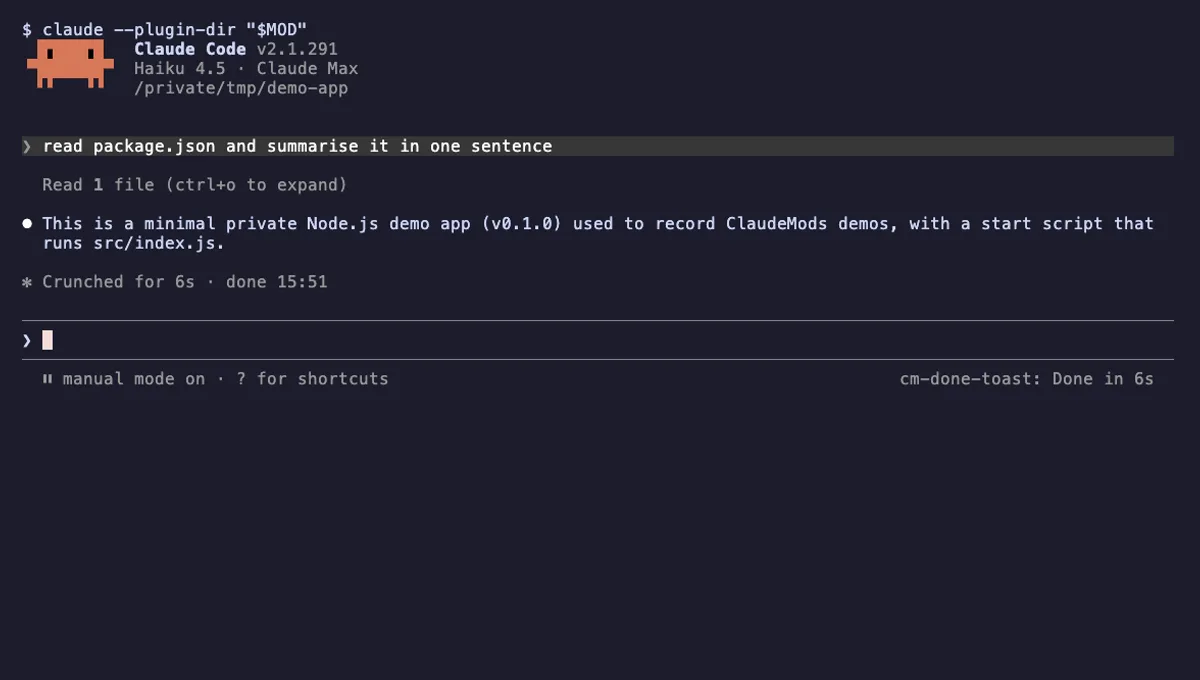
A "Done in 2m 14s" toast and a short chime when a long Claude turn finishes, plus an optional desktop notification.
- toast
- Runs commands
- Changes the UI
- Plays sound
tested with v2.1.310
 Featured
Next Steps
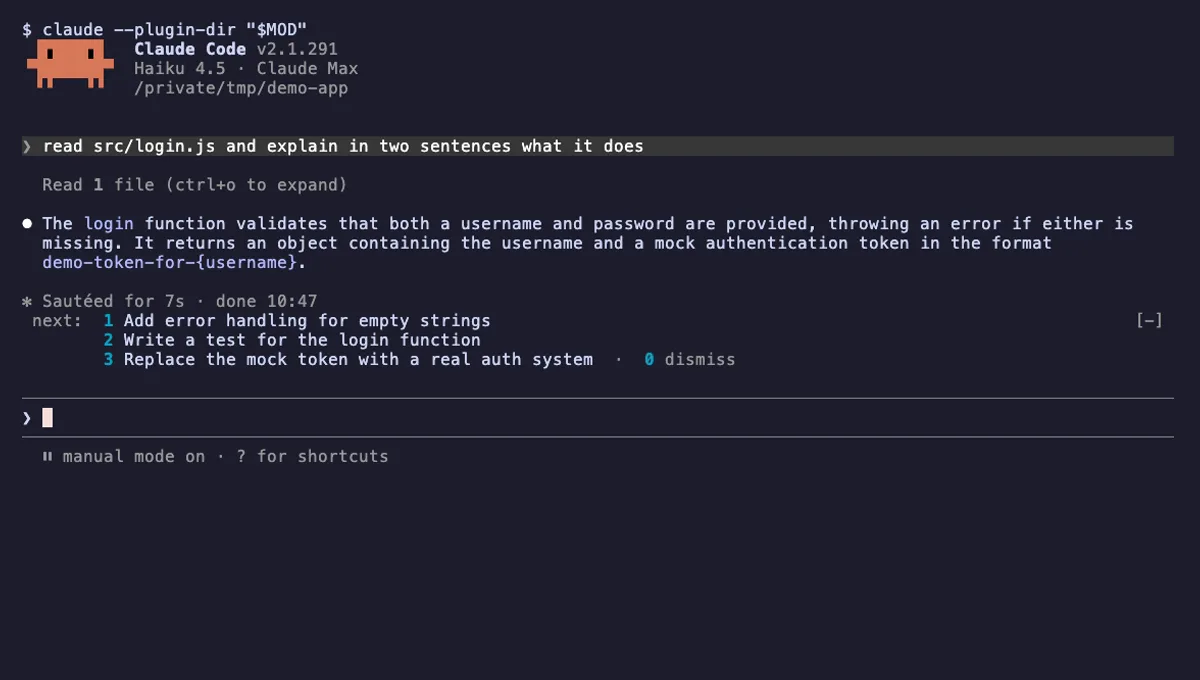
Two or three likely next prompts above the Claude Code input after each turn. Press 1, 2 or 3 to draft one.
- above-prompt
- Calls the model (uses your quota)
- Reads your prompts
- Changes the UI
tested with v2.1.291