Show Your Work Claude Code mod: a Claude Code image viewer for screenshots
Claude plays screenshots and videos of its work inline in Ghostty, with before/after compare and QA checks.
Permissions
- Reads filesCan read files and list directories on your machine ($.fs.read / list / stat / exists).
- Runs commandsCan run shell programs on your machine ($.process.run / spawn). Check the source for exactly which ones.
- NetworkCan make HTTP requests or talk to MCP servers ($.http.fetch / $.mcp.*).
- Intercepts tool callsSees every tool call Claude makes (tool.call / tool.check) and could block or change it.
- Reads your promptsCan see what you type and the conversation transcript (prompt.* / session.append / session.messages).
- Changes the UIDraws into the Claude Code interface: bands, panes, status text, toasts (ui.render / $.ui.*).
- Adds commands/toolsRegisters new slash commands or tools that you or Claude can invoke ($.command.register / $.tool.register).
- Stores dataKeeps data between sessions in the plugin's private store ($.store.*).
- tested with
- v2.1.296
- last tested
- requires
- Claude Code ≥ 2.1.287
- surfaces
- transcript, pane
Install inside Claude Code:
/plugin install show-your-work --marketplace iamumeransari/claude-show-your-workWhat does this mod do?
Show Your Work is a community Claude Code image viewer by Umer Ansari (iamumeransari). It gives Claude two tools, show_image and show_video, and draws their result as a picture or a playing video in the transcript, so Claude can show a screenshot, a design, a chart or a recording of your app instead of asking you to open a file or a localhost page.
According to the author's README, a video gets a play button, a clickable scrub bar and 5-second skips. When Claude passes a list of changes, each one is a button that jumps to its second in the clip. A QA card shows how many checks passed. For a fix, Claude can pass the old version as compare; the player then has Original, Updated and side-by-side Compare views that stay in step. Images that were shown earlier are kept as a version history you can step through.
The mod also adds /img <path>, which opens any picture or video in a pane. It tells Claude, through the tool descriptions and one prompt section, to show visual work without being asked. The picture is drawn straight to the terminal and not sent to Claude, so showing it costs no tokens.
Install
The install block above adds the author's own marketplace and installs the plugin from it. Use it in Ghostty on macOS or Linux, on Claude Code 2.1.287 or later. For videos, install ffmpeg (brew install ffmpeg). After installing, the first session shows a one-line question above the prompt about updates and usage stats; the mod does nothing in that area until you answer.
$ install show-your-work
Requires Claude Code ≥ 2.1.287
Installs from the author's own marketplace: iamumeransari/claude-show-your-work
1.One line, inside Claude Code
/plugin install show-your-work --marketplace iamumeransari/claude-show-your-workPaste into a running session (v2.1.275+). Claude Code asks to add the marketplace first.
2.From your shell
claude plugin marketplace add iamumeransari/claude-show-your-work claude plugin install show-your-work@iamumeransariThen run /reload-plugins in any session that is already open.
3.Try it without installing
git clone https://github.com/iamumeransari/claude-show-your-work claude --plugin-dir ./claude-show-your-workLoads the mod for one session only. Nothing is added to your settings.
How it works
tool.call is handled by the mod itself: it resolves the path, keeps a copy as a version, converts or cuts the file into PNG frames and returns one short line to Claude. A video is cut into at most 900 frames at up to 12 per second, decoded two seconds at a time with ffmpeg as it plays. The drawing is done by $.ui.blit and an Image component. The consent gate, from hooks/register.tsx:
// Starts what the person allowed. Without an answer yet, nothing runs.
async function applyConsent($: EngineInterface) {
  const consent = consentOf(await $.store.get('consent'))
  if (!consent) return
  if (consent.stats) await startTelemetry($, statsContext)
  if (consent.updates) await checkForUpdate($, pluginVersion)
}
The result row in the transcript and the /img pane both use the same viewer. A prompt.compose hook adds one section to the system prompt while pictures can draw, so Claude knows it should show its work. If a first draw fails, the section changes to say the person saw a notice and Claude must not claim they saw the picture.
Customize it
There are no /config options. /show-your-work-settings clears your answer about updates and usage stats and asks again. Environment variables turn things off: SHOW_YOUR_WORK_TELEMETRY=0 (or DO_NOT_TRACK=1) for stats and SHOW_YOUR_WORK_AUTO_UPDATE=0 for the update check. If both are off, the question is not shown at all. The panel colors, frame limits and cache caps are constants at the top of register.tsx.
Permissions & safety
We read every file the plugin can execute: hooks/hooks.json, all 2,387 lines of hooks/register.tsx (the only module), the type declarations and the four test files. There is no package.json, install script, bundled or minified code and no binary; the only non-text files are eight JPEG screenshots in docs/. We found no hidden or zero-width Unicode. Here is what the code does:
- Network: two hosts, both only after you answer "yes".
https://us.i.posthog.com/batch/receives anonymous events (a random install id, plugin and Claude Code versions, terminal name, OS, whether ffmpeg exists, and counts such as format, duration, number of checks). The code sends no file names, paths, URLs or prompts.https://raw.githubusercontent.com/iamumeransari/claude-show-your-work/main/.claude-plugin/plugin.jsonis fetched at most once a day to compare versions. Stats also stay off whenDO_NOT_TRACK,SHOW_YOUR_WORK_TELEMETRY=0orCLAUDE_CODE_DISABLE_NONESSENTIAL_TRAFFICis set. - Self-update: with updates allowed, a newer version makes the mod run
claude plugin marketplace update iamumeransariandclaude plugin update show-your-work@iamumeransari. That means new code from the author'smainbranch can replace what we reviewed (version 0.5.12 at commit564e33f) after a restart. It skips plugins loaded from a folder. Decline the question, or setSHOW_YOUR_WORK_AUTO_UPDATE=0, to avoid it. - Processes (
$.process.run, argv arrays or shortsh -cscripts):ffmpeg,ffprobe,sips,mdfind(to find a pasted image by name),cp,cat,rm,find,du,mkdir,touch,open/xdg-open,tmux showand theclaudeCLI. The file paths come from Claude's tool calls or from/img. - Files it writes: a
.show-your-work/folder in the project (it creates a.gitignorecontaining*), holding a copy of every file shown, kept 7 days, at most 50 items and 200 MB; frame caches in$TMPDIR/claude-show-your-work-<uid>(a private folder, trimmed at 500 MB and after 7 days); and~/Downloads/<name>only when you press "Save to Downloads". It does not touch~/.claude,settings.json, shell files, LaunchAgents, cron or git hooks. - Reads: any file Claude asks it to show,
$HOME,TERM_PROGRAM,TERM,TMUX, and the opt-out variables. No tokens or credential files. - Background: only timers while a video plays or stats are on. Nothing keeps running after Claude Code exits.
- Model influence: the
show_imageandshow_videodescriptions and theprompt.composesection tell Claude to show visual work proactively before saying it is done. This is what the README describes. It adds no hidden instructions. - Gating hooks:
tool.callfor the two tools returns the mod's own result or denies the call with a plain reason when the file is missing or unreadable.prompt.submitonly records the names of pasted images and passes the prompt on unchanged.claude plugin validatenotes that this hook has no.catch. - External requirements: a Ghostty-class terminal for the picture itself, ffmpeg for video.
- License: MIT, with a
LICENSEfile. The README says the example photos come from Unsplash.
claude plugin validate reported no errors or warnings, and the author's 62 tests passed on Claude Code 2.1.296.
- Reads files
- Can read files and list directories on your machine ($.fs.read / list / stat / exists).
- Runs commands
- Can run shell programs on your machine ($.process.run / spawn). Check the source for exactly which ones.
- Network
- Can make HTTP requests or talk to MCP servers ($.http.fetch / $.mcp.*).
- Intercepts tool calls
- Sees every tool call Claude makes (tool.call / tool.check) and could block or change it.
- Reads your prompts
- Can see what you type and the conversation transcript (prompt.* / session.append / session.messages).
- Changes the UI
- Draws into the Claude Code interface: bands, panes, status text, toasts (ui.render / $.ui.*).
- Adds commands/tools
- Registers new slash commands or tools that you or Claude can invoke ($.command.register / $.tool.register).
- Stores data
- Keeps data between sessions in the plugin's private store ($.store.*).
Compatibility & troubleshooting
Checked with Claude Code 2.1.296 on macOS (validate and tests only; we could not record the picture). If nothing is drawn:
- You are in Ghostty, not iTerm2, Terminal.app or the VS Code terminal. The mod shows a notice with the reason and a resume command.
- Inside tmux,
allow-passthroughis on. The mod checkstmux show -gv allow-passthroughat session start and tells you if it is off. - A video says "Videos need ffmpeg": run
brew install ffmpeg, or paste the prompt the notice copies for you, then restart Claude Code. - A background session cannot draw pictures; resume the chat in a normal tab.
- The note "This preview has expired" means the cache was trimmed; ask Claude to show the file again.
FAQ
- Which terminals can show the pictures?
- The author's README says it works in Ghostty. iTerm2, Terminal.app and the VS Code terminal cannot display these images, and the mod draws a notice with a command to resume the chat in Ghostty instead. Inside tmux you also need `set -g allow-passthrough on` in `~/.tmux.conf`.
- Do I need ffmpeg?
- Only for videos, and for pictures other than PNG on Linux. On macOS the mod converts other picture formats with the built-in `sips`. Without ffmpeg, a video shows a notice with a prompt that asks Claude to run `brew install ffmpeg`; pictures still work.
- Does it send my screenshots or videos to Claude or anywhere else?
- No. The mod draws the file on your screen and gives Claude one short line such as "Shown: Pricing page (1280×800)". Usage counts and update checks are separate, and both stay off until you answer "yes" in the prompt the mod shows once.
- What are the usage stats and the update check?
- After one question above the prompt, the mod can check GitHub for a newer version once a day and send anonymous counts (versions, how often pictures are shown, which buttons are used) to PostHog. Choose "No thanks" and neither runs. You can ask again with `/show-your-work-settings`, or set SHOW_YOUR_WORK_TELEMETRY=0 and SHOW_YOUR_WORK_AUTO_UPDATE=0.
- Can I open a file myself without asking Claude?
- Yes. `/img path/to/file.png` opens a picture or video in a pane. Quotes, a leading `~` and dragged-in paths are accepted.
# Related mods
 Featured
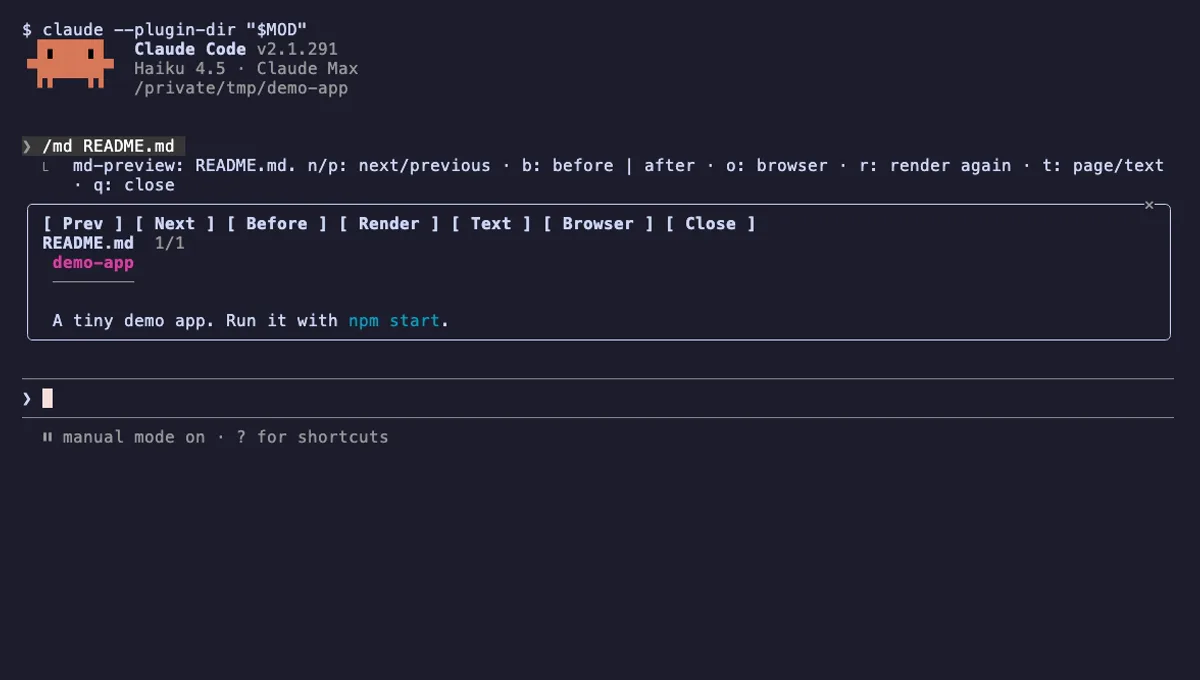
md-preview
The Markdown files Claude edits, rendered like GitHub in a pane next to the chat, with a before and after view.
- pane
- toast
- Reads files
- Writes files
- Runs commands
- Intercepts tool calls
- Changes the UI
- Adds commands/tools
tested with v2.1.291
 Featured
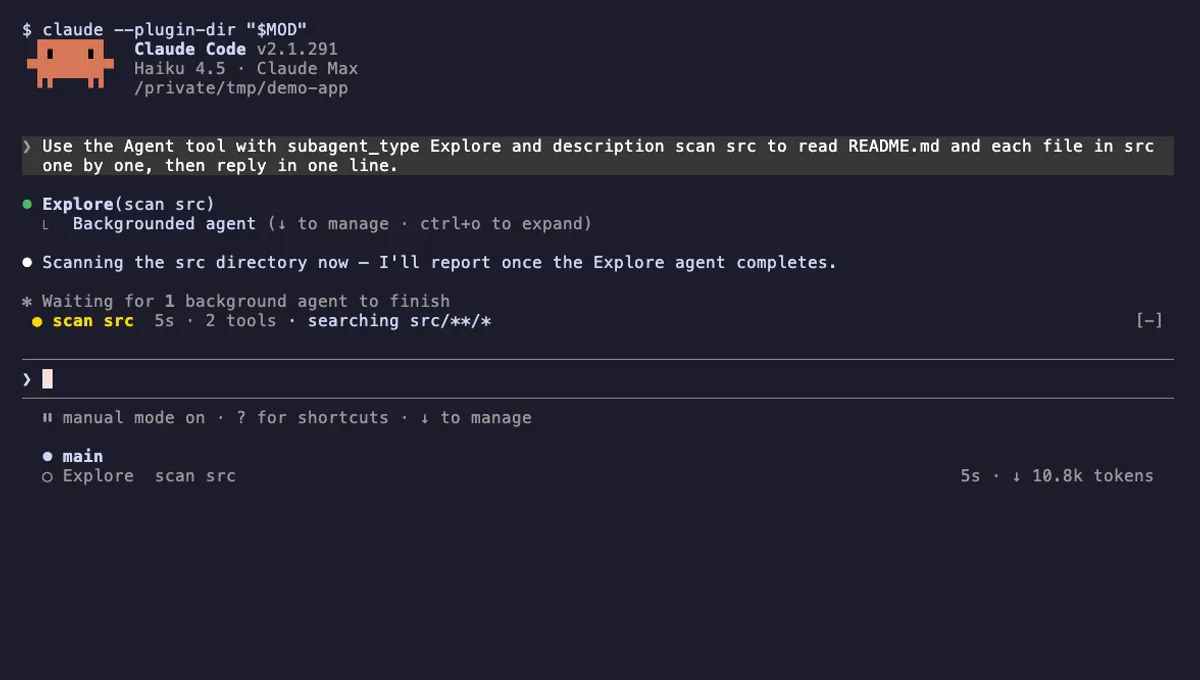
Agent Radar
One live line above the prompt per running subagent: time, tool count and what it is doing now, plus a /radar pane.
- above-prompt
- pane
- toast
- Intercepts tool calls
- Reads your prompts
- Changes the UI
- Adds commands/tools
tested with v2.1.291