Agent Tree: watch your Claude Code sub-agents as a tree of boxes
A side pane that draws your sub-agents as boxes, with the main session, the advisor and a session log.
Permissions
- Intercepts tool callsSees every tool call Claude makes (tool.call / tool.check) and could block or change it.
- Reads your promptsCan see what you type and the conversation transcript (prompt.* / session.append / session.messages).
- Changes the UIDraws into the Claude Code interface: bands, panes, status text, toasts (ui.render / $.ui.*).
- Adds commands/toolsRegisters new slash commands or tools that you or Claude can invoke ($.command.register / $.tool.register).
- tested with
- v2.1.310
- last tested
- requires
- Claude Code ≥ 2.1.287
- surfaces
- pane, status
Install inside Claude Code:
/plugin install agent-tree --marketplace MikeGT4/agent-treeWhat does this mod do?
Agent Tree is a community mod by Mike Pollow, Digitalroots (MikeGT4). It shows your Claude Code sub-agents in a side pane, drawn as a tree of boxes. At the top sits the main session with its model, effort level, context use and round number. Below it, one box per sub-agent shows the type, model, description, last tool, a status line and a timeline bar. A final box marks the way back to the main session, with the number of answers returned.
Next to the tree, an advisor column shows whether an advisor model is configured, how many times it was consulted, from the main session or from sub-agents, and when. Under everything, a session log lists the rounds, agent starts and ends, advisor calls and your own choices. When many agents run, the pane falls back to compact rows, and a workflow with many agents is folded into one box.
The pane is also a control surface. Click an agent's type to see its task, its recent tools and its latest answer, and to stop it. Pick a model family for new sub-agents or for one running agent. These are the only cases where the mod changes what Claude Code does. The status line also gets a short summary such as Sub-agents [1/1] · $0.00. The author tested it with Claude Code 2.1.296 and 2.1.307 to 2.1.310.
Demo
The recording starts Claude Code with the mod loaded in the small demo project and runs /agent-tree, which opens the pane: the main session is idle, there are no sub-agents yet and the session log is empty. Then it asks Claude to use a subagent to read src/login.js and describe it in one sentence. The pane switches to WORKING, the log gets a "Round 1" line, and a general-purpose sub-agent appears as running, with the main session "waiting for sub-agents" and the context figure filling in. When the agent finishes, its answer is counted in the "back to main session" box.
Install
Use any of the methods in the install block; they install straight from the author's own marketplace. Run /agent-tree afterwards to open the pane.
$ install agent-tree
Requires Claude Code ≥ 2.1.287
Installs from the author's own marketplace: MikeGT4/agent-tree
1.One line, inside Claude Code
/plugin install agent-tree --marketplace MikeGT4/agent-treePaste into a running session (v2.1.275+). Claude Code asks to add the marketplace first.
2.From your shell
claude plugin marketplace add MikeGT4/agent-tree claude plugin install agent-tree@agent-treeThen run /reload-plugins in any session that is already open.
3.Try it without installing
git clone https://github.com/MikeGT4/agent-tree claude --plugin-dir ./agent-treeLoads the mod for one session only. Nothing is added to your settings.
How it works
The mod keeps one state atom with the tree and listens to the agent events: agent.spawn adds a node, tool.call counts tools, turn.step records model, effort and advisor use, and turn.complete marks an agent done, failed or stopped. ui.render draws the pane from that state. A 250 ms timer animates the spinner only while an agent runs. The stop feature is the part that gates tool calls, from hooks/register.tsx:
if (stoppingIds.has(agentId)) {
  if (e.tool !== HANDBACK) {
    const current = await read($, tree)
    return { deny: wordsFor(lang).stopAnswer(current.agents.find(n => n.id === agentId)?.toolCount ?? 0) }
  }
Only an agent you asked to stop is affected. Text that comes from the session (task, answers, tool labels) is cleaned before it is drawn: terminal escapes and control characters are removed, and strings that look like tokens, passwords or KEY=value pairs are replaced by •••. Tool labels show a file name, program name or host, not the full command.
Customize it
/config offers five options: width of the docked pane (default 90 columns, 40 to 140), how many sub-agents the tree keeps (default 30), open on start (default off), motion (spinner and flow animation, default on) and language (auto, de, en). A width you drag by hand wins. Hot keys inside the pane: m for the model picker, 0 to 4 to choose, x to close, s to stop in the details view, and ctrl+x tab to focus the pane.
Permissions & safety
We read every file the plugin can execute: hooks/hooks.json, register.tsx, model.ts, view.tsx, words.ts, the type declarations, the tests, the README and PRIVACY.md. There is no package.json, install script, binary or bundled code. The only non-text file is a PNG icon.
- Network, processes, files, daemons, secrets: none. We found no network call, shell command, file write, environment variable or credential access, and nothing keeps running after Claude Code exits. The timer stops when no agent is busy.
- Reads: agent list and sub-agent messages (to fill the details view), your
languageandadvisorModelsettings, context and cost figures. - Telemetry: none.
- Gating hooks:
agent.spawnadds your chosen model to new sub-agents that did not name one,turn.stepswitches a running agent's next step to the model you picked, or replaces it with a short report when you press stop, andtool.calldeclines further tool calls of a stopped agent. All three act only after you click in the pane, which matches the README and PRIVACY.md. The stop report is a synthetic assistant message that includes aSubagentHandbacktool call with a random id. - Prompt injection: none found. The mod adds no text to prompts and no hidden Unicode.
- License: MIT, with a LICENSE file.
claude plugin validate reported no errors or warnings; it notes that the plugin directory has its own rules for hooks modules that validate does not apply. The author's 63 tests passed on Claude Code 2.1.310.
- Intercepts tool calls
- Sees every tool call Claude makes (tool.call / tool.check) and could block or change it.
- Reads your prompts
- Can see what you type and the conversation transcript (prompt.* / session.append / session.messages).
- Changes the UI
- Draws into the Claude Code interface: bands, panes, status text, toasts (ui.render / $.ui.*).
- Adds commands/tools
- Registers new slash commands or tools that you or Claude can invoke ($.command.register / $.tool.register).
Compatibility & troubleshooting
Checked with Claude Code 2.1.310 on macOS (validate, tests and the recording). It needs the mod interface. If the pane does not show up:
claude --versionis 2.1.287 or later.- You ran
/agent-tree; the pane does not open by default. The command prints "Agent Tree opened" when it works. - The terminal is wide enough: below 84 columns the advisor column stacks above the tree, and below 40 columns of pane width the layout is cramped.
- Agents started before the mod loaded are picked up from the agent list when you open the pane.
- The pane shows nothing for a plain session: with no sub-agents it says "no sub-agents yet".
FAQ
- Does Agent Tree send any data or make network requests?
- No. The code has no network calls, and the author's PRIVACY.md says nothing leaves the machine. It keeps the tree in memory for the running session and writes no files.
- Can I stop a running sub-agent from the pane?
- Yes. Click the agent's type to open its details, then press stop (or the s key). Further tool calls of that agent are declined and its next step hands back a short "stopped by the user" report.
- Can I change the model of a sub-agent?
- Yes. The Model button sets the model family (Haiku, Sonnet, Opus or Fable) for new sub-agents, and the button on a running agent's box switches its next steps. A model the call names itself is left alone.
- Is the pane always open?
- Not by default. Run /agent-tree to open it, /agent-tree stop to close it and /agent-tree clear to start the tree over. The "Open on start" setting opens it with every session.
- Are the labels in English?
- By default they follow the language setting, German or English. The Language option can force de or en. Times in the log are shown in a 24-hour clock.
# Related mods
 Featured
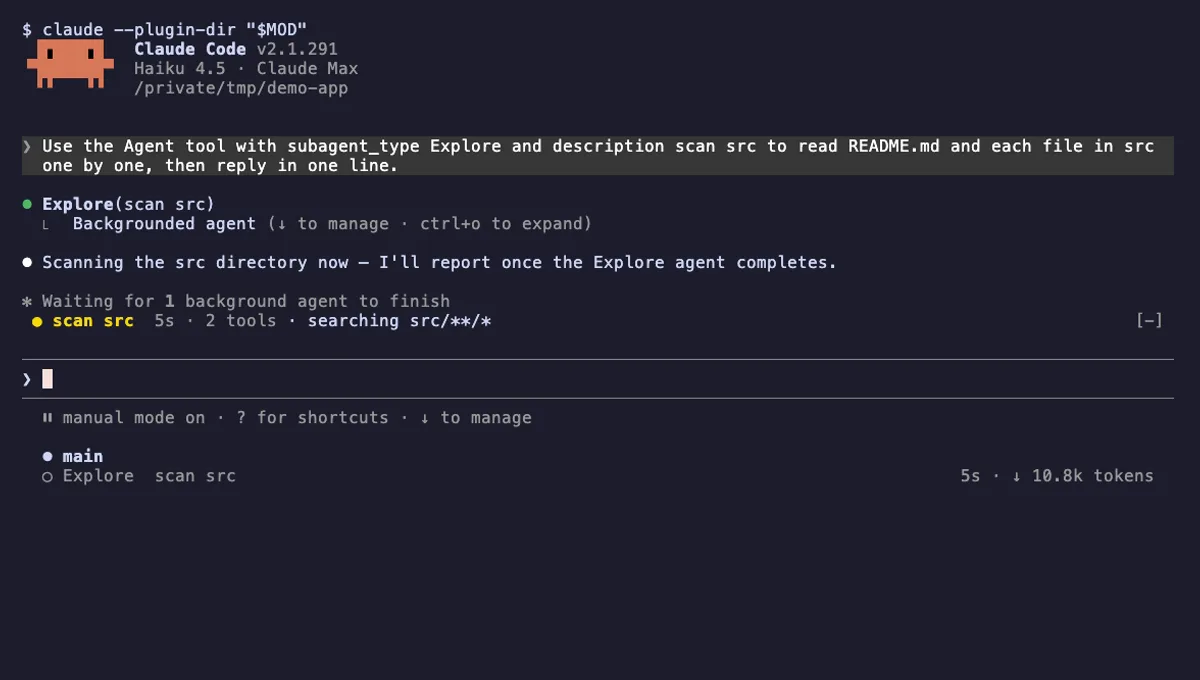
Agent Radar
One live line above the prompt per running subagent: time, tool count and what it is doing now, plus a /radar pane.
- above-prompt
- pane
- toast
- Intercepts tool calls
- Reads your prompts
- Changes the UI
- Adds commands/tools
tested with v2.1.291
 Featured
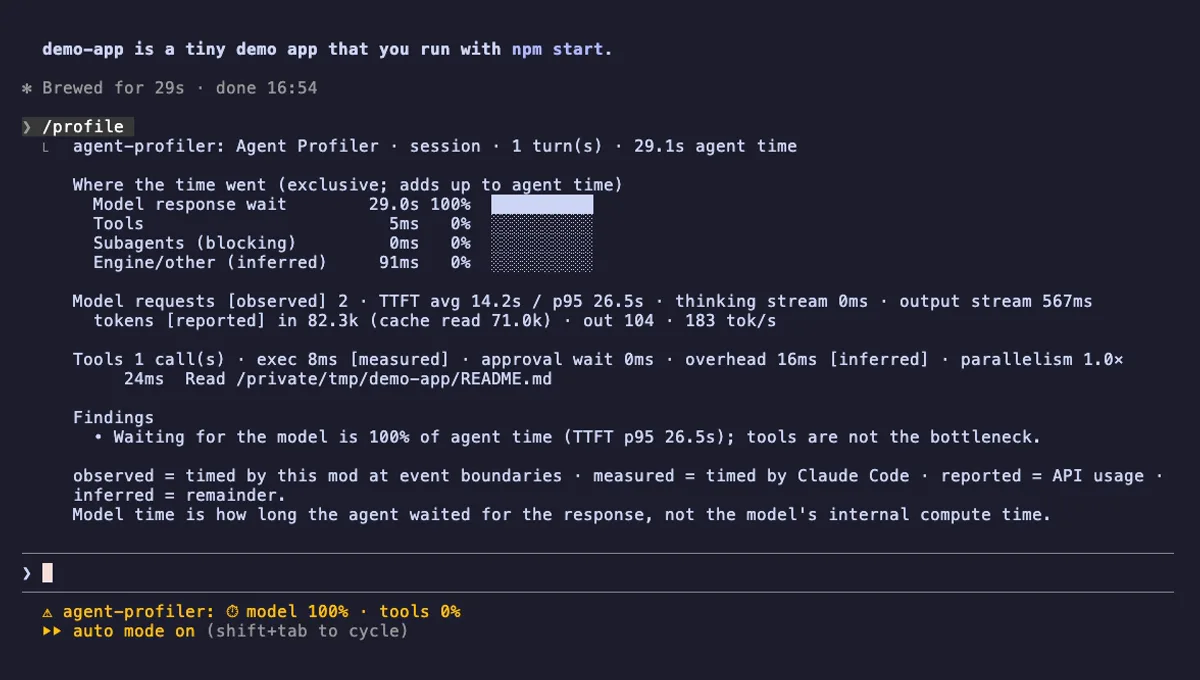
Agent Profiler
Where Claude Code session time goes: model wait, tools, subagents, live in the status line, with OTLP trace export.
- status
- pane
- toast
- Writes files
- Network
- Intercepts tool calls
- Changes the UI
- Adds commands/tools
tested with v2.1.303
Agent Flow Subagent Tree
A live tree of your Claude Code subagents beside the transcript: status, current tool, approval waits, time and tokens.
- pane
- status
- transcript
- Intercepts tool calls
- Changes the UI
- Adds commands/tools
- Stores data
tested with v2.1.291
More in Panes & dashboards, Timers, todos, standups.