Time Machine Claude Code mod: a Claude Code timeline of every tool call
A branching timeline of every tool call, with shadow-git snapshots you can diff, restore, branch and rerun.
Permissions
- Reads filesCan read files and list directories on your machine ($.fs.read / list / stat / exists).
- Writes filesCan create or overwrite files on your machine ($.fs.write).
- Runs commandsCan run shell programs on your machine ($.process.run / spawn). Check the source for exactly which ones.
- Intercepts tool callsSees every tool call Claude makes (tool.call / tool.check) and could block or change it.
- Reads your promptsCan see what you type and the conversation transcript (prompt.* / session.append / session.messages).
- Changes the UIDraws into the Claude Code interface: bands, panes, status text, toasts (ui.render / $.ui.*).
- Adds commands/toolsRegisters new slash commands or tools that you or Claude can invoke ($.command.register / $.tool.register).
- Stores dataKeeps data between sessions in the plugin's private store ($.store.*).
- tested with
- v2.1.303
- last tested
- requires
- Claude Code ≥ 2.1.287
- surfaces
- status, pane
- source
- YeonwooSung (Apache-2.0)
Install inside Claude Code:
/plugin install time-machine --marketplace YeonwooSung/my-claude-code-modsWhat does this mod do?
Time Machine is a community mod by YeonwooSung (my-claude-code-mods) that gives each Claude Code session a Claude Code timeline. When an agent edits several files and you end up somewhere wrong, a git diff only tells you what changed. Time Machine records which tool call ran, in what order, and what the files looked like afterwards, so you can go back to any step.
Everything goes through one command, /tm. /tm draws the timeline, /tm show <n> shows one step, /tm diff <a> [b] compares the files at two steps, and /tm why lists the edits that most likely broke a failing test run. /tm restore <n> and /tm branch <n> put the files back to a step, /tm compare compares two branches or sessions, /tm rerun <n> runs a step again, and /tm sessions lists recorded sessions. /tm-pane opens a live timeline pane, and the status line shows something like tm ② · 1 snaps · 79ms.
It restores files and reruns tools; it does not replay model answers, and the conversation is not rewound.
Demo
The recording starts Claude Code with the mod loaded in the small demo project, with the store pointed at a temporary folder. We ask Claude to create NOTES.md with one line about the project. Claude reads README.md and writes the file. While this happens the status line counts up from tm ⓪ to tm ② and shows 1 snaps. Then we type /tm. The timeline lists the baseline snapshot (5 files), ① Read README.md, and ② Write NOTES.md with its own snapshot, which marks A NOTES.md as the added file.
Install
Use any of the methods in the install block; they install straight from the author's own marketplace. The mod starts with the next session, and /tm is registered at session start.
$ install time-machine
Requires Claude Code ≥ 2.1.287
Installs from the author's own marketplace: YeonwooSung/my-claude-code-mods
1.One line, inside Claude Code
/plugin install time-machine --marketplace YeonwooSung/my-claude-code-modsPaste into a running session (v2.1.275+). Claude Code asks to add the marketplace first.
2.From your shell
claude plugin marketplace add YeonwooSung/my-claude-code-mods claude plugin install time-machine@my-claude-code-modsThen run /reload-plugins in any session that is already open.
3.Try it without installing
git clone https://github.com/YeonwooSung/my-claude-code-mods claude --plugin-dir ./my-claude-code-mods/time-machineLoads the mod for one session only. Nothing is added to your settings.
How it works
On every tool.call the mod records a step. After each mutating tool (edits, writes, every Bash call by default, unknown and MCP tools) it commits the work tree into a bare "shadow" repository kept in its own store, using its own index so your .git is never read or written. If the tree changed since the last snapshot before a tool runs, for example because you edited a file in your IDE, that is recorded as an external step instead of being blamed on the agent. The guard on the commands that change files, from hooks/register.tsx:
// Origins a person typed: the only ones allowed to change files or run commands through /tm.
const TYPED = new Set(['composer', 'bridge', 'sdk'])

const sub = changesFiles(args)
const kind = e.origin?.kind ?? 'unknown'
if (sub !== undefined && !TYPED.has(kind)) return { text: `time-machine: ${sub} changes files or runs commands and only runs when you type it (this came from ${kind})` }
/tm why is an inference, not proof: it takes the last passing run of the same test command before a failing one and scores each file changed in between, higher when the failure output mentions the path. Test output is parsed for pytest, jest and vitest, go, cargo and node:test; other output falls back to the exit status.
Customize it
Four options appear in the plugin's settings:
storeDir: where snapshots and timelines live, one folder per project. It must be an absolute path or start with~/, and outside the project, otherwise snapshots are turned off. The default is~/.claude/time-machine.retentionDays: sessions older than this are deleted, checked at most once a day. The default is 14;0keeps everything.recordModelOutput: off by default. When on, it stores the model's response text and the first 200 characters of each prompt; when off, only lengths and hashes.skipSearchBash: off by default. When on, no snapshot is taken after Bash commands classified as search (rg,grep,ls,cat).
Permissions & safety
We read every file the plugin loads: plugin.json, hooks/hooks.json, hooks/register.tsx, hooks/git.ts and everything in hooks/core/, plus the README and the tests. There is no package.json, install script, binary or bundled code. A search for fetch, http, child_process, eval, dynamic import(), WebSocket and zero-width or bidirectional Unicode found nothing. Notable findings:
- Runs processes through
$.process.run:git(against the shadow repository), plusmkdir,rm -rf,cp,find -deleteandsh. Therm -rfandfind -deletecalls are limited to paths inside the store folder (isInsidechecks inregister.tsxandgit.ts)./tm rerun --isolated --yesruns the recorded Bash command withsh -lcin a snapshot copy. This is not a sandbox and does not go through the permission dialog; it only runs when you type it, and it refuses commands naming the project's absolute path. - Writes files under the store folder,
~/.claude/time-machineby default. Nothing is written tosettings.json, shell files, LaunchAgents or git hooks./tm restore --yesrewrites your project's tracked files, but only when you type it, after saving a pre-restore snapshot, and it refuses when ignored files would be overwritten. - Records your work: snapshots hold the full contents of non-ignored files, including any secrets you keep in the project. Tool inputs and results are masked on a best-effort basis, but file contents in snapshots are not. Review before sharing the store folder.
- Injects text into the conversation once: after a restore it appends a note saying the files were restored and earlier tool results are out of date. It does not rewrite prompts or tool results otherwise.
- Wraps every tool call (
tool.callgating hook with.catch). It passes the answer through unchanged, including denials, and recording errors never block the tool. Parallel mutating calls wait for the external-change check. - No network, daemons or telemetry. Pruning runs detached after startup but stops with the session. The only environment variable read is
HOME. - External requirement:
gitmust be installed. Snapshots turn off when the session root is your home folder or/. - License: Apache-2.0 (LICENSE file in the repository root), which allows redistribution.
claude plugin validate reported no errors or warnings. The author's tests passed on Claude Code 2.1.303: 103 passed, 0 failed.
- Reads files
- Can read files and list directories on your machine ($.fs.read / list / stat / exists).
- Writes files
- Can create or overwrite files on your machine ($.fs.write).
- Runs commands
- Can run shell programs on your machine ($.process.run / spawn). Check the source for exactly which ones.
- Intercepts tool calls
- Sees every tool call Claude makes (tool.call / tool.check) and could block or change it.
- Reads your prompts
- Can see what you type and the conversation transcript (prompt.* / session.append / session.messages).
- Changes the UI
- Draws into the Claude Code interface: bands, panes, status text, toasts (ui.render / $.ui.*).
- Adds commands/tools
- Registers new slash commands or tools that you or Claude can invoke ($.command.register / $.tool.register).
- Stores data
- Keeps data between sessions in the plugin's private store ($.store.*).
Compatibility & troubleshooting
Tested with Claude Code 2.1.303 on macOS (validate, the author's tests and the demo recording). The author lists Claude Code 2.1.287 or later. If something looks off:
- The status line shows
snapshots off: run/tm; the reason is at the top. Common causes are a session root of your home folder, a relative or in-projectstoreDir, missinggit, or a baseline snapshot that took over 5 seconds. - In a large repository every mutating tool pays the snapshot time; the average is on the status line.
- A log file that changes constantly inside the project produces an
externalstep before each mutating tool. - Ignored files (build output,
node_modules,.env) are never snapshotted or restored. - The pane and status line show in the terminal; in the VS Code chat panel only commands work.
FAQ
- Does Time Machine touch my project's .git?
- No. Snapshots go into a separate bare repository under the store directory, with its own index per session. Git's environment variables are pinned to it on every call, so your own .git is not written. Your local .git/info/exclude is copied into the shadow repository, and your .gitignore rules apply.
- Where are the snapshots stored, and how long are they kept?
- In ~/.claude/time-machine by default, one folder per project. You can change the folder with the storeDir option. Sessions older than 14 days are deleted at most once a day; set retentionDays to 0 to keep everything.
- Can Claude restore files or rerun commands on its own?
- No. A restore or branch with --yes, and every rerun other than an --isolated dry run, only runs when you typed the command yourself. If the request comes from another origin, the command refuses and names the origin. None of it is exposed as a tool the model can call.
- Does it send anything over the network?
- Not that we found. The plugin has no network code. It runs git, mkdir, rm, cp, find and sh locally, and writes only to its own store folder.
- How is it different from Claude Code's /rewind?
- The author says it does not replace /rewind. Time Machine also snapshots files changed by Bash, keeps a timeline across tools, ranks which edits likely caused a test failure, compares two runs and reruns a step. It restores files only; the conversation is not rewound.
# Related mods
 Featured
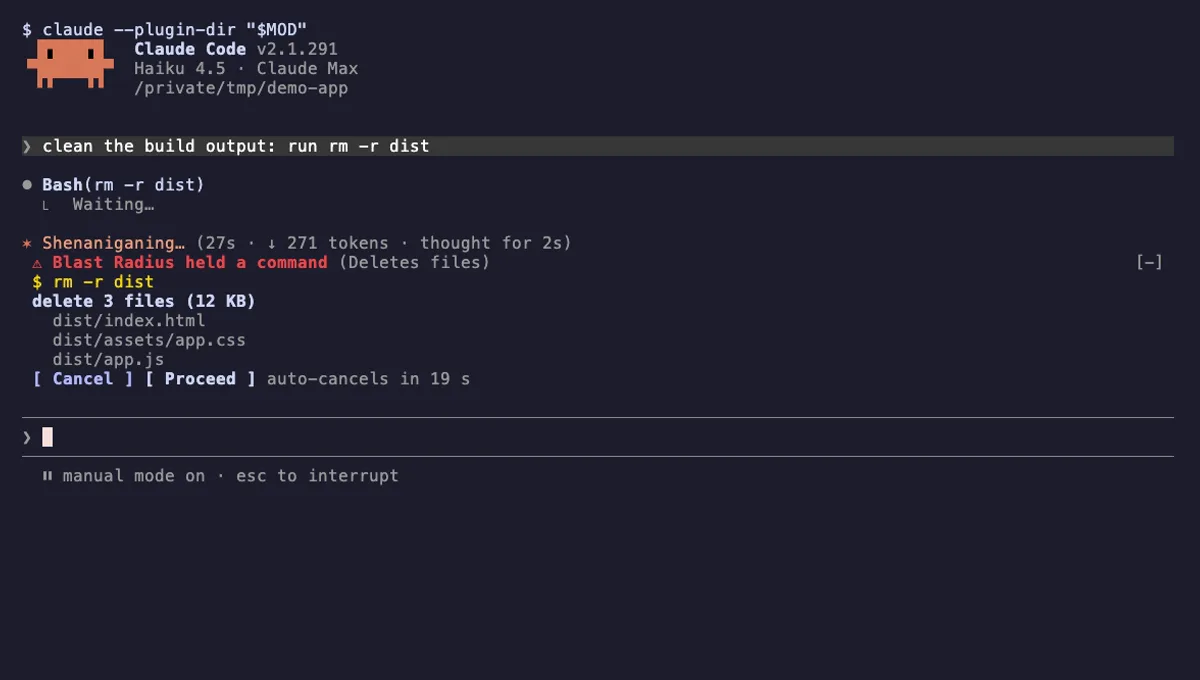
Blast Radius
Holds rm -r, force pushes and database migrations in Claude Code and shows what they would change before they run.
- pane
- above-prompt
- Runs commands
- Intercepts tool calls
- Changes the UI
tested with v2.1.291
 Featured
Tool Call Counter
Counts Claude's tool calls per turn and session, shows the count by the spinner, and adds /tally for a breakdown.
- spinner
- transcript
- status
- Intercepts tool calls
- Changes the UI
- Adds commands/tools
tested with v2.1.310
More in Timers, todos, standups, Slash commands.