Blast Radius Claude Code mod: Claude Code rm -rf preview before it runs
Holds rm -r, force pushes and database migrations in Claude Code and shows what they would change before they run.
#2 in Best Claude Code ModsPermissions
- Runs commandsCan run shell programs on your machine ($.process.run / spawn). Check the source for exactly which ones.
- Intercepts tool callsSees every tool call Claude makes (tool.call / tool.check) and could block or change it.
- Changes the UIDraws into the Claude Code interface: bands, panes, status text, toasts (ui.render / $.ui.*).
- tested with
- v2.1.291
- last tested
- requires
- Claude Code ≥ 2.1.287
- surfaces
- pane, above-prompt
- source
- Hamza Zafar (hamzafer) (MIT)
Install inside Claude Code:
/plugin install blast-radius --marketplace hamzafer/claude-code-modsWhat does this mod do?
Blast Radius is a community mod by Hamza Zafar (hamzafer), from his claude-code-mods collection. When Claude is about to run a risky shell command through the Bash tool, the mod holds it and shows you what it would change, like a Claude Code rm -rf preview, then waits for you to press Cancel or Proceed.
Three kinds of command are held. A recursive rm gets a list of the files it would delete and their total size, such as delete 42 files (1.3 MB). ~ and $HOME are expanded; a path with any other shell variable, command substitution or ~user shows "can't preview" instead of a guess. A git push --force lists the remote commits that would be lost and the local ones that would be pushed, as of the last fetch. A database migration (prisma, supabase, drizzle-kit, knex, sequelize, rails, alembic, typeorm) cannot be previewed, so the mod lists uncommitted files whose names look like migrations or schemas.
The report opens in a side pane, or in the band above the prompt when the terminal is too narrow for a pane. Cancel is focused by default (hotkey c); Proceed is y. A countdown shows auto-cancels in 42 s, and no answer within 60 seconds cancels the command. Either way Claude gets a reason, so an unattended session keeps going instead of stalling. Only one command is held at a time; a second waits its turn and then gets its own full countdown.
Compared with our Block Dangerous Commands, which refuses a fixed set of destructive patterns outright, Blast Radius is an "ask me with facts" guard: it never blocks a command you approve, and it covers ordinary rm -r rather than only catastrophic targets. The two can be used together. The author's README needs Claude Code 2.1.287 or later.
Demo
The recording creates a throwaway dist folder with three small files in the demo project and asks Claude to run rm -r dist. Blast Radius holds the command before it runs and shows what it would delete (3 files, 12 KB, each path listed) with Cancel and Proceed buttons and an auto-cancel countdown. Cancel is pressed, so nothing is deleted.
Install
Use any of the methods in the install block; they install straight from the author's own marketplace. The guard is active as soon as the plugin loads.
$ install blast-radius
Requires Claude Code ≥ 2.1.287
Installs from the author's own marketplace: hamzafer/claude-code-mods
1.One line, inside Claude Code
/plugin install blast-radius --marketplace hamzafer/claude-code-modsPaste into a running session (v2.1.275+). Claude Code asks to add the marketplace first.
2.From your shell
claude plugin marketplace add hamzafer/claude-code-mods claude plugin install blast-radius@claude-code-modsThen run /reload-plugins in any session that is already open.
3.Try it without installing
git clone https://github.com/hamzafer/claude-code-mods claude --plugin-dir ./claude-code-mods/mods/blast-radiusLoads the mod for one session only. Nothing is added to your settings.
How it works
The mod hooks tool.call for Bash. A pure classify function splits the command on &&, ||, ; and newlines and looks for the three risky kinds. If none match, the call passes straight through with next(e). From hooks/register.tsx, the preview for a recursive delete:
// Unquoted $t expands globs, and nothing else, without running the command.
const script =
  'shopt -s nullglob; for t in "$@"; do for p in $t; do [ -e "$p" ] || continue; ' +
  'echo "S $(du -sk "$p" | cut -f1)"; find "$p" -type f | head -n 5000 | sed "s/^/F /"; done; done'
const r = await $.process.run(['bash', '-c', script, 'blast-radius', ...targets], init)
The targets are passed as arguments rather than pasted into the script, and the listing is capped at 5000 files. After measuring, the mod stores the held command in a $.state atom, opens the blast-radius pane with $.ui.open, and polls every quarter second for a button press, the deadline or an aborted call. Proceed returns next(e), so the command runs exactly as written. Cancel or a timeout returns { deny: ... } with a message that includes the preview summary. Before any of that, $.session.surfaces() is checked: with no screen the call is denied immediately.
Customize it
One option, timeoutSeconds (default 60, minimum 0), sets how long a held command waits before it is cancelled; 0 waits forever and hides the countdown. Change it in /config under the mod's name, or in settings.json under pluginConfigs. The list of migration tools is the MIGRATION regular expression at the top of register.tsx, and MAX_LISTED (200) caps how many lines the report shows.
Permissions & safety
We read every file the plugin can execute before running it: hooks/hooks.json, hooks/register.tsx, the type declarations and the tests. There is no package.json, install script or bundled code.
Intercepts tool calls appears because the mod gates Bash calls: it can hold and deny them, but it never rewrites a command. Runs commands appears because of $.process.run. The programs it runs are read-only: bash -c with the du/find script above, git log --oneline twice for force pushes, git status --porcelain for migrations, and sleep 0.25 for its polling loop. Each preview call has a 10-second timeout; note that du and find on a very large target can take until that timeout. It reads the HOME environment variable to expand ~. Changes the UI covers the pane and the band.
It does not write files, use the network or call the model. claude plugin validate reported no errors or warnings, and the author's 17 tests passed on Claude Code 2.1.291. Treat it as a second look, not a sandbox: a command that hides rm behind a variable or another program will not be classified.
- Runs commands
- Can run shell programs on your machine ($.process.run / spawn). Check the source for exactly which ones.
- Intercepts tool calls
- Sees every tool call Claude makes (tool.call / tool.check) and could block or change it.
- Changes the UI
- Draws into the Claude Code interface: bands, panes, status text, toasts (ui.render / $.ui.*).
Compatibility & troubleshooting
Checked with Claude Code 2.1.291 on macOS (validate and tests). If a risky command is not held:
claude --versionis 2.1.287 or later, and the mod is enabled in/plugin.- The command is one of the three kinds. A plain
rm file.txtwithout-ris not held. - The force-push preview counts commits against the upstream as of the last fetch; run
git fetchfor an up-to-date list. - In
claude -pand other sessions with no screen, held commands are refused immediately rather than shown.
FAQ
- Which commands does Blast Radius hold?
- A recursive rm (rm -r, rm -rf, rm --recursive, also after sudo), git push with -f, --force, --force-with-lease or a +refspec, and migration commands from prisma, supabase, drizzle-kit, knex, sequelize, rails, alembic and typeorm. Each part of a compound command is checked.
- Does the preview run the risky command?
- No. For rm it runs du and find on the targets in a bash script that only expands globs. For a force push it runs two git log commands against the upstream as of the last fetch. For a migration it runs git status. Each has a 10-second timeout.
- What happens if nobody answers?
- After 60 seconds the command is cancelled and Claude is told what it would have done and not to retry on its own. Set timeoutSeconds to change the wait, or 0 to wait forever.
- What about claude -p or headless runs?
- With no screen attached nobody can press a button, so a held command is refused at once with a reason that includes the preview.
- How is it different from Block Dangerous Commands (cm-block-dangerous-commands)?
- Block Dangerous Commands refuses matching commands outright with a toast. Blast Radius asks you instead, shows what would be deleted or overwritten, and runs the command unchanged if you press Proceed.
# Related mods
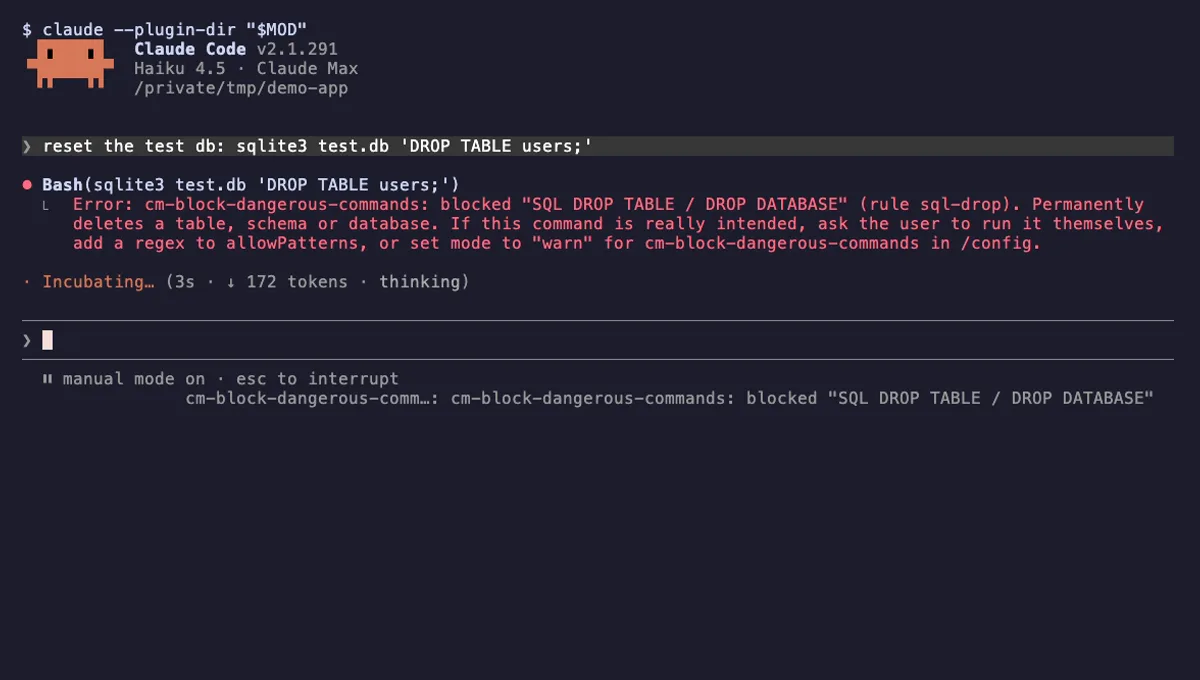 Featured
Block Dangerous Commands
Refuses rm -rf /, force-push to main, DROP TABLE, curl | sh and other destructive Bash commands before they run.
- toast
- Intercepts tool calls
- Changes the UI
tested with v2.1.310
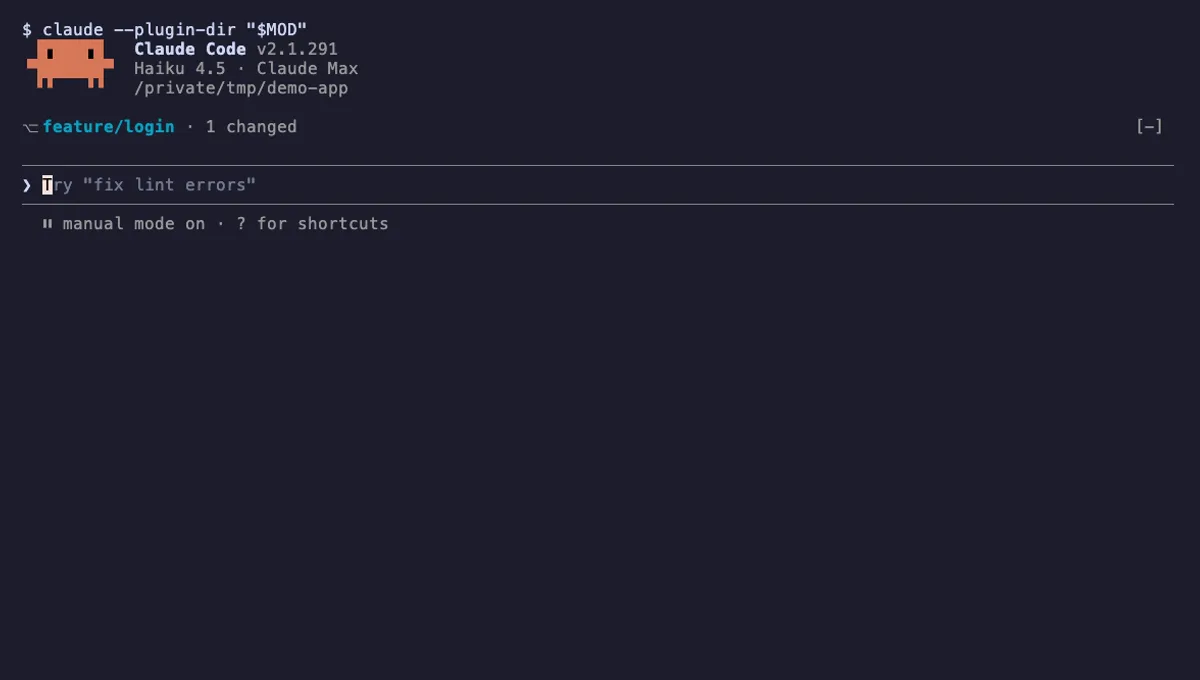 Featured
Git Branch Above Prompt
Shows your git branch, changed-file count and ahead/behind status in a one-line band above the Claude Code prompt.
- above-prompt
- Runs commands
- Intercepts tool calls
- Changes the UI
tested with v2.1.310
More in Safety guards, Git & GitHub.