Command Shelf: a Claude Code command history you can pin and replay
Keeps successful Bash commands in a per-project shelf and replays a chosen one through normal permissions.
Permissions
- Intercepts tool callsSees every tool call Claude makes (tool.call / tool.check) and could block or change it.
- Changes the UIDraws into the Claude Code interface: bands, panes, status text, toasts (ui.render / $.ui.*).
- Adds commands/toolsRegisters new slash commands or tools that you or Claude can invoke ($.command.register / $.tool.register).
- Stores dataKeeps data between sessions in the plugin's private store ($.store.*).
- tested with
- v2.1.310
- last tested
- requires
- Claude Code ≥ 2.1.287
- surfaces
- none
- source
- YeonwooSung (Apache-2.0)
Install inside Claude Code:
/plugin install command-shelf --marketplace YeonwooSung/my-claude-code-modsWhat does this mod do?
Command Shelf is a community mod by YeonwooSung (YeonwooSung), one of the plugins in the my-claude-code-mods repository. It gives a session a small Claude Code command history: every Bash command that finished successfully is remembered, and you can list it, label it, and run it again later with one command, /shelf.
/shelf list
/shelf pin 1 Auth regression tests
/shelf show 1
/shelf run 1
/shelf list(or just/shelf) prints the shelf, newest at the bottom, with the working directory of each entry./shelf pin <id> <label>attaches a label of up to 500 characters./shelf show <id>prints one entry and reminds you to review it before running./shelf run <id>replays it./shelf remove <id>and/shelf resetdelete one entry or all of them.
The shelf keeps the latest 200 entries. Ids are never reused, and nothing is shown on screen unless you ask: the mod has no status line or pane.
Install
The install block above adds the author's marketplace and installs the plugin from it. Then restart Claude Code or run /reload-plugins. To try it from a local checkout instead, run claude --plugin-dir ./command-shelf from the repository root.
$ install command-shelf
Requires Claude Code ≥ 2.1.287
Installs from the author's own marketplace: YeonwooSung/my-claude-code-mods
1.One line, inside Claude Code
/plugin install command-shelf --marketplace YeonwooSung/my-claude-code-modsPaste into a running session (v2.1.275+). Claude Code asks to add the marketplace first.
2.From your shell
claude plugin marketplace add YeonwooSung/my-claude-code-mods claude plugin install command-shelf@my-claude-code-modsThen run /reload-plugins in any session that is already open.
3.Try it without installing
git clone https://github.com/YeonwooSung/my-claude-code-mods claude --plugin-dir ./my-claude-code-mods/command-shelfLoads the mod for one session only. Nothing is added to your settings.
How it works
The plugin is one hooks module, hooks/register.ts, plus a feature class in hooks/core/feature.ts. On session.start it registers the /shelf command. A command.run hook answers only /shelf. A tool.call hook lets every tool call through first and then, if the call was a Bash call that passed, hands it to the feature to be stored. Writes are serialised through one promise queue, and each one checks that the working directory and session id have not changed.
Replay is the one place the mod does something. This is from feature.ts:
if (verb === 'run') {
  if (entry.cwd !== io.cwd) return 'Refusing replay in a different project'
  if (safeText(entry.command) !== entry.command) return 'Refusing replay of a masked command'
  if (!io.replay) return 'Replay unavailable in this host'
  const quote = (s: string) => "'" + s.replace(/'/g, "'\\''") + "'"
  const result = await io.replay(`cd -- ${quote(entry.cwd)} && ${entry.command}`)
io.replay calls $.tool.call with the Bash tool, so Claude Code's usual permission prompt applies. While a replay is running the observer recognises its own call and does not store it again. Before saving, every string passes through a redactor (hooks/core/redact.ts) that strips terminal escapes and masks things like --password, bearer tokens, KEY=/TOKEN= assignments and user:pass@ URLs.
Customize it
There are no /config options and no settings file. The only knobs are the labels you pin and the entries you remove. The 200-entry cap, the 4,000-character command limit and the 256 KiB state limit are constants in the code.
Permissions & safety
We read every file the plugin can execute: plugin.json, hooks/hooks.json, hooks/register.ts, and the three modules in hooks/core/ (feature.ts, redact.ts, runtime.ts). There is no package.json inside the plugin, no bundled or minified code, no binary, and no zero-width or bidirectional Unicode characters. Findings:
- Network: none in the code (no
fetch, sockets or HTTP bridge). - Processes: none directly.
runtime.tscontains agithelper that callsio.run, but in this pluginrun,readandenvare stubbed to throw, so it is unreachable. The only execution is the explicit/shelf run <id>, which calls the Bash tool with a stored command. - File writes: only to the plugin store (
$.store.set), under a key made of the working directory and session id. It does not touch~/.claude, settings, shell files, git hooks or LaunchAgents. - Daemons: none.
- Secrets and environment: it reads no environment variables or credential files. It does store command text, so a secret the redactor misses would be stored. The README calls the masking best effort, and we agree.
- Telemetry: none.
- Prompt influence: it injects nothing into prompts or tool results. It returns plain text for
/shelfonly. - Gating hooks:
tool.callnever blocks or rewrites a call; it returns the original result.claude plugin validatenotes thatcommand.runandtool.callhave no.catch. In the code the storing step sits inside its owntry, andnext(e)runs outside it, so an observer error does not retry or hide a tool error. A failed save shows a toast,command-shelf: observation not saved. - Replay risk: a replayed command does whatever it did the first time, including side effects and network access, and there is no allowlist. Check
/shelf show <id>first. Replays are limited to the recorded directory. - External requirements: none. No binaries, services or API keys. The README says the
cd --quoting targets macOS and Linux. - Obfuscation: none.
- License: Apache-2.0 (
LICENSEat the repository root, which also covers this plugin directory).
claude plugin validate passed with no errors or warnings. claude plugin test ran the author's 9 tests on Claude Code 2.1.310 and all passed.
- Intercepts tool calls
- Sees every tool call Claude makes (tool.call / tool.check) and could block or change it.
- Changes the UI
- Draws into the Claude Code interface: bands, panes, status text, toasts (ui.render / $.ui.*).
- Adds commands/tools
- Registers new slash commands or tools that you or Claude can invoke ($.command.register / $.tool.register).
- Stores data
- Keeps data between sessions in the plugin's private store ($.store.*).
Compatibility & troubleshooting
The plugin loaded and its tests passed on Claude Code 2.1.310 on macOS. It uses function hooks. The author reports testing on 2.1.302 and says live terminal and Desktop rendering was not checked; the mod prints only plain text, so there is little to render.
- The shelf is empty: only successful foreground Bash calls count. Background tasks, interrupted commands, failures and commands containing a recognised secret are skipped.
/shelfis not found: the command is registered at session start. Run/reload-pluginsafter installing.- "Refusing replay in a different project": start Claude Code in the directory where the command was recorded.
- "Session changed; operation not applied": the directory or session id changed while the command was running. Run it again.
- Shelf missing in a new session: state is keyed by working directory and session id, so a different session id starts with an empty shelf.
To check that it works, ask Claude to run ls, then type /shelf list.
FAQ
- Does Command Shelf run commands on its own?
- No. The tool.call hook only observes finished Bash calls and stores the command text. The only thing that executes anything is /shelf run <id>, which sends the stored command to Bash through Claude Code's normal permission path.
- Which commands end up on the shelf?
- Successful foreground Bash commands. Failed, interrupted, backgrounded or truncated runs are skipped, as are commands over 4,000 characters and commands in which the mod's redactor found something that looks like a secret. Duplicates in the same directory are not stored twice.
- Can I replay a command from another project?
- No. /shelf run refuses when the entry's recorded directory differs from the current working directory, and it refuses entries that were masked. A replay runs as cd -- '<recorded cwd>' && <command>.
- Where is the shelf stored, and how do I clear it?
- In the plugin store through $.store, keyed by working directory and session id. /shelf remove <id> deletes one entry and /shelf reset clears the shelf for the current session.
- Does it send my commands anywhere?
- Not from the plugin code. It has no network calls and no telemetry. A replayed command is a normal Bash call, so whatever that command does, including network access, still happens.
# Related mods
 Featured
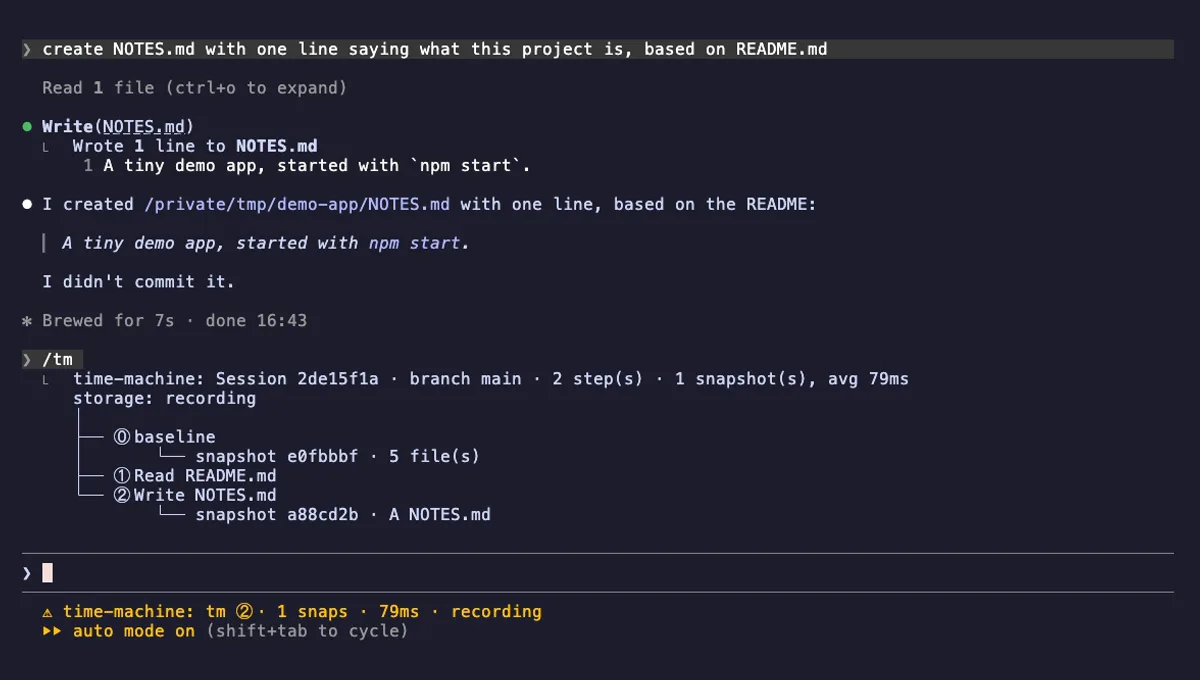
Time Machine
A branching timeline of every tool call, with shadow-git snapshots you can diff, restore, branch and rerun.
- status
- pane
- Reads files
- Writes files
- Runs commands
- Intercepts tool calls
- Reads your prompts
- Changes the UI
- Adds commands/tools
- Stores data
tested with v2.1.303
Decision Ledger
A /decision command that records a choice, the reason and the rejected alternative, tied to a file or symbol.
- transcript
- Reads files
- Runs commands
- Intercepts tool calls
- Changes the UI
- Adds commands/tools
- Stores data
tested with v2.1.307
Loop Detective
Opens a case when the same Bash command fails the same way three times in a row, and shows it in the status line.
- status
- toast
- pane
- Intercepts tool calls
- Changes the UI
- Adds commands/tools
tested with v2.1.303
More in Slash commands, Timers, todos, standups.