limit-resume: Claude Code auto continue after the usage limit resets
Saves a checkpoint before your usage limit runs out, then asks the interrupted session to carry on after the reset.
Permissions
- Intercepts tool callsSees every tool call Claude makes (tool.call / tool.check) and could block or change it.
- Reads your promptsCan see what you type and the conversation transcript (prompt.* / session.append / session.messages).
- Changes the UIDraws into the Claude Code interface: bands, panes, status text, toasts (ui.render / $.ui.*).
- Adds commands/toolsRegisters new slash commands or tools that you or Claude can invoke ($.command.register / $.tool.register).
- Stores dataKeeps data between sessions in the plugin's private store ($.store.*).
- tested with
- v2.1.310
- last tested
- requires
- Claude Code ≥ 2.1.287
- surfaces
- above-prompt
Install inside Claude Code:
/plugin install limit-resume --marketplace ivbala1/limit-resumeWhat does this mod do?
limit-resume is a community mod by Ivan Balashov (ivbala1), published at ivbala1/limit-resume. It adds Claude Code auto continue for sessions cut off by a usage limit: it waits for the reset time that Claude Code reports, adds a minute, and then sends the same session a request to carry on. It works in an interactive terminal session and in the Code tab of the Claude desktop app.
To make the continuation useful, it also does three things before the limit is hit:
- A budget line on every prompt. Each message you send carries one extra line for Claude: how much of the five-hour and weekly windows is used, when each resets, and a forecast based on the last hour of this session. A short rule on how to spend the rest is added only when the forecast falls short or a window is at 70% or more.
- A checkpoint tool. From 90% used, Claude is asked once to call the mod's
checkpointtool with six short text fields (goal, completed, remaining, next step, checks, constraints), pluscontinuation(auto,ownerordone) andverifyFirst. - A guarded continuation. The request that goes out after the reset tells Claude to check how the last action ended and not to repeat it. A task marked
owner(waiting for you) ordoneis not continued.
Everything is controlled with /limit-resume: status, on, off, arm, at HH:MM, checkpoint, reserve and reserve off.
Install
The install block above adds the author's marketplace, limit-resume, and installs the plugin from it. In a session that is already open, run /reload-plugins, then /limit-resume status to see it loaded.
$ install limit-resume
Requires Claude Code ≥ 2.1.287
Installs from the author's own marketplace: ivbala1/limit-resume
1.One line, inside Claude Code
/plugin install limit-resume --marketplace ivbala1/limit-resumePaste into a running session (v2.1.275+). Claude Code asks to add the marketplace first.
2.From your shell
claude plugin marketplace add ivbala1/limit-resume claude plugin install limit-resume@limit-resumeThen run /reload-plugins in any session that is already open.
3.Try it without installing
git clone https://github.com/ivbala1/limit-resume claude --plugin-dir ./limit-resumeLoads the mod for one session only. Nothing is added to your settings.
How it works
The plugin is one function-hooks module, hooks/register.js, with helpers for the budget maths, the settings and the reset-time parsing. When a turn ends with a limit error, the mod reads the reset time from the structured rate-limit data (falling back to the clock time in the error text), stores a deadline and polls every 15 seconds. When the deadline passes it checks that the prompt box is empty and that the limit has really cleared, and then submits the request. This is from hooks/register.js:
if (draft.text.trim()) {
  await cancel($, say('draftCancel'));
  return;
}
...
accepted = await $.prompt.submit({ text: resumeText() });
The attempt is saved before it is submitted, so a reload cannot send it twice. If the engine drops the request, the mod retries with growing delays, up to three times. A checkpoint is attached only if it was saved after your last own message, because an older one describes an earlier task. The state, including the latest checkpoint, lives in the plugin's own store through $.store, one record per session.
Customize it
Open /plugin configure limit-resume@limit-resume, or set pluginConfigs in settings.json. There are four options:
language:enorru, for the mod's messages and for its notes to Claude.timeZone: an IANA zone such asEurope/Berlinfor clock times. Empty uses the system zone.reserveFor: a name. When set, from 97% of the five-hour window or 99% of the week, ordinary sessions save a checkpoint, end their turn and wait for the reset; only sessions marked with/limit-resume reservekeep working. Empty turns the reserve off.economyHint: your own advice, added to the spending rule when the limit may run out before the reset.
Permissions & safety
We read every file the plugin can execute before running it: .claude-plugin/plugin.json and marketplace.json, hooks/hooks.json, register.js, budget.js, config.js and logic.js, plus the three test files. There is no package.json, install script, binary, bundled or minified code, and we found no zero-width or hidden characters. Here is what we found:
- No network, no processes, no telemetry. We found no
fetch, sockets,child_processor shell strings, and no environment or credential reads. The only inputs are the session's own usage data, clock and messages. - Writes only to its own store (
$.store.set). It does not touch~/.claude, settings, shell files, LaunchAgents or your project files. No daemon survives after Claude Code exits; the wait is a 15-second timer inside the session. - Sends a prompt on your behalf. After a limit reset,
$.prompt.submitsends a fixed continuation request (hooks/config.js, theresumemessage) with the checkpoint attached. The mod is on by default in interactive sessions, so this can happen without you typing anything. Guards: it never fires with text in the prompt box, never for headless sessions, never after a manual stop, and three attempts at most. - Injects text into the model's context. It adds the budget line to your prompts through
contextonprompt.submit, and adds a checkpoint notice to a tool result when usage first crosses a threshold. The texts are plain advice about pacing, inconfig.js. The checkpoint is labelled as reference data that does not widen your permissions. This is what the README describes, but it does spend a few tokens per prompt. - Registers a model tool,
mcp__limit-resume__checkpoint. It only stores the six fields (4000 characters each, 12000 in all) in the plugin's store, and denies calls from subagents or when the mod is off. The notice asks Claude not to include secrets or full command output, which relies on Claude following that instruction. - Gating hooks.
prompt.submitconsumes a standalone/limit-resumecommand typed by you and answers it locally; for other prompts it only appends context.tool.callhandles its own checkpoint tool and otherwise returns the original result with at most extra context; it never denies other tools.claude plugin validatenotes that four hooks have no.catch. - License: MIT, with a LICENSE file at the repository root.
claude plugin validate reported no errors; its only finding was a non-blocking "no icon" warning from the directory checks. claude plugin test on Claude Code 2.1.310 passed 56 tests with 0 failures.
- Intercepts tool calls
- Sees every tool call Claude makes (tool.call / tool.check) and could block or change it.
- Reads your prompts
- Can see what you type and the conversation transcript (prompt.* / session.append / session.messages).
- Changes the UI
- Draws into the Claude Code interface: bands, panes, status text, toasts (ui.render / $.ui.*).
- Adds commands/tools
- Registers new slash commands or tools that you or Claude can invoke ($.command.register / $.tool.register).
- Stores data
- Keeps data between sessions in the plugin's private store ($.store.*).
Compatibility & troubleshooting
Checked with Claude Code 2.1.310 on macOS using the author's tests; we did not hit a real usage limit. The mod needs a session where Claude Code reports rate-limit data, and the computer must stay awake with the session open: it does not start a closed app. Things to check:
/limit-resume statusshows the version, the surfaces it sees and whether it is on or off. "headless SDK" means it will not act.- Nothing continues after a limit: the prompt box may hold text, which cancels the wait on purpose. Run
/limit-resume arm, or/limit-resume at 02:40if the reset time is unknown. - It said "Three attempts failed": continue by hand, or run
/limit-resume armto allow a new cycle. - Usage figures are the last estimate Claude Code received and can lag, so a large request or parallel subagents may run out the rest before a checkpoint is saved.
To check it after installing, run /limit-resume status, then send any prompt and look for the "ready" status band above the prompt once usage is high, or use /limit-resume checkpoint after Claude has saved one.
FAQ
- Does limit-resume work in headless mode or with claude -p?
- No. The README says headless runs, SDK scripts, bots and timers are never touched, and the code only turns on for the Claude desktop app's Code tab or an interactive terminal session. The tests include a case where a print-mode session cannot schedule any work.
- What stops it from continuing when I don't want it to?
- Typing in the prompt box, sending any other message, editing a message, /clear or /limit-resume off cancels the wait. A draft in the prompt box also cancels the automatic request, and a session you stopped by hand is not continued. Tasks the checkpoint marks as waiting for you, or finished, are left alone.
- Is it on by default?
- Yes. In an interactive session the mod selects itself unless you opted out with /limit-resume off, and the choice is remembered per session. It sends one extra line with each of your prompts about your usage. Run /limit-resume off if you do not want either behaviour.
- Can I use it together with Claude Code's own auto-continue setting?
- The author says this has not been tested and recommends turning one of them off. The README describes the built-in autoContinueAtUsageLimit setting and says the mod differs by also covering background sessions, writing a checkpoint first and adding a budget line.
- How many times will it try, and how long will it wait?
- At most three attempts per cycle, with backoff between them, and the first one comes a minute after the reported reset. It will not arm for a reset more than 8 days away. After three failures it stops and you continue by hand, or run /limit-resume arm for a new cycle.
# Related mods
 Featured
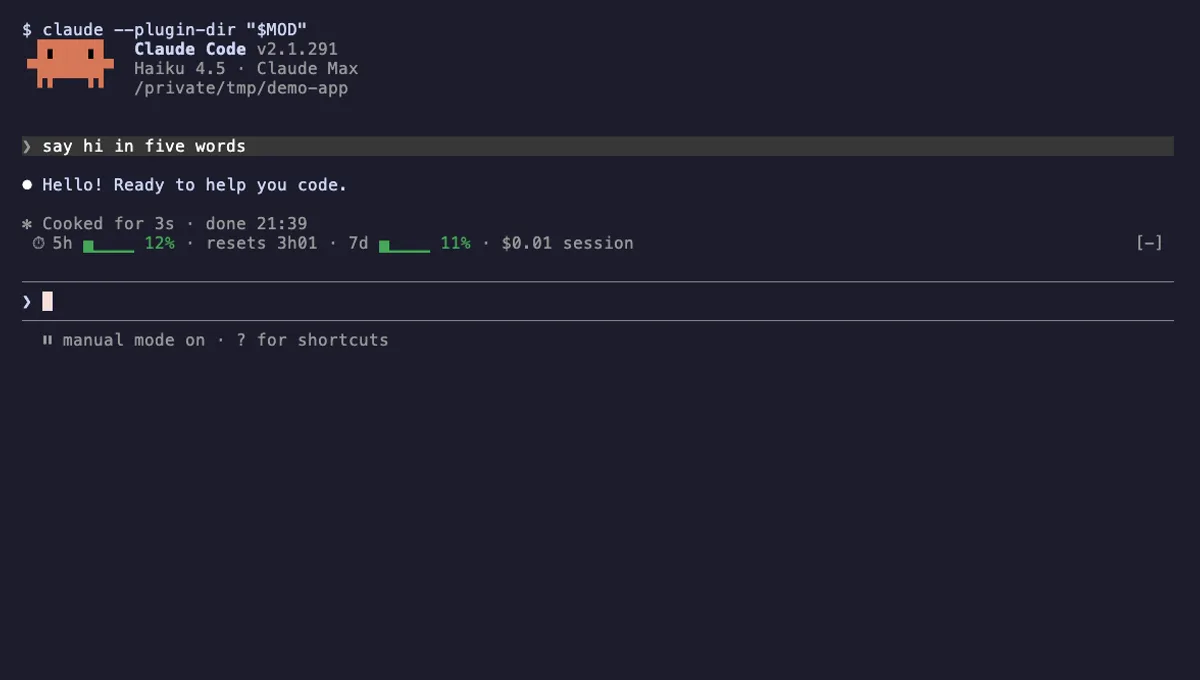
Usage Meter
Your plan's 5-hour and 7-day usage as small bars above the Claude Code prompt, with reset countdown and session cost.
- above-prompt
- toast
- Changes the UI
tested with v2.1.291
 Featured
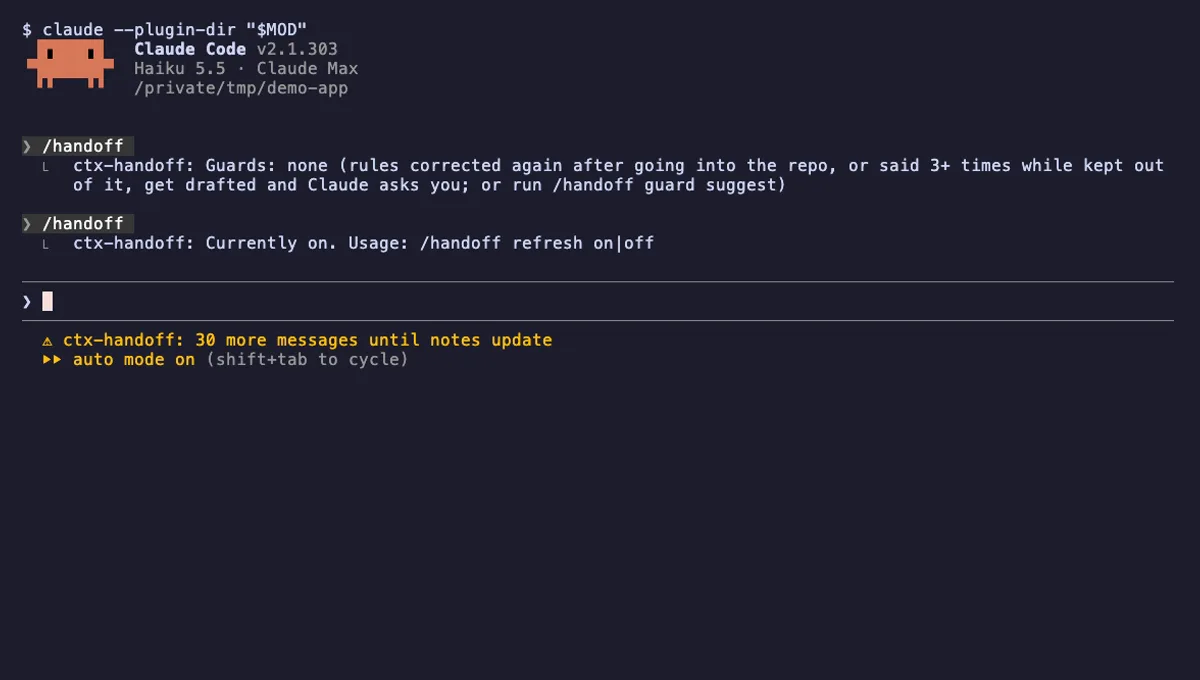
ctx-handoff
Keeps the prompt cache warm, writes project notes from what you teach Claude, and can hand off a full context.
- above-prompt
- status
- toast
- Reads files
- Writes files
- Calls the model (uses your quota)
- Intercepts tool calls
- Reads your prompts
- Changes the UI
- Adds commands/tools
- Stores data
tested with v2.1.303
Session Saver
Names untitled sessions through unpause, saves where you left off with /park, and shows that note when you resume.
- above-prompt
- toast
- Reads files
- Runs commands
- Calls the model (uses your quota)
- Reads your prompts
- Changes the UI
- Adds commands/tools
- Stores data
tested with v2.1.307
More in Context, quota, cost, Timers, todos, standups.