jev-router: a Claude Code model router that picks Haiku, Sonnet or Opus per task
Asks TypeSafe Jev which Claude model and effort fit each prompt, step and subagent, then runs the turn on that pick.
Permissions
- NetworkCan make HTTP requests or talk to MCP servers ($.http.fetch / $.mcp.*).
- Intercepts tool callsSees every tool call Claude makes (tool.call / tool.check) and could block or change it.
- Reads your promptsCan see what you type and the conversation transcript (prompt.* / session.append / session.messages).
- Changes the UIDraws into the Claude Code interface: bands, panes, status text, toasts (ui.render / $.ui.*).
- Adds commands/toolsRegisters new slash commands or tools that you or Claude can invoke ($.command.register / $.tool.register).
- Stores dataKeeps data between sessions in the plugin's private store ($.store.*).
- tested with
- v2.1.310
- last tested
- requires
- Claude Code ≥ 2.1.287
- surfaces
- above-prompt
Install inside Claude Code:
/plugin install jev-router --marketplace dominicrico/jev-routerWhat does this mod do?
jev-router is a community Claude Code model router by Dominic Rico Gómez (dominicrico), published at dominicrico/jev-router. Before each task it sends the prompt to a routing model, TypeSafe Jev by default, and asks which Claude model (Haiku, Sonnet, Opus or Fable) and which reasoning effort fit the job. The turn then runs on that pick instead of your session model.
According to the author's README, it works at three levels: once per prompt, again before each later step of a task (the routeSteps option), and once per subagent, chosen from the subagent's task description. A band above the prompt shows the current pick, the effort, the router's confidence and whether the prompt cache is warm.
Other things it does, all visible in the code:
- Ceiling and effort cap. The default
leanpreset keeps picks at Sonnet or below unless the router is at least 90% confident, and caps effort at medium. - Cache guard. Switching models discards the prompt cache, so while the cache is warm it keeps the cached model unless the router confidently asks for a stronger one.
- Escalation. After three failed tool calls in a row it moves the rest of the task up one model.
- Savings tally.
/jev statusestimates model-price savings against a baseline model (Opus by default), stored across sessions.
Install
The install block above adds the author's marketplace and installs the plugin from it. Then give it a TypeSafe key with /jev key <your key> (or set TYPESAFE_API_KEY) and run /jev status to confirm the router, key source and active limits. Restart Claude Code or run /reload-plugins if you installed from the shell into an open session.
$ install jev-router
Requires Claude Code ≥ 2.1.287
Installs from the author's own marketplace: dominicrico/jev-router
1.One line, inside Claude Code
/plugin install jev-router --marketplace dominicrico/jev-routerPaste into a running session (v2.1.275+). Claude Code asks to add the marketplace first.
2.From your shell
claude plugin marketplace add dominicrico/jev-router claude plugin install jev-router@jev-routerThen run /reload-plugins in any session that is already open.
3.Try it without installing
git clone https://github.com/dominicrico/jev-router claude --plugin-dir ./jev-routerLoads the mod for one session only. Nothing is added to your settings.
How it works
The plugin is one function-hooks module, hooks/register.tsx. On turn.start it builds a state string (routing mode, current model, cache status, recent conversation, the new task), posts it to the router and records the decision. On turn.step it rewrites the step's model and effort to the decision. This is the router call:
const body = jevBody(cfg.pool, state, mode, cfg.routerModel)
const call = $.http.fetch(cfg.routerUrl, {
  method: 'POST',
  headers: { 'content-type': 'application/json', ...(key ? { authorization: `Bearer ${key}` } : {}) },
  body: JSON.stringify(body),
})
The body asks two multiple-choice questions, one for the model and one for the effort, each with a short description of every option. The reply's choice must be in your allowed model pool, otherwise the call counts as a failure. Failures keep the previous pick, and three in a row pause the router for pauseMs. The decision, cache timestamp and savings tally live in the plugin's own state and store.
Customize it
Every setting is a plugin option, and most also have a /jev command that applies from the next task:
/jev preset lean|balanced|max,/jev ceiling <model|none>,/jev floor <model|none>,/jev cap <effort|none>,/jev sticky off|auto|strict./jev efficient,/jev balancedor/jev cheapto set the routing mode, and/jev onor/jev offto switch routing.- Options for the allowed
models,minConfidence,cacheTtlMs,timeoutMs,routeSteps,routeSubagents,escalateAfter,sendHistory,redact,maxTaskChars,fallbackandbaselineModel. routerselectsjev,laya(localhost:8000) orkev(127.0.0.1:8009);routerUrlandrouterModeloverride the endpoint and model.
Permissions & safety
We read every file the plugin loads: plugin.json, hooks/hooks.json and the single module hooks/register.tsx, plus types/index.d.ts. The repository also contains benchmarks, a docs site and image-generation scripts; none of those are referenced by the plugin manifest or hooks, and we did not run them. There are no binaries, no minified code and no install scripts (the root package.json is dev tooling only). Findings:
- Network, with your prompts:
$.http.fetchPOSTs tohttps://api.typesafe.ai/v1/systemoneby default (register.tsx:6,register.tsx:346). What is sent: the prompt, recent messages ifsendHistoryis on, subagent descriptions and prompts, and your key as a bearer token. This is the mod's purpose, and nothing is sent until you provide a key, but it does send the content of your sessions to a third-party service. Redaction is on by default and pattern-based only. - Custom endpoints: if you set
routerUrl, theapiKeyplugin option is sent to that endpoint. The stored/jev keykey andTYPESAFE_API_KEYare only used for the default TypeSafe URL (register.tsx:309). - Secrets: reads
TYPESAFE_API_KEY,LAYA_API_KEYandKEV_API_KEY. The/jev keycommand stores the key in plain text in the plugin store, and the command line lands in the transcript; the author recommends the environment variable instead. - Rewrites your turns:
turn.stepchanges the model and effort of each step and subagent,agent.spawnsets the subagent's model and appends the pick to its description, andprompt.submitstrips leading!markers. It does not block tool calls.validatenotes that theprompt.submit,command.run,agent.spawnandtool.callhooks have no.catch; the code wraps their risky parts in its own error handler that logs and lets the event through. - Processes, file writes, daemons: none. No
$.process, no$.fs, no writes to~/.claude, settings or shell files. It keeps timers only while a task runs. - Telemetry: none beyond the router calls above. No hidden Unicode or text aimed at the model; the only prompt text it composes is the router question.
- External requirements: a TypeSafe API key (an account with TypeSafe), or a self-hosted Laya or Kev server.
- License: MIT, with a LICENSE file.
claude plugin validate passed with no errors or warnings. claude plugin test ran 62 tests in two files and all passed. The author's savings figures come from their own benchmarks in the repository, which we did not reproduce; the README itself says long warm sessions are the weak spot.
- Network
- Can make HTTP requests or talk to MCP servers ($.http.fetch / $.mcp.*).
- Intercepts tool calls
- Sees every tool call Claude makes (tool.call / tool.check) and could block or change it.
- Reads your prompts
- Can see what you type and the conversation transcript (prompt.* / session.append / session.messages).
- Changes the UI
- Draws into the Claude Code interface: bands, panes, status text, toasts (ui.render / $.ui.*).
- Adds commands/tools
- Registers new slash commands or tools that you or Claude can invoke ($.command.register / $.tool.register).
- Stores data
- Keeps data between sessions in the plugin's private store ($.store.*).
Compatibility & troubleshooting
The plugin loaded and its tests passed on Claude Code 2.1.310. If routing does not seem to happen:
- Run
/jev status. Thekeyrow shows whether a key was found and where from, and thejevrow shows● okor a pause countdown. - A toast saying "no TypeSafe API key" means none of the three key sources is set.
- If the band shows a model "kept 🔒 cache warm", the cache guard refused a switch; use
/jev sticky offto always follow the router. - Each router call adds latency (the author measures about 250 ms). Turn
routeStepsoff for one call per prompt. - Laya's server limits unkeyed clients to 10 calls a minute, and this mod asks once per step.
FAQ
- Do I need an account to use this Claude Code model router?
- Yes, for the default setup. The router is TypeSafe Jev at api.typesafe.ai, and it needs a TypeSafe API key, set with /jev key, the plugin's apiKey option or the TYPESAFE_API_KEY environment variable. Without a key the mod toasts once and your session model is used. The one exception is pinning a model with a prompt marker such as !opus, which needs no key. Laya and Kev, two self-hosted routers, are alternatives that take an optional key.
- What gets sent to the router?
- The prompt text (up to 8000 characters by default), the last eight messages of the conversation when sendHistory is on, the current model and cache state, and the description and prompt of each subagent. Before sending, a pattern-based redactor replaces API keys, GitHub and AWS tokens, bearer tokens, private key blocks and NAME=value secrets with [redacted]. The author says this is pattern matching, not a guarantee. Set sendHistory to false to send only the task text.
- How do I override the choice for one prompt?
- Start the prompt with a marker. !haiku, !sonnet, !opus or !fable pins that model without calling the router, !cheap and !efficient change the routing mode, and !full lifts the effort cap. The markers apply to that prompt only and are stripped before the model reads it.
- What do the ceiling and the effort cap do?
- By default (the lean preset) the router may not pick a model above Sonnet unless its confidence is at least 0.9, and the reasoning effort it asks for is capped at medium. /jev ceiling, /jev cap and /jev preset change this at runtime, and the preset option sets it permanently.
- What happens if the router is down or slow?
- The mod keeps your current session model. A call that takes longer than timeoutMs (4000 ms) is dropped, and after three failures in a row it stops asking for a minute. With fallback set to heuristic it makes a crude local guess from the prompt length and a few keywords instead.
# Related mods
Model Effort Band
A colored band above the Claude Code prompt with the selected model and the last observed effort level.
- above-prompt
- Changes the UI
tested with v2.1.307
 Featured
Use Haiku
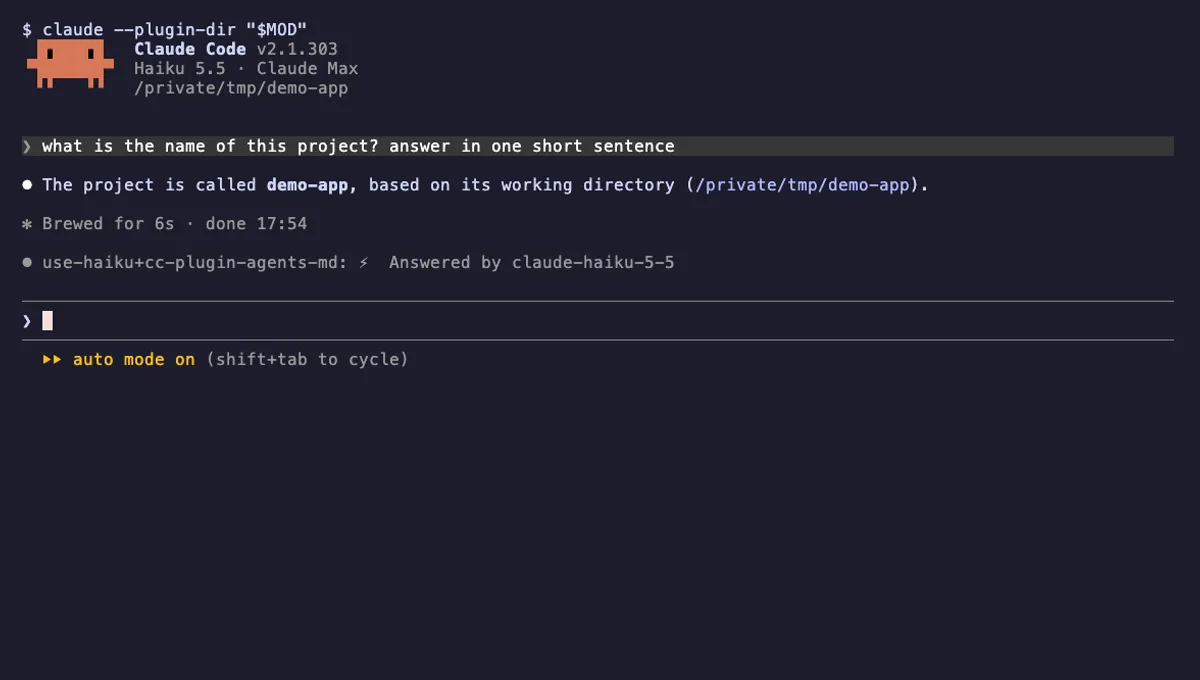
Start a Claude Code prompt with _ and that one turn runs on Haiku, with a visible hint at every step.
- spinner
- transcript
- status
- Reads your prompts
- Changes the UI
tested with v2.1.303
More in Context, quota, cost, Timers, todos, standups.