Collision Guard Claude Code mod: stop parallel chats overwriting each other
Asks before Claude edits a file another open chat changed in the last 30 minutes: proceed, use a worktree, or cancel.
#10 in Best Claude Code ModsPermissions
- Reads filesCan read files and list directories on your machine ($.fs.read / list / stat / exists).
- Writes filesCan create or overwrite files on your machine ($.fs.write).
- Runs commandsCan run shell programs on your machine ($.process.run / spawn). Check the source for exactly which ones.
- Intercepts tool callsSees every tool call Claude makes (tool.call / tool.check) and could block or change it.
- Reads your promptsCan see what you type and the conversation transcript (prompt.* / session.append / session.messages).
- Changes the UIDraws into the Claude Code interface: bands, panes, status text, toasts (ui.render / $.ui.*).
- Adds commands/toolsRegisters new slash commands or tools that you or Claude can invoke ($.command.register / $.tool.register).
- Stores dataKeeps data between sessions in the plugin's private store ($.store.*).
- tested with
- v2.1.310
- last tested
- requires
- Claude Code ≥ 2.1.287
- surfaces
- transcript
- source
- Nate Herk (nateherkai) (MIT)
Install inside Claude Code:
/plugin install collision-guard --marketplace nateherkai/claude-code-modsWhat does this mod do?
The Claude Code collision guard mod, Collision Guard, is a community mod by Nate Herk (nateherkai), part of his claude-code-mods collection. It is for people who run Claude Code parallel sessions in one repository, where two chats can end up changing the same file without knowing about each other. Before Claude edits or writes a file, the mod checks whether another open chat changed that same file in the last 30 minutes.
If one did, Claude Code shows a question titled "Collision": Another open chat, "<its first prompt>", edited index.js 4m ago. Edit it here too? You pick one of three answers:
- Proceed: the edit goes ahead. The mod remembers your answer for that file and that other chat, and asks again only if the other chat edits the file again.
- Move to a worktree: the edit is refused and Claude is told to list what it already changed, then use the
EnterWorktreetool and make the change there. This option appears only when git tracks the file. - Cancel: the edit is refused and Claude is told not to change the file again and to ask you how to proceed. Typing your own answer under "Type something" also works; it is passed to Claude as your instruction.
A chat that has never edited a file writes nothing, and a chat's ledger counts as closed once it has not been updated for 15 minutes.
Demo
The recording opens the small demo project with the mod loaded. A throwaway ledger stands in for a second chat named "Refactor the login flow", which edited src/index.js four minutes ago. In the first chat, the prompt asks Claude to add a one-line comment at the top of src/index.js. Claude reads the file and starts an Update of src/index.js. Before it runs, the "Collision" question appears with Proceed, Move to a worktree and Cancel. The recording picks Cancel. Claude then reports that the edit was refused because another chat changed the file four minutes ago, says what it was about to add, and asks how to continue.
Install
Use any of the methods in the install block; they install straight from the author's own marketplace. A mod loads when a chat starts, so open a new chat after installing. The /guard command shows the current status.
$ install collision-guard
Requires Claude Code ≥ 2.1.287
Installs from the author's own marketplace: nateherkai/claude-code-mods
1.One line, inside Claude Code
/plugin install collision-guard --marketplace nateherkai/claude-code-modsPaste into a running session (v2.1.275+). Claude Code asks to add the marketplace first.
2.From your shell
claude plugin marketplace add nateherkai/claude-code-mods claude plugin install collision-guard@nateherk-modsThen run /reload-plugins in any session that is already open.
3.Try it without installing
git clone https://github.com/nateherkai/claude-code-mods claude --plugin-dir ./claude-code-mods/collision-guardLoads the mod for one session only. Nothing is added to your settings.
How it works
Every edit-type tool call (Edit, Write, NotebookEdit) passes through a tool.call hook. The hook normalizes the path, skips ~/.claude/projects/ and ~/.claude/mods-data/, reads the other chats' ledgers and looks for a collision. The decision code, from hooks/register.mjs:
const options = ['Proceed']
if (await isTracked($, raw)) options.push('Move to a worktree')
options.push('Cancel')
answer = await $.ui.ask(`${who} edited ${file} ${when}. Edit it here too?`, { options, header: 'Collision' })
When no collision is found, the file is recorded in this chat's ledger before the edit runs, so a chat editing at the same moment sees it. A one-minute heartbeat keeps the ledger fresh; at session end the ledger is marked ended. The refusal text is returned as the tool result, which is how Claude learns the answer.
Customize it
/guard prints the status: whether the guard is on, which other chats have recent edits, what this chat changed and how many questions were asked, proceeded, moved to a worktree or cancelled. /guard on and /guard off switch it, and /guard window <minutes> changes the 30-minute window. These settings are saved with $.store. The 15-minute liveness limit and the ignored folders are constants at the top of register.mjs. If /guard is already taken by another plugin, the mod registers /collision-guard instead.
Permissions & safety
We read every file the plugin can execute before running it: .claude-plugin/plugin.json, hooks/hooks.json, hooks/register.mjs and the four helper modules it imports (coach.mjs, fmt.mjs, pricing.mjs, privacy.mjs), plus the repository's marketplace.json, README and LICENSE. There is no package.json, install script, binary or bundled code, and nothing is obfuscated.
- Network: none. There is no fetch, socket or URL in the code.
- Processes: one command,
git -C <cwd> ls-files --error-unmatch -- <file>with a 5 second timeout, to decide whether to offer the worktree option. - File writes: one JSON file per chat in
~/.claude/mods-data/collision-guard/. It holds the chat id, the first prompt (up to 80 characters), the working directory and the paths of files edited in the last hour. That folder is shared with the author's other mods but is not Claude Code's own settings, and nothing is written tosettings.json, shell files, LaunchAgents or git hooks. - File reads: the other chats' ledgers, and
~/.claude/mods-data/recording.json, a flag set by the author's separate Recording Mode mod. When that flag is on, the other chat's name is hidden in the question. - Background: a one-minute timer inside the chat. No daemon survives Claude Code.
- Environment: reads
HOMEandUSERPROFILEto find the folder. Nothing is sent anywhere. - Telemetry: none.
- Gating: it does block edits, but only after you choose Cancel, Move to a worktree or type an answer, which matches the README. The refusal text it returns is an instruction to Claude (for example to use
EnterWorktree); it is visible in the transcript and fixed in the code. Because the ledger holds your first prompt, any other mod or process that can read~/.claude/mods-data/could read it. - Other limits: it only sees chats that also have the mod loaded, and it does not read file contents.
- License: MIT, with a LICENSE file.
claude plugin validate reported no errors or warnings for the plugin. It notes that three hooks lack a .catch and that there is no plugin icon, and its directory check says it does not apply the plugin directory's own rules to hooks modules. The author ships no tests, so claude plugin test found nothing to run. We verified the behavior with the recording instead.
- Reads files
- Can read files and list directories on your machine ($.fs.read / list / stat / exists).
- Writes files
- Can create or overwrite files on your machine ($.fs.write).
- Runs commands
- Can run shell programs on your machine ($.process.run / spawn). Check the source for exactly which ones.
- Intercepts tool calls
- Sees every tool call Claude makes (tool.call / tool.check) and could block or change it.
- Reads your prompts
- Can see what you type and the conversation transcript (prompt.* / session.append / session.messages).
- Changes the UI
- Draws into the Claude Code interface: bands, panes, status text, toasts (ui.render / $.ui.*).
- Adds commands/tools
- Registers new slash commands or tools that you or Claude can invoke ($.command.register / $.tool.register).
- Stores data
- Keeps data between sessions in the plugin's private store ($.store.*).
Compatibility & troubleshooting
Checked with Claude Code 2.1.310 on macOS. If the question never appears:
- Both chats must have the mod loaded and must have started after it was installed.
- The other chat must have edited the file within the window, and its ledger must have updated in the last 15 minutes.
- Check
/guard; it says whether the guard is on and lists chats with recent edits. - Paths are compared as written after normalization, so the same file reached through a symlink may not match.
- Files under
~/.claude/projects/and~/.claude/mods-data/are ignored on purpose.
FAQ
- How does Collision Guard know what another chat edited?
- Each chat writes a small JSON ledger of the files it edited to ~/.claude/mods-data/collision-guard/, one file per chat, and reads the other chats' ledgers before each edit. No model call is involved.
- Does it add anything to my prompt or cost tokens?
- No. The check runs in a hook before Edit, Write and NotebookEdit. Text reaches Claude only when you answer the question, as the reason the edit was refused.
- What happens if I run Claude Code with -p or without a screen?
- When no surface is attached to ask, the hook logs a debug line and lets the edit go ahead, so unattended jobs are not blocked.
- Can I change the 30-minute window or turn it off?
- Yes. /guard off turns it off, /guard on turns it on again, and /guard window 60 changes the window to 60 minutes. The settings are kept in the plugin's own store.
- Why is "Move to a worktree" sometimes missing?
- The option is offered only when git tracks the file, because a worktree checks out tracked files only. The mod checks with git ls-files.
# Related mods
 Featured
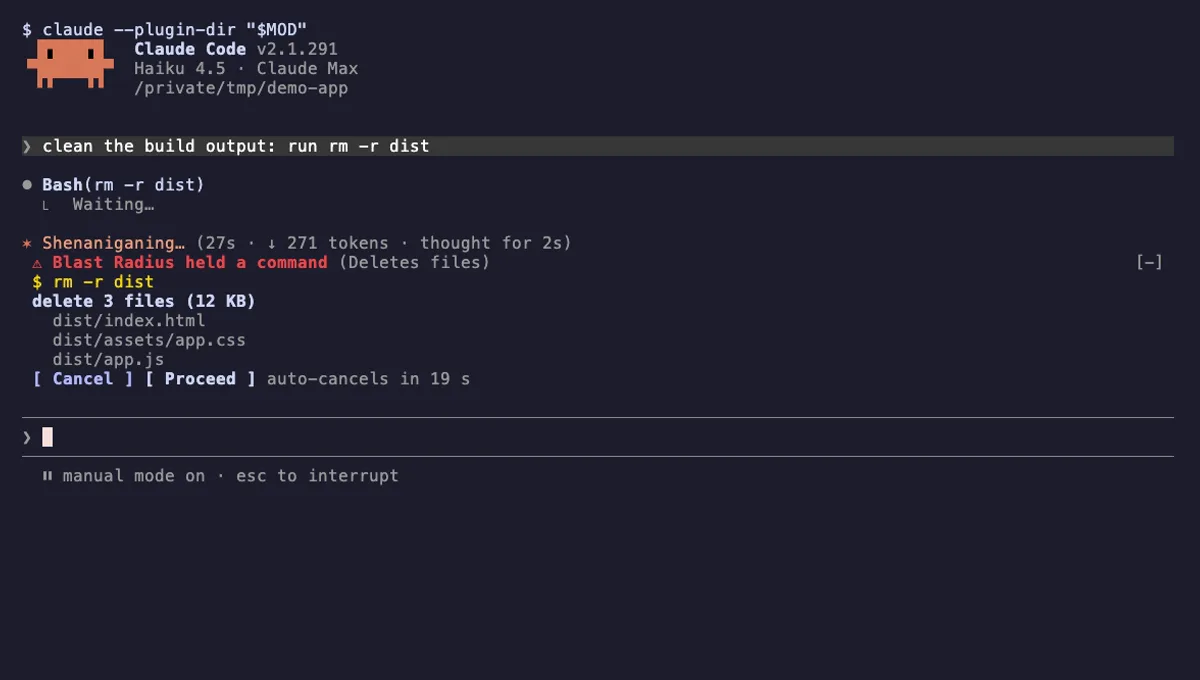
Blast Radius
Holds rm -r, force pushes and database migrations in Claude Code and shows what they would change before they run.
- pane
- above-prompt
- Runs commands
- Intercepts tool calls
- Changes the UI
tested with v2.1.291
 Featured
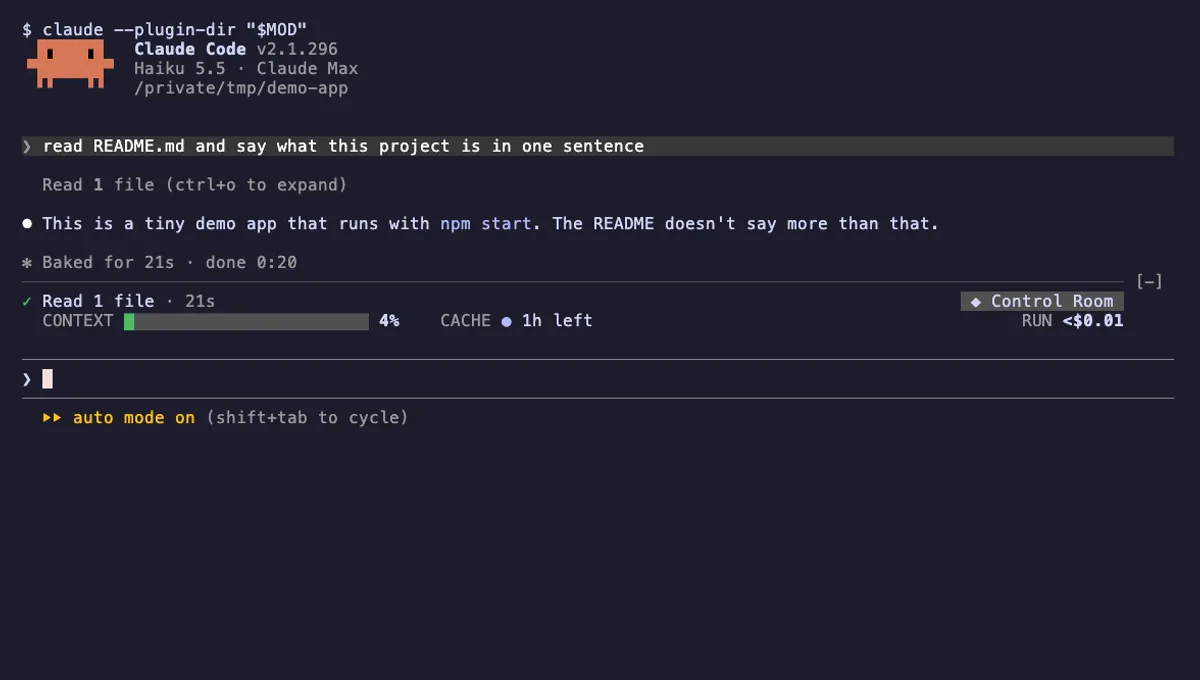
Project Sentinel
A status band, context handoff, prompt cache tracking and permission rules for long Claude Code runs.
- above-prompt
- pane
- spinner
- status
- toast
- Reads files
- Runs commands
- Calls the model (uses your quota)
- Intercepts tool calls
- Reads your prompts
- Changes the UI
- Adds commands/tools
- Stores data
tested with v2.1.296
More in Safety guards, Timers, todos, standups.