Intelligent UI, a Claude Code mod for Claude Code markdown rendering in the terminal
Claude's answers drawn as typeset pictures in the terminal: tables, LaTeX math, charts and diagrams, via Typst.
Permissions
- Reads filesCan read files and list directories on your machine ($.fs.read / list / stat / exists).
- Writes filesCan create or overwrite files on your machine ($.fs.write).
- Runs commandsCan run shell programs on your machine ($.process.run / spawn). Check the source for exactly which ones.
- NetworkCan make HTTP requests or talk to MCP servers ($.http.fetch / $.mcp.*).
- Intercepts tool callsSees every tool call Claude makes (tool.call / tool.check) and could block or change it.
- Reads your promptsCan see what you type and the conversation transcript (prompt.* / session.append / session.messages).
- Changes the UIDraws into the Claude Code interface: bands, panes, status text, toasts (ui.render / $.ui.*).
- Adds commands/toolsRegisters new slash commands or tools that you or Claude can invoke ($.command.register / $.tool.register).
- Stores dataKeeps data between sessions in the plugin's private store ($.store.*).
- tested with
- v2.1.310
- last tested
- requires
- Claude Code ≥ 2.1.287
- surfaces
- transcript, above-prompt, pane, toast
- source
- razorback16 (MIT)
Install inside Claude Code:
/plugin install cc-intelligent-ui --marketplace razorback16/cc-intelligent-uiWhat does this mod do?
Intelligent UI is a community mod by razorback16 for Claude Code markdown rendering. Instead of showing Claude's answer as plain terminal text, it draws each answer as a typeset picture with Typst. Headings, tables, task lists, quotes and highlighted code come out in your terminal's font, and LaTeX math ($…$ inline, $$…$$ for display) is typeset. The repository is at razorback16/cc-intelligent-ui.
It also lets Claude draw. The mod adds a short section to the system prompt that tells Claude it can put a diagram, chart or plot in a fenced typst block, using the vendored cetz, cetz-plot and fletcher packages. The block is compiled live and offline, in the colours of your theme. The other features listed in the author's README:
- Images in answers, images and Markdown files that Claude sends, and a preview of pasted images above the prompt box.
- Drag to select text in a drawn answer and copy it as normal text; click a link or file to open it.
- Plan mode shows the plan rendered, with approve, edit and reject.
- Light and dark themes: Claude Code's colours, VS Code's, or your own.
The saved answer stays Markdown; only the drawing changes. The README says it needs Claude Code 2.1.298 or later and works best in fullscreen mode (/tui fullscreen).
Install
Use any of the methods in the install block; they install straight from the author's own marketplace. You also need Typst 0.15 on your PATH (brew install typst), and a terminal that can show images. Restart Claude Code, then run /iui details to see whether pictures are on.
The README also recommends a curl … | bash install script hosted on the author's website. We did not review that script, and this page does not depend on it.
$ install cc-intelligent-ui
Requires Claude Code ≥ 2.1.287
Installs from the author's own marketplace: razorback16/cc-intelligent-ui
1.One line, inside Claude Code
/plugin install cc-intelligent-ui --marketplace razorback16/cc-intelligent-uiPaste into a running session (v2.1.275+). Claude Code asks to add the marketplace first.
2.From your shell
claude plugin marketplace add razorback16/cc-intelligent-ui claude plugin install cc-intelligent-ui@razorback16Then run /reload-plugins in any session that is already open.
3.Try it without installing
git clone https://github.com/razorback16/cc-intelligent-ui claude --plugin-dir ./cc-intelligent-uiLoads the mod for one session only. Nothing is added to your settings.
How it works
The mod is one hooks module, hooks/register.tsx, with its logic in hooks/lib/. It rewrites how assistant messages, tool results and the plan dialog are rendered, and it adds its prompt section on prompt.compose. This is from hooks/register.tsx:
on('prompt.compose', async ($, e, next) => {
  const composed = await next(e)
  if (!e.surfaces.includes('terminal') || !(await read($, isOn))) return composed
  const ready = S.env ?? (await setUp($).catch(() => null))
  if (!ready?.typst || !ready.canDraw) return composed
  return { sections: [...composed.sections, { id: 'cc-intelligent-ui:typst', text: TYPST_PROMPT, scope: 'session' as const }] }
})
The section is only added when the mod is on, Typst was found and the terminal can draw pictures. Each answer is compiled by typst in a fresh folder that holds only the mod's template, the theme and the images the text names, and the compiled pages are painted with $.ui.blit. A cache of drawn pages lives in a private folder under $TMPDIR, and the mod ships a skill, cc-intelligent-ui:intelligent-ui, with Typst references and a check.sh compile checker for complex drawings.
Customize it
Everything goes through the /iui command. /iui on and /iui off switch pictures, /iui theme <name> picks claude-code, vscode-modern, vscode or your own theme, /iui size <80–200> sets the text size in percent, /iui grab copies the text of your last selection, /iui updates off stops the version check and /iui details explains what keeps pictures away. Your own themes are read from ~/.claude/cc-intelligent-ui/themes.
Permissions & safety
We read the manifests, hooks/hooks.json, the update check (hooks/lib/updates.ts), the shell setup (hooks/lib/setup.ts), the prompt text (hooks/lib/settings.ts), the plan and permission hooks at the end of hooks/register.tsx, the skill's SKILL.md and the author's docs/privacy.md. The module is about 1,500 lines plus roughly 40 helper files, so we searched the rest for network, process, file-write and obfuscation patterns rather than reading every line. There is no package.json, install script or minified code. The render/ folder (2.7 MB) holds Typst templates, themes and vendored Typst packages, including three prebuilt WebAssembly files (cetz_core.wasm, plugin.wasm for cmarker, mitex.wasm) that we listed but did not decompile.
- Network: one GET to
raw.githubusercontent.com/razorback16/cc-intelligent-ui/main/.claude-plugin/plugin.jsonthrough$.http.fetch, at most once a day, to tell you about a new version (hooks/lib/updates.ts:13). It is on by default, and it stops with/iui updates offor whenCLAUDE_CODE_DISABLE_NONESSENTIAL_TRAFFIC,DISABLE_UPDATESorDISABLE_AUTOUPDATERis set. Typst itself is started with proxy variables that point tohttp://127.0.0.1:9, so it downloads nothing. - Processes:
typst,perlhelpers (including a clipboard watcher),sh,mv,rm,osascript,defaults,fc-list, and in herdrps,lsofandstat. On Linux the clipboard is read throughwl-paste,xclip,clipnotifyorpython3 -I. Every call is an argv array or a fixed shell snippet. - Clipboard: the watcher reads clipboard text to detect copies of picture cells and pasted image paths, skips password-manager copies, and keeps the text in memory only. The mod writes the clipboard only when you copy or click.
- File writes: a private cache folder under
$TMPDIRand~/.cache/cc-intelligent-ui(drawing sizes, copied fonts). With your consent it writes one marked block to your shell start file (hooks/lib/setup.ts:16-36,:104-126); the question is asked through$.ui.askwith "Not now" and "Never ask" choices, and/iui setup removeundoes it. It does not write~/.claude/settings.json; the author's install script does, to enable auto-update, with a backup. - Daemons: none that outlive Claude Code. The clipboard and herdr watchers are stopped on
session.end(hooks/register.tsx:855-863). - Secrets and environment: it reads terminal-related variables (
TERM,TERM_PROGRAM,KITTY_*,GHOSTTY_*,ITERM_*,SSH_*,SHELL,HOMEand similar). It does not read tokens or credential files, and nothing it reads leaves the machine. - Telemetry: none found beyond the version check above.
- Model influence: it appends a visible system-prompt section (
TYPST_PROMPT,hooks/lib/settings.ts:171) about Markdown and Typst syntax. We found no hidden or zero-width characters and no instructions unrelated to drawing. The plan dialog can approve a plan and, if you pick "clear context", abort the turn, run/clearand submit the plan as your next prompt (hooks/lib/plan.tsx:260-266). - Gating hooks: the
ExitPlanModehooks ask you about the plan first and can deny the call with your feedback, or answer the permission request with your choice.Write|Editonly counts running writes. Each gating hook has a.catchthat passes the call on. - External requirements: Typst 0.15 and a terminal that supports images. Without them the answer shows as normal text.
- License: MIT, with a LICENSE file. The vendored Typst packages and theme values keep their own licences (
THIRD-PARTY-NOTICES.md).
claude plugin validate reported no errors and no warnings. The author's tests passed on Claude Code 2.1.310: 943 pass, 0 fail across 29 files.
- Reads files
- Can read files and list directories on your machine ($.fs.read / list / stat / exists).
- Writes files
- Can create or overwrite files on your machine ($.fs.write).
- Runs commands
- Can run shell programs on your machine ($.process.run / spawn). Check the source for exactly which ones.
- Network
- Can make HTTP requests or talk to MCP servers ($.http.fetch / $.mcp.*).
- Intercepts tool calls
- Sees every tool call Claude makes (tool.call / tool.check) and could block or change it.
- Reads your prompts
- Can see what you type and the conversation transcript (prompt.* / session.append / session.messages).
- Changes the UI
- Draws into the Claude Code interface: bands, panes, status text, toasts (ui.render / $.ui.*).
- Adds commands/tools
- Registers new slash commands or tools that you or Claude can invoke ($.command.register / $.tool.register).
- Stores data
- Keeps data between sessions in the plugin's private store ($.store.*).
Compatibility & troubleshooting
Checked with Claude Code 2.1.310 on macOS (validate and tests). We did not try the pictures in a graphics-capable terminal, so we cannot confirm how they look. If answers still show as text:
- Run
/iui details. It lists what keeps pictures away. typst --versionprints 0.15 or later.- You are not inside tmux or screen, where Claude Code cannot draw images.
- In iTerm2 or herdr, run
/iui setupand open a new tab or pane, because the variable must be set when Claude Code starts. /iuishows whether the mod is on;/iui onturns it back on.
FAQ
- Which terminals show the pictures?
- According to the README, kitty 0.28+, Ghostty and cmux show them out of the box, and iTerm2 3.6+ and herdr show them after /iui setup. Warp, WezTerm, tmux, screen, Terminal.app, Alacritty and the VS Code terminal show normal text. /iui details tells you why pictures do or do not show in your terminal.
- Do I need to install anything besides the mod?
- Yes, Typst 0.15, for example with brew install typst. The mod runs the typst binary to draw each answer. The Typst packages it uses for charts and diagrams (cetz, cetz-plot, fletcher) are vendored in the plugin and work offline.
- Does it change what Claude writes or what is saved in the transcript?
- It changes the drawing and adds a section to the system prompt that tells Claude its replies are drawn as Markdown pictures and how to write a typst block. The saved answer stays Markdown. /iui off stops both the pictures and the extra prompt section.
- Does the mod send my sessions anywhere?
- We found no code that sends session content. The one request we found is a GET for the mod's own plugin.json on raw.githubusercontent.com, at most once a day, to announce a new version. /iui updates off stops it.
- Does it edit my shell files or settings?
- Only when you agree. In iTerm2 and herdr it asks once whether to add a marked block to your shell start file (.zshrc, a bash login file, or a fish conf.d file) that sets CLAUDE_CODE_FORCE_TERMINAL_IMAGES=1. /iui setup remove takes the block out again.
# Related mods
 Featured
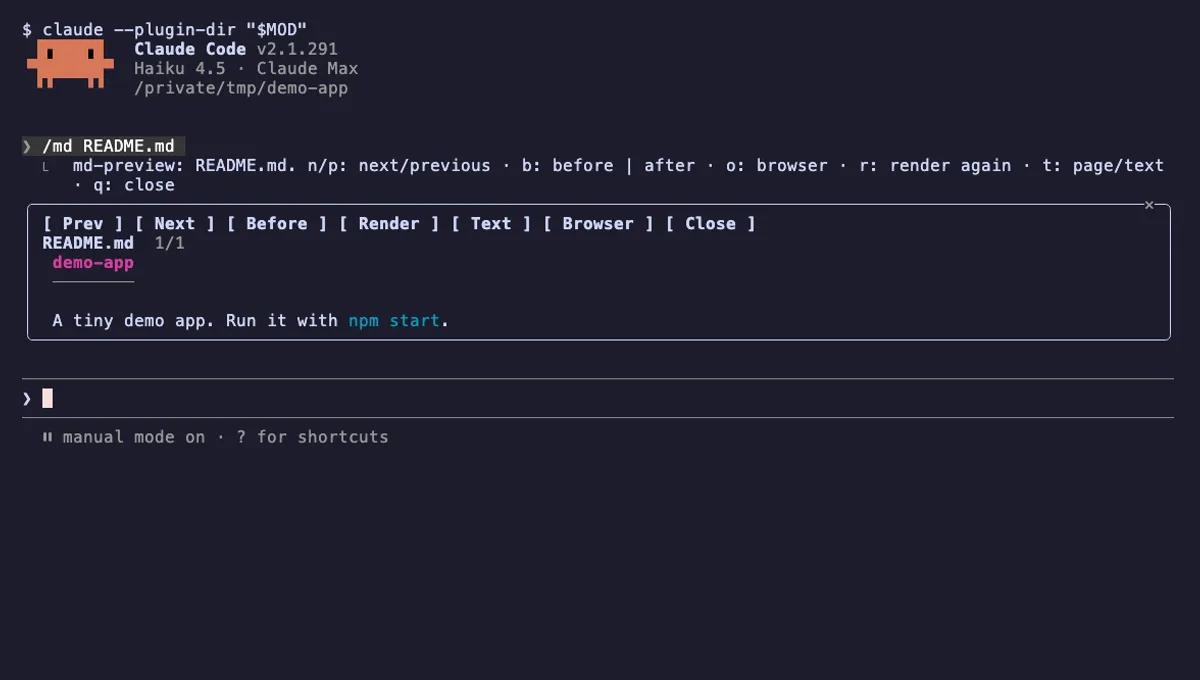
md-preview
The Markdown files Claude edits, rendered like GitHub in a pane next to the chat, with a before and after view.
- pane
- toast
- Reads files
- Writes files
- Runs commands
- Intercepts tool calls
- Changes the UI
- Adds commands/tools
tested with v2.1.291
Image Preview
Hover a pasted [Image #N] in Claude Code to see the picture, in a window by the pointer or drawn in the terminal.
- above-prompt
- transcript
- Reads files
- Runs commands
- Reads your prompts
- Changes the UI
tested with v2.1.303
More in Timers, todos, standups, Slash commands.