Now Playing, a Claude Code Spotify mod: track, progress and synced lyrics above the prompt
The Spotify track, progress bar and synced lyric on a line above the Claude Code prompt, with ⏮ ⏸ ⏭ buttons.
Permissions
- Reads filesCan read files and list directories on your machine ($.fs.read / list / stat / exists).
- Runs commandsCan run shell programs on your machine ($.process.run / spawn). Check the source for exactly which ones.
- NetworkCan make HTTP requests or talk to MCP servers ($.http.fetch / $.mcp.*).
- Changes the UIDraws into the Claude Code interface: bands, panes, status text, toasts (ui.render / $.ui.*).
- Adds commands/toolsRegisters new slash commands or tools that you or Claude can invoke ($.command.register / $.tool.register).
- tested with
- v2.1.310
- last tested
- requires
- Claude Code ≥ 2.1.287
- surfaces
- above-prompt
- source
- Hamza Zafar (hamzafer) (MIT)
Install inside Claude Code:
/plugin install now-playing --marketplace hamzafer/claude-code-modsWhat does this mod do?
Now Playing is a Claude Code Spotify mod by Hamza Zafar (hamzafer), one of the plugins in his claude-code-mods collection. It puts what Spotify is playing on one line above the Claude Code prompt: a 🎵 icon, the track name in bold, the artist, a 12-cell progress bar and the elapsed and total time, such as 1:01/3:20.
Under that line, when synced lyrics are available, a second dim italic line shows the lyric being sung (♪ …). It moves with the song and shows each line about 0.3 seconds early, as karaoke apps do. When the track is paused the line dims, shows ⏸ and drops the progress bar and the lyric. When Spotify is closed the line goes away.
At the end of the line are three buttons, ⏮, ⏸ (or ▶ when paused) and ⏭. The mod also registers /music, which toggles play and pause, and takes next or prev. The mod is macOS only, because it talks to the Spotify desktop app through AppleScript. Its band is keyed so it can sit with the author's other above-prompt mods, such as our listed Context Bar, in an order you choose.
Install
Use any of the methods in the install block; they install straight from the author's own marketplace. You need macOS and the Spotify desktop app. Start a new session or run /reload-plugins, then play something in Spotify and the line appears within a few seconds.
$ install now-playing
Requires Claude Code ≥ 2.1.287
Installs from the author's own marketplace: hamzafer/claude-code-mods
1.One line, inside Claude Code
/plugin install now-playing --marketplace hamzafer/claude-code-modsPaste into a running session (v2.1.275+). Claude Code asks to add the marketplace first.
2.From your shell
claude plugin marketplace add hamzafer/claude-code-mods claude plugin install now-playing@claude-code-modsThen run /reload-plugins in any session that is already open.
3.Try it without installing
git clone https://github.com/hamzafer/claude-code-mods claude --plugin-dir ./claude-code-mods/mods/now-playingLoads the mod for one session only. Nothing is added to your settings.
How it works
The mod keeps the current track, the lyrics and a clock tick in three host-held $.state atoms, so the line survives a hot reload. A 250 ms timer redraws the line while a lyric is showing, and otherwise about once a second. Every 3 seconds while playing, and every 5 seconds when paused or closed, it asks Spotify for its state with osascript. The read script, from hooks/register.tsx:
// One osascript run: closed, stopped, or the player's state and track, a field per line.
// The `is running` check comes first, so asking never launches Spotify.
const READ_SCRIPT = `if application "Spotify" is running then
  tell application "Spotify"
    set s to player state as string
    if s is "stopped" then return "stopped"
    set t to current track
    return s & linefeed & (id of t) & linefeed & (name of t) & ...
  end tell
end if
return "closed"`
Between polls the position moves on with the clock rather than running anything. When the track id changes, the mod asks https://lrclib.net/api/get for an exact match on track, artist, album and duration, and falls back to /search if that has no synced lyrics. Each request has a 5 second limit, and any failure just means no lyric line. The buttons and /music run one osascript command (playpause, next track or previous track) and then read the state back. The ordering logic lives in hooks/bands.ts, a file shared by the author's band mods.
Customize it
There is one option, lyrics, a boolean that defaults to on. Switch it off in the plugin's settings and no lyrics are fetched. The track line, the progress bar and the buttons keep working. The band order is read once per session from claude-code-mods/bands.json in your Claude config directory, a file the author's claude-code-mods checklist saves. Restart Claude Code to apply a new order. Without that file the band sits above whatever other mods draw. To change the look, edit the constants at the top of register.tsx, such as BAR for the bar width, LYRIC_LEAD_S for how early a lyric shows and the #1db954 bar color.
Permissions & safety
We read every file the plugin can execute before running it: hooks/hooks.json, hooks/register.tsx, hooks/bands.ts, the type declarations and the tests. There is no package.json, install script, binary or bundled code, and we found no hidden Unicode.
- Runs commands (
$.process.run):uname -s,pgrep -x Spotify, andosascript -e <script>. Each is an argv array with a 3 to 5 second timeout and no shell. The AppleScript only reads Spotify's player state and current track, or sends play/pause, next or previous. It never launches Spotify. - Network (
$.http.fetch): onlylrclib.net, a public lyrics service. A request carries the track name, artist, album and duration, plus a User-Agent naming the project. This is on by default; the manifest's option text says so and thelyricsoption turns it off. The mod does not send your prompts, files or session data. - Reads files: the optional band order file at
<config dir>/claude-code-mods/bands.json, usingCLAUDE_CONFIG_DIRandHOME. It writes no files, and no settings, shell files or LaunchAgents. - No daemon or telemetry. The timers stop at
session.end. - Not a gating hook. The
ui.renderhook adds the band and passes what others draw through./musicis the only command. - Requirements: macOS and the Spotify desktop app. The first
osascriptcall may make macOS ask whether the terminal may control Spotify. - License: MIT, with a LICENSE file in the repository root.
claude plugin validate passed with no errors; its one warning was a missing plugin icon, which does not affect use. The author's 9 tests passed on Claude Code 2.1.310. We did not run it against a real Spotify account.
- Reads files
- Can read files and list directories on your machine ($.fs.read / list / stat / exists).
- Runs commands
- Can run shell programs on your machine ($.process.run / spawn). Check the source for exactly which ones.
- Network
- Can make HTTP requests or talk to MCP servers ($.http.fetch / $.mcp.*).
- Changes the UI
- Draws into the Claude Code interface: bands, panes, status text, toasts (ui.render / $.ui.*).
- Adds commands/tools
- Registers new slash commands or tools that you or Claude can invoke ($.command.register / $.tool.register).
Compatibility & troubleshooting
Validated and tested with Claude Code 2.1.310. The plugin needs the function-hooks API and the above-prompt render site. If the line does not show up:
- Spotify is open and has a track loaded. A stopped player shows nothing.
- You are on macOS. Elsewhere the mod stays silent by design.
- Allow your terminal to control Spotify if macOS asks for Automation permission.
- A survey is open above the input; the band returns after it closes.
- No lyric line? The song may have no synced lyrics on LRCLIB, or
lyricsis off. /musicis refused as a name if Claude Code already has one; the line still works.
FAQ
- Does this Claude Code Spotify mod work on Linux or Windows?
- No. At session start it runs uname -s, and anything other than Darwin means it registers no command and never polls. It reads Spotify through osascript (AppleScript), so it needs macOS and the Spotify desktop app.
- Will it launch Spotify for me?
- No. Every osascript call starts with an "is running" check, and a pgrep check runs first while Spotify is known to be closed. If Spotify is not running, /music replies that you should open it first.
- What leaves my machine?
- With lyrics on, which is the default, the track, artist and album names and the track length are sent to lrclib.net, once per track, to look up synced lyrics. Turn the lyrics option off and the mod makes no network request at all.
- What do the buttons and /music do?
- The ⏮ ⏸/▶ ⏭ buttons at the end of the line send previous track, play/pause and next track to Spotify. Click them, or press b, p or n once the band has the keyboard. /music toggles play and pause, /music next and /music prev skip.
- Why is there no lyric line for some songs?
- Lyrics come from LRCLIB and only synced ones are used. If none is found, or the only match is in a right-to-left script such as Arabic or Hebrew that terminals draw garbled, the lyric line is left out and the rest of the band still shows.
# Related mods
 Featured
Context Bar
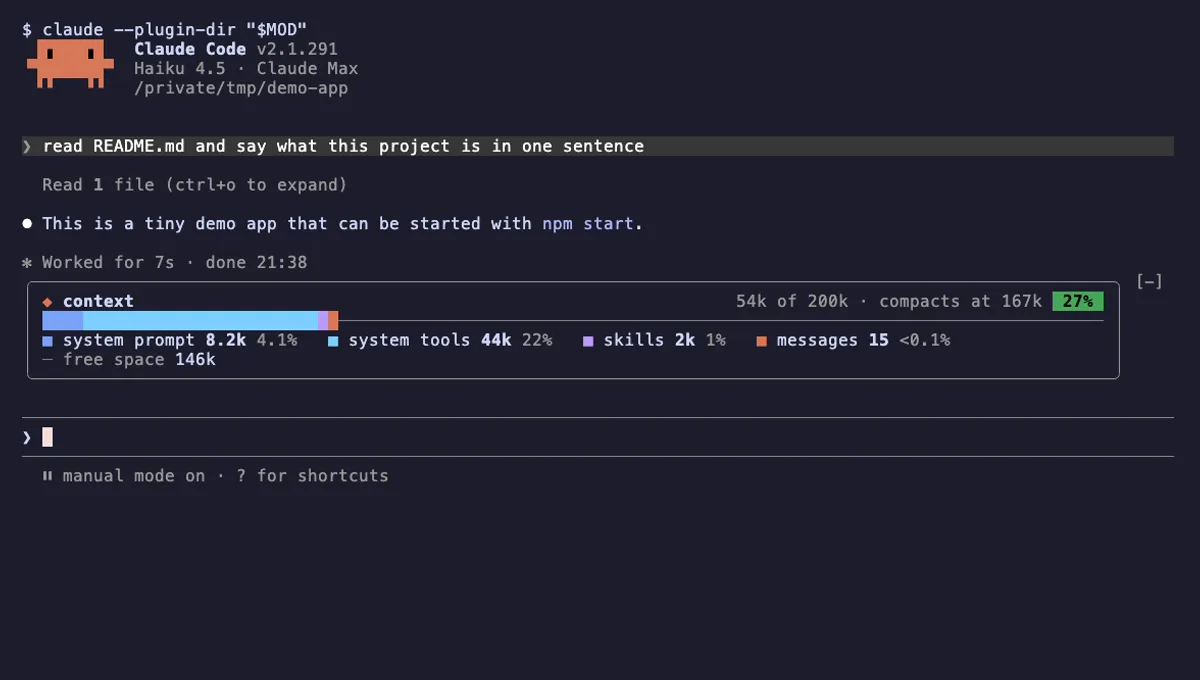
Your Claude Code context window as one stacked bar above the prompt, a color per category, with token counts.
- above-prompt
- Changes the UI
- Adds commands/tools
- Stores data
tested with v2.1.291
 Featured
Context Meter
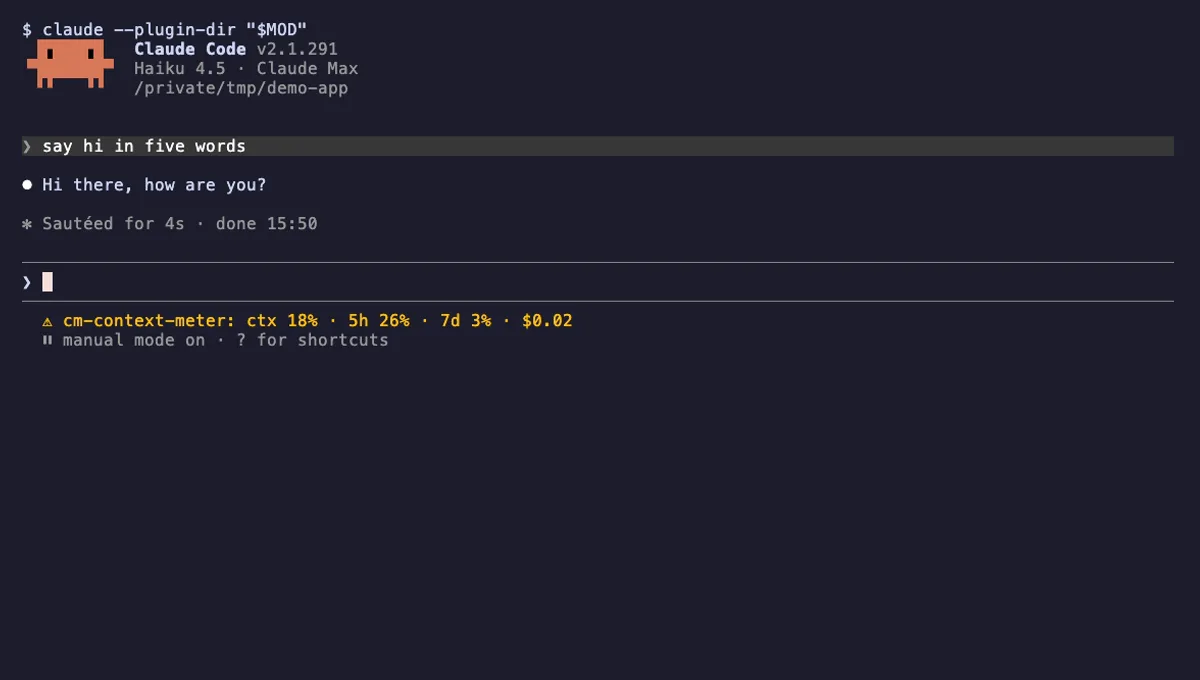
Context-window fill, 5-hour and 7-day plan usage and session cost in the status line, plus a warning near the limit.
- status
- toast
- Changes the UI
tested with v2.1.310
More in Timers, todos, standups, Slash commands.