Bilingual View: Claude Code Chinese translation for your prompts and replies
Write Claude Code prompts in Chinese, send English, and read replies in Chinese through your own translation API.
Permissions
- Reads filesCan read files and list directories on your machine ($.fs.read / list / stat / exists).
- Writes filesCan create or overwrite files on your machine ($.fs.write).
- Runs commandsCan run shell programs on your machine ($.process.run / spawn). Check the source for exactly which ones.
- NetworkCan make HTTP requests or talk to MCP servers ($.http.fetch / $.mcp.*).
- Intercepts tool callsSees every tool call Claude makes (tool.call / tool.check) and could block or change it.
- Reads your promptsCan see what you type and the conversation transcript (prompt.* / session.append / session.messages).
- Changes the UIDraws into the Claude Code interface: bands, panes, status text, toasts (ui.render / $.ui.*).
- Adds commands/toolsRegisters new slash commands or tools that you or Claude can invoke ($.command.register / $.tool.register).
- tested with
- v2.1.310
- last tested
- requires
- Claude Code ≥ 2.1.287
- surfaces
- above-prompt, pane, transcript
- source
- againest1 (MIT)
Install inside Claude Code:
/plugin install bilingual-view --marketplace againest1/bilingual-viewWhat does this mod do?
Bilingual View is a community mod by againest1 (againest1/bilingual-view). It adds Claude Code Chinese translation in both directions. You type an ordinary Chinese prompt, the mod translates it to English with a translation model you configure, and only the English text is submitted to Claude. Your own message stays on screen in Chinese. Claude's English final answers can be shown in Chinese, with a button to switch back to the original.
The mod puts a Bilingual View bar above the prompt with an On/Off button and a Settings button. Settings open in a pane where you enter a provider URL, an API key and a model ID, fetch the model list, test the connection and test translation speed. The mod does not ship a translator: it talks to any service that speaks the OpenAI Chat Completions format, and the README says this does not change the model of your Claude conversation.
What it translates, according to the README and the code:
- Plain Chinese prompts, and Chinese text you type in the "Other" field of an
AskUserQuestiondialog. - The question and option descriptions of
AskUserQuestion, for display only (option labels keep their real value). - Claude's final answers in the main session, for display only. Thinking, intermediate replies, subagent messages and normal tool output are left alone.
- It does not touch
/commands,!shell lines, code, paths or links.
Under a translated user message, View sent text shows what Claude actually received. Under a translated answer, View original shows Claude's text.
Install
Use any of the methods in the install block; they install straight from the author's own marketplace. Start a new session (or run /reload-plugins) and the Bilingual View bar appears above the prompt. Then open Settings or run /bilingual-view settings and fill in the provider.
$ install bilingual-view
Requires Claude Code ≥ 2.1.287
Installs from the author's own marketplace: againest1/bilingual-view
1.One line, inside Claude Code
/plugin install bilingual-view --marketplace againest1/bilingual-viewPaste into a running session (v2.1.275+). Claude Code asks to add the marketplace first.
2.From your shell
claude plugin marketplace add againest1/bilingual-view claude plugin install bilingual-view@bilingual-viewThen run /reload-plugins in any session that is already open.
3.Try it without installing
git clone https://github.com/againest1/bilingual-view claude --plugin-dir ./bilingual-view/plugins/bilingual-viewLoads the mod for one session only. Nothing is added to your settings.
How it works
The plugin is one function-hooks module, hooks/register.ts, plus small helpers for the provider request, the cache and text protection. When you submit a prompt, the prompt.submit hook translates it and passes the English text on. If translation throws, the hook returns a drop instead. This is from register.ts:
translated = await translate(hostIO($), options, e.text, 'en', next.signal);
...
catch (error) { return { drop: inputFailure(error) }; }
Before the request, code spans, paths, URLs and similar text are swapped for BV_LITERAL_<n>_END tokens and restored afterwards. A chunk whose tokens do not come back intact is retried once with feedback, and English output that still contains Chinese characters is rejected. Display translation of answers and dialogs runs in a queue of up to 32 jobs, one at a time, and each request has the host's 30-second limit. Results are cached on disk so a resumed session shows the same Chinese. Translation requests use a system prompt that tells the translator to treat the text as data, not instructions.
Customize it
Everything is in the Settings pane or userConfig: Provider URL, Translation model, API key and a Translation enabled switch. The slash command is /bilingual-view with the arguments status, settings, on, off, check, speed and diagnostics. If the settings are empty, the mod falls back to the environment variables BILINGUAL_VIEW_BASE_URL, BILINGUAL_VIEW_MODEL and BILINGUAL_VIEW_API_KEY. The Provider URL may be a base URL or a full /chat/completions endpoint, and it must not contain credentials, a query string or a fragment.
Permissions & safety
We read every file the plugin can execute before running anything: plugin.json, hooks/hooks.json, register.ts and all twelve helper modules, plus the marketplace file, README and LICENSE. There is no package.json, install script, bundled or minified code, binary, eval or dynamic import. We found no hidden Unicode and no text aimed at the model. What we found:
- Network:
$.http.fetchgoes only to the URL you configure:POST <url>/chat/completionsfor translation and tests, andGET <url>/modelswhen you press Fetch models.http://is accepted as well ashttps://. The request carries your text and, if set, your key as a Bearer header. The text sent includes your Chinese prompts, typed answers to question dialogs, and Claude's final answers and question dialogs that are translated for display. No host is hard-coded and there is no telemetry. - Runs a process: one
$.process.run, in the API-key save path only. It runsclaude plugin configure <plugin> --values-stdin --json(using~/.local/bin/claudeif that file exists) with the key on stdin and a 10 second timeout. - File writes: only under
~/.claude/bilingual-view/.cache/<session>.jsonholds Chinese originals and translations, up to 4 MiB per file, anddiagnostics.jsonis written only when you run/bilingual-view diagnostics(event metadata, no message text). Nothing is written tosettings.json, shell files or LaunchAgents. - File reads: it reads the open session's transcript path that Claude supplies (up to 4 MiB) to find final answers for display, and its own cache.
- Environment: it reads
HOME,USERPROFILEand the threeBILINGUAL_VIEW_*variables. The key leaves your machine only toward the configured URL. - Gating hooks:
prompt.submitdrops a message that needs translation when translation fails or the provider is not configured. Translation is on by default, so right after install a Chinese prompt is blocked until you configure a provider; the README says so. Thetool.callhook onAskUserQuestiondenies the answer if its translation fails. The other hooks only observe or redraw. - No daemon: the only timer is a one-second poll inside the Claude Code process while translation is on. Nothing runs after Claude Code exits.
- Requirements: your own OpenAI-compatible translation service, a model ID and an API key if it needs one. Hosted services may charge.
- License: MIT (LICENSE file present), so the page is marked redistributable.
claude plugin validate passed with one warning (no version in plugin.json) and one directory finding about a missing icon. It also notes that classic.SessionStart, session.append and the AskUserQuestion tool.call hook have no .catch. The repository has no *.test.ts files, so claude plugin test had nothing to run and we did not execute the mod beyond loading it for validation.
- Reads files
- Can read files and list directories on your machine ($.fs.read / list / stat / exists).
- Writes files
- Can create or overwrite files on your machine ($.fs.write).
- Runs commands
- Can run shell programs on your machine ($.process.run / spawn). Check the source for exactly which ones.
- Network
- Can make HTTP requests or talk to MCP servers ($.http.fetch / $.mcp.*).
- Intercepts tool calls
- Sees every tool call Claude makes (tool.call / tool.check) and could block or change it.
- Reads your prompts
- Can see what you type and the conversation transcript (prompt.* / session.append / session.messages).
- Changes the UI
- Draws into the Claude Code interface: bands, panes, status text, toasts (ui.render / $.ui.*).
- Adds commands/tools
- Registers new slash commands or tools that you or Claude can invoke ($.command.register / $.tool.register).
Compatibility & troubleshooting
Validated against Claude Code 2.1.310. The mod needs a terminal or Desktop session that supports mods, and it only draws on those surfaces. If something does not work:
- No bar above the prompt: check
/pluginthatbilingual-view@bilingual-viewis installed and enabled, then run/reload-plugins. - A Chinese prompt is not submitted: run
/bilingual-view status, then/bilingual-view check. An unset URL or model blocks submission by design. - Translation timed out: a single request is limited to 30 seconds. Try
/bilingual-view speedor a faster model. - Model list returns 404: your service may not offer
/models. Type the model ID by hand. - Do not use one session in several Claude Code instances at once; the cache is not locked across processes.
To check it works, press Test connection, then send a short Chinese prompt and open View sent text under it.
FAQ
- Which service does Bilingual View send my text to?
- Only the Chat Completions URL you enter in its settings, plus the /models URL on the same host when you press Fetch models. There is no default provider and no hard-coded host in the code. Anything you write that needs translating, and the Claude answers it translates for display, goes to that service.
- What happens if the translation fails or no provider is set?
- A Chinese prompt that needs translating is not submitted at all. The hook returns a drop with the reason, and the code never falls back to sending the Chinese original. Slash commands and lines starting with ! are submitted unchanged, and turning translation off sends everything as typed.
- Does it change the model Claude uses to answer?
- No. The translation model is a separate setting that is only used for the requests to your provider. The Claude conversation keeps its own model, and the mod never writes a Chinese answer into the conversation content.
- Where are the Chinese originals and translations stored?
- In ~/.claude/bilingual-view/cache/, one JSON file per session capped at 4 MiB, separate from the Claude session history. Updating or removing the plugin does not clear it. The /bilingual-view diagnostics command writes a metadata-only diagnostics.json to the same folder.
- Where is the API key kept?
- It is a sensitive userConfig field, so Claude Code stores it. When you save a key from the settings pane, the mod runs claude plugin configure with the key on stdin. You can also set it through /plugin, or through the BILINGUAL_VIEW_API_KEY environment variable.
# Related mods
 Featured
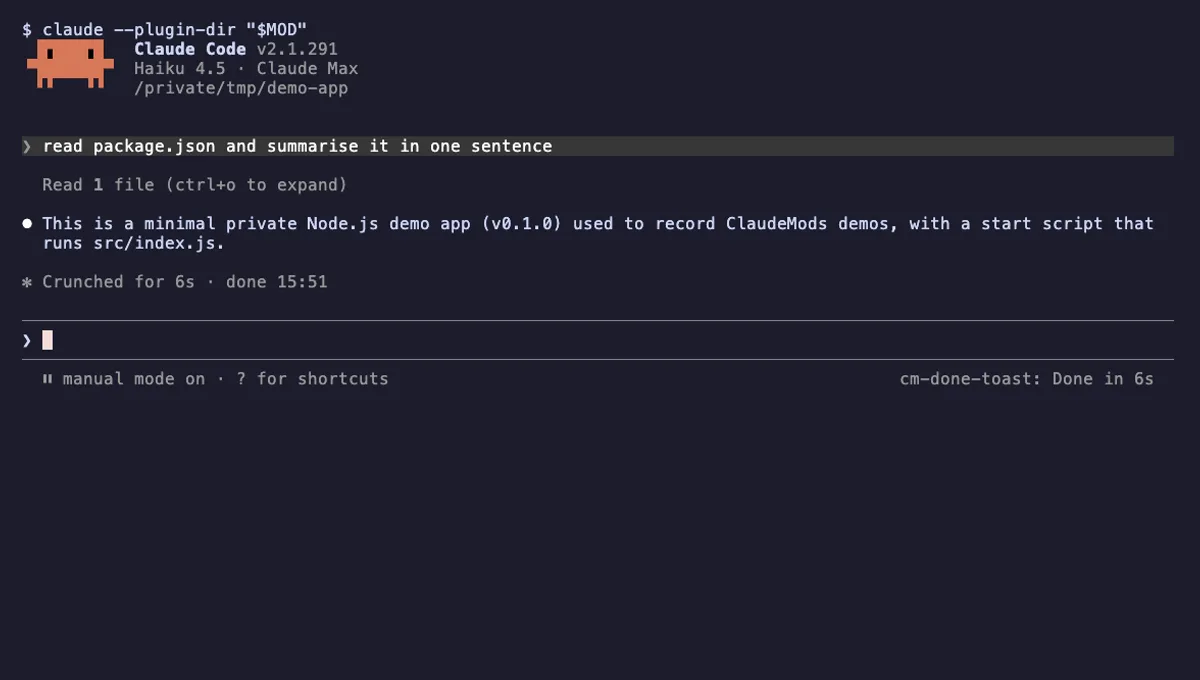
Done Toast
A "Done in 2m 14s" toast and a short chime when a long Claude turn finishes, plus an optional desktop notification.
- toast
- Runs commands
- Changes the UI
- Plays sound
tested with v2.1.310
 Featured
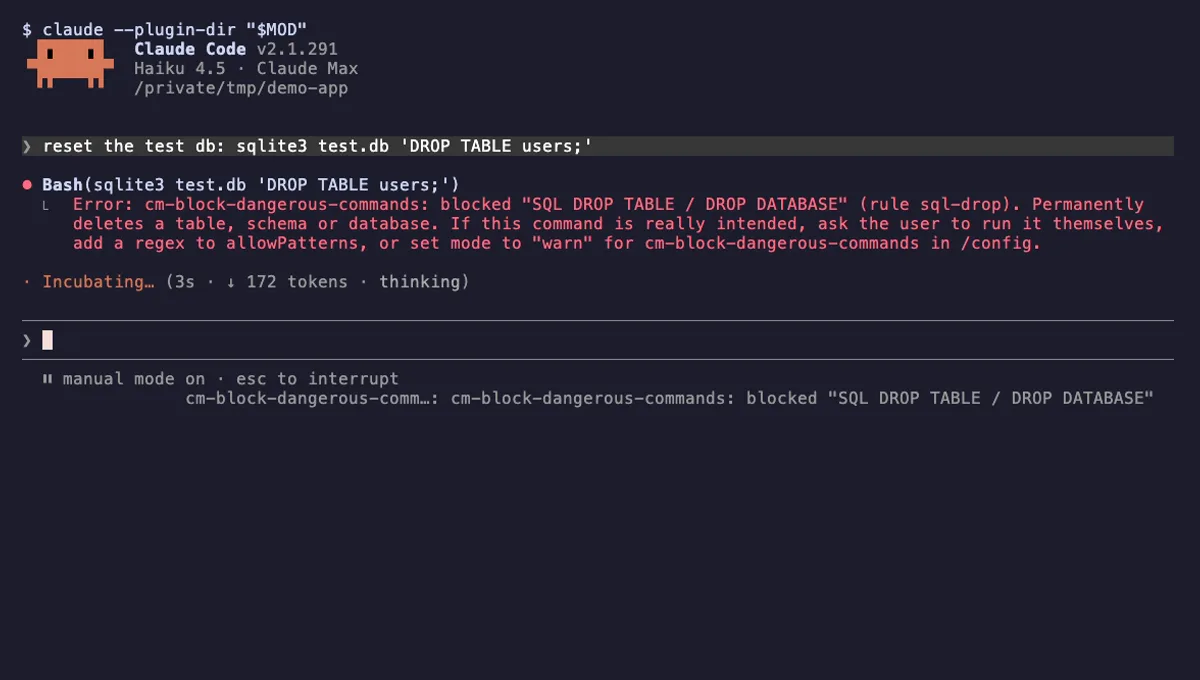
Block Dangerous Commands
Refuses rm -rf /, force-push to main, DROP TABLE, curl | sh and other destructive Bash commands before they run.
- toast
- Intercepts tool calls
- Changes the UI
tested with v2.1.310
More in Timers, todos, standups, Slash commands.