Reflect Claude Code mod: turn your corrections into CLAUDE.md rules
Finds reusable corrections in your prompts and offers them above the prompt, to save to CLAUDE.md with one press.
#12 in Best Claude Code ModsPermissions
- Reads filesCan read files and list directories on your machine ($.fs.read / list / stat / exists).
- Writes filesCan create or overwrite files on your machine ($.fs.write).
- Calls the model (uses your quota)Can send its own requests to Claude, which count against your plan's usage ($.model.* / $.agent.spawn).
- Reads your promptsCan see what you type and the conversation transcript (prompt.* / session.append / session.messages).
- Changes the UIDraws into the Claude Code interface: bands, panes, status text, toasts (ui.render / $.ui.*).
- Adds commands/toolsRegisters new slash commands or tools that you or Claude can invoke ($.command.register / $.tool.register).
- Stores dataKeeps data between sessions in the plugin's private store ($.store.*).
- tested with
- v2.1.310
- last tested
- requires
- Claude Code ≥ 2.1.287
- surfaces
- above-prompt, toast
Install inside Claude Code:
/plugin install reflect-mod --marketplace BayramAnnakov/claude-reflectWhat does this mod do?
The Claude Code reflect mod, Reflect, is a community mod by Bayram Annakov (BayramAnnakov), the mod plugin of his claude-reflect repository. It turns the corrections you make while working into CLAUDE.md rules: when you type "no, use pnpm" or "always answer in English", the mod notices the reusable part and offers it in a band above the prompt, so you can turn it into one of your CLAUDE.md rules at the moment you said it.
On each short prompt a small model call decides whether the message states a reusable rule or only a one-off redirect such as "wrong file". A rule is rewritten as one imperative English line, whatever language you wrote in. The band shows it as reflect · "use pnpm, not npm, in this repo" with four buttons: Save to ./CLAUDE.md or Save to ~/.claude/CLAUDE.md (the scope the check suggested), Global instead or This repo instead, Edit and Skip. Saying the same thing again adds a count (×2) to the row instead of a new one. Typing remember: <rule> skips the model and goes straight to the band.
One thing to know before installing: this page covers only the mod/ folder of the claude-reflect repository. The repo root holds Bayram Annakov's older claude-reflect plugin, written in Python with its own hooks and scripts; it is a separate plugin, it is not loaded by this mod and it was not reviewed here. Install the plugin named reflect-mod from the repo's marketplace, as shown under Install, and not both plugins at once. The mod itself makes one small model call (Haiku by default) on each short prompt you type to decide whether it holds a reusable rule; prompts that start with remember: skip that call.
Demo
The recording starts Claude Code with the mod loaded in the small demo project and types remember: use pnpm, not npm, in this repo. The prompt is sent as usual, and while Claude answers a green line appears above the prompt box: reflect · "use pnpm, not npm, in this repo", with the buttons [ Save to ~/.claude/CLAUDE.md ] [ This repo instead ] [ Edit ] [ Skip ]. It stays there after the turn ends. The buttons need a mouse click, which the recording tool cannot do, so nothing is saved in the demo.
Install
Use any of the methods in the install block; they install straight from the author's own marketplace. The author notes that you should use either this mod or his Python claude-reflect plugin, not both, or every correction is captured twice.
$ install reflect
Requires Claude Code ≥ 2.1.287
Installs from the author's own marketplace: BayramAnnakov/claude-reflect
1.One line, inside Claude Code
/plugin install reflect-mod --marketplace BayramAnnakov/claude-reflectPaste into a running session (v2.1.275+). Claude Code asks to add the marketplace first.
2.From your shell
claude plugin marketplace add BayramAnnakov/claude-reflect claude plugin install reflect-mod@claude-reflect-marketplaceThen run /reload-plugins in any session that is already open.
3.Try it without installing
git clone https://github.com/BayramAnnakov/claude-reflect claude --plugin-dir ./claude-reflect/modLoads the mod for one session only. Nothing is added to your settings.
How it works
The mod is one module, hooks/register.tsx. On prompt.submit it only does cheap checks and queues the text; a timer runs the model check outside the prompt's dispatch, so typing is never slowed and the prompt always goes on unchanged. The check, in short:
const r = await $.model.complete({
  model,
  system: SYSTEM,
  prompt: checkPrompt(text, await lastReply($), root),
  maxTokens: 300,
  timeoutMs: 30000,
})
const v = parseVerdict(r.text)
if (v === undefined || !v.isRule || v.confidence < MIN_CONFIDENCE) return
The system prompt tells the model that everything after it is data, and the assistant's previous reply is wrapped as untrusted context. A verdict is dropped when it is malformed, below 0.7 confidence, longer than 200 characters, multi-line, contains <!-- or looks like a secret. Pressing Save re-reads the target file just before writing and adds a bullet inside one marked section (<!-- claude-reflect: learned rules ... -->). A bullet that is already in the file is not added twice, and if the markers are broken nothing is written. Rules you saved are also added to this session's system prompt through prompt.compose, for the project they belong to, so they apply before CLAUDE.md is read again.
Customize it
The one option is model: the plugin reads options.model and uses it for the check instead of haiku. /reflect-pause turns checking off and on, and /reflect-queue lists the learnings with their state (pending, saved, skipped), count and scope. To change the limits (500 characters per prompt, 200 per rule, 0.7 confidence, two rows in the band), edit the constants at the top of register.tsx.
Permissions & safety
We read every file the plugin can execute before running it: .claude-plugin/plugin.json, hooks/hooks.json, hooks/register.tsx, the type declarations and the tests. The module imports only claude-code and its own types. There is no package.json, install script, binary or bundled code.
- Model calls.
$.model.completesends the prompt, the tail (last 1,200 characters) of Claude's previous reply and the project path to the model on your own session. That is the only place data goes; the mod has no network code of its own and no telemetry. - File writes. The mod writes
~/.claude/CLAUDE.mdor./CLAUDE.mdthrough$.fs.write, but only after you press a Save button, and only inside its marked section. It readsHOMEto find the global file. It writes nothing else outside its own store. - Prompt influence. After you save a rule, it is added to the session's system prompt as "Rules the user saved this session". That text comes from rules you approved, not from the repository.
- Not a gate.
prompt.submitalways passes the prompt on unchanged. validate flags it as a "gating hook without .catch", but it never blocks or rewrites a prompt. - No processes, no daemons, no external services. Prompt text is not stored; found rules are kept in the plugin's store until you decide on them.
claude plugin validate reported no errors or warnings in the mod itself (only a missing-icon note from the directory check), and the author's 10 tests passed on Claude Code 2.1.310. The license is MIT.
- Reads files
- Can read files and list directories on your machine ($.fs.read / list / stat / exists).
- Writes files
- Can create or overwrite files on your machine ($.fs.write).
- Calls the model (uses your quota)
- Can send its own requests to Claude, which count against your plan's usage ($.model.* / $.agent.spawn).
- Reads your prompts
- Can see what you type and the conversation transcript (prompt.* / session.append / session.messages).
- Changes the UI
- Draws into the Claude Code interface: bands, panes, status text, toasts (ui.render / $.ui.*).
- Adds commands/tools
- Registers new slash commands or tools that you or Claude can invoke ($.command.register / $.tool.register).
- Stores data
- Keeps data between sessions in the plugin's private store ($.store.*).
Compatibility & troubleshooting
Checked with Claude Code 2.1.310 on macOS (validate, tests and a recording). The author's README asks for 2.1.286 or later, and notes that an older session still running can switch mods off in the shared ~/.claude.json. If no band appears:
- Restart any older Claude Code sessions and start a new one.
- Check that you did not run
/reflect-pause; run it again to turn checks back on. - Prompts over 500 characters, slash commands, "ok"-style replies and anything that looks like a credential are never checked, except
remember:lines. - Only corrections that read as reusable rules are shown; a one-off "try again" is ignored by design.
- The author warns that two sessions saving to the same CLAUDE.md at the same instant can lose one bullet.
FAQ
- Does Reflect write to CLAUDE.md by itself?
- No. A rule is only written when you press one of the Save buttons in the band. Until then it sits in the plugin's own store. Pressing Skip drops it, and Edit moves it into the prompt box to reword.
- Does it cost tokens?
- Yes, a little. Every eligible prompt gets one small model call (haiku by default) on your session's own client, which counts toward your Claude usage. Prompts starting with "remember:" skip the model call.
- Which prompts are checked?
- Only prompts you type yourself (or send through Remote Control) that are 500 characters or shorter, are not slash commands, are not acknowledgements like "ok" or "continue", and do not look like they contain a credential.
- How do I stop the checks?
- Run /reflect-pause. It toggles checking off and on and the choice is kept in the plugin's store. /reflect-queue lists what was found here and globally.
- How is it different from Memory Fork or Dream Pass?
- Memory Fork writes memory-worthy facts to Claude Code memory in the background, and Dream Pass tidies the memory folder. Reflect writes only CLAUDE.md bullets, only after you press a button.
# Related mods
memory-fork
Haiku checks each turn for memory-worthy facts; a tool-less fork writes them to Claude Code memory in the background.
- above-prompt
- pane
- Reads files
- Writes files
- Runs commands
- Calls the model (uses your quota)
- Intercepts tool calls
- Reads your prompts
- Changes the UI
- Adds commands/tools
tested with v2.1.307
Dream Pass
Tidies Claude's memory folder: merges duplicates, rewrites stale entries, removes dead ones, with backup and undo.
- above-prompt
- pane
- toast
- Reads files
- Writes files
- Runs commands
- Calls the model (uses your quota)
- Intercepts tool calls
- Reads your prompts
- Changes the UI
- Adds commands/tools
- Stores data
tested with v2.1.307
 Featured
ctx-handoff
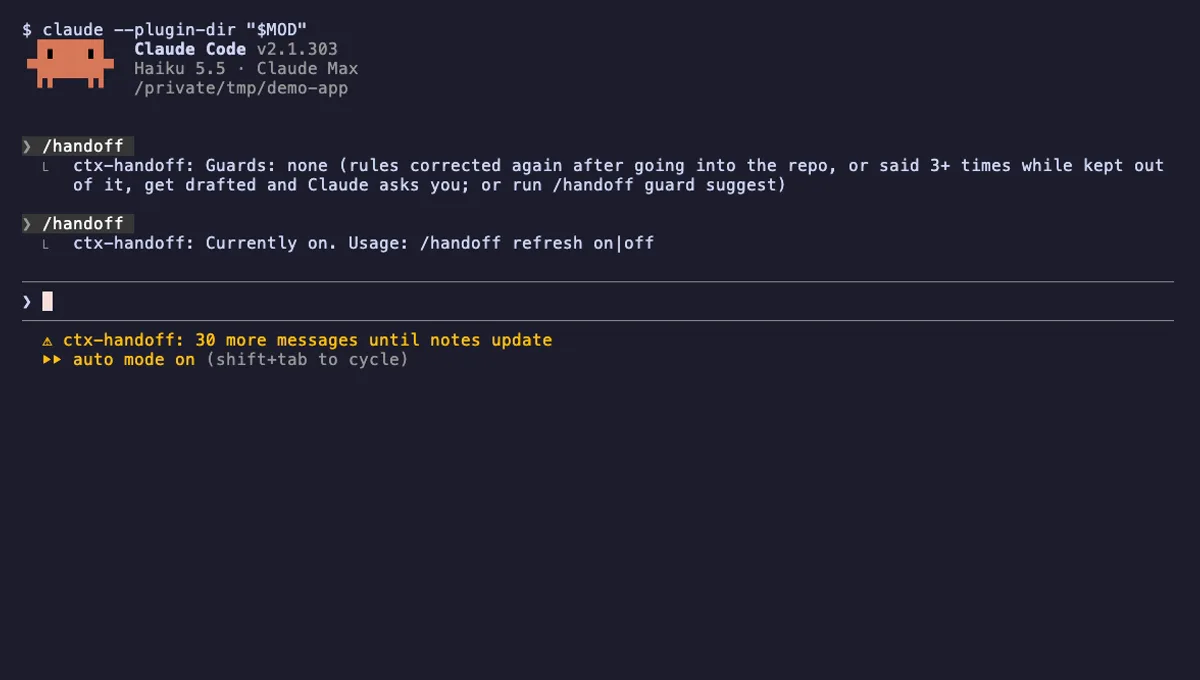
Keeps the prompt cache warm, writes project notes from what you teach Claude, and can hand off a full context.
- above-prompt
- status
- toast
- Reads files
- Writes files
- Calls the model (uses your quota)
- Intercepts tool calls
- Reads your prompts
- Changes the UI
- Adds commands/tools
- Stores data
tested with v2.1.303