PII Guard Claude Code mod: a Claude Code PII redaction mod for Taiwan data
Replaces Taiwanese personal data with placeholders before Claude sees it and restores real values when Claude writes.
Permissions
- Reads filesCan read files and list directories on your machine ($.fs.read / list / stat / exists).
- Runs commandsCan run shell programs on your machine ($.process.run / spawn). Check the source for exactly which ones.
- NetworkCan make HTTP requests or talk to MCP servers ($.http.fetch / $.mcp.*).
- Intercepts tool callsSees every tool call Claude makes (tool.call / tool.check) and could block or change it.
- Reads your promptsCan see what you type and the conversation transcript (prompt.* / session.append / session.messages).
- tested with
- v2.1.291
- last tested
- requires
- Claude Code ≥ 2.1.287
- surfaces
- none
Install inside Claude Code:
git clone https://github.com/danyuchn/pii-guard
claude --plugin-dir ./pii-guard/examples/claude-code-modWhat does this mod do?
PII Guard is a Claude Code PII redaction mod: the Claude Code front end of pii-guard, a de-identification tool for Traditional Chinese (Taiwan) documents by Dustin Yuchen Teng (danyuchn). The mod lets you work on files that contain personal data without the model ever reading the real values.
When Claude reads a file, runs a command or searches with Grep, the result is passed to a local service that replaces personal data with numbered placeholders such as <TW_MOBILE_1> or <TW_NATIONAL_ID_1>. When Claude then writes a file, edits one or runs a Bash command that uses those placeholders, the mod restores the real values on the way down, so the file on disk is correct. Personal data you type into the prompt is also replaced, and an @file reference in the prompt is rewritten into a request to Read that file, so the file goes through the same guarded path.
The mod also refuses tool calls that could carry content off the machine: the service decides on WebFetch, WebSearch, Agent, Task, Workflow and any mcp__ tool. Before a compaction, the messages are swept once more for values the session already knows.
Detection, the placeholder mapping and every decision live in a separate Python service, pii-guard-hookd, from the same repository. The mod is a thin bridge to it, so it does nothing useful without that service running.
Install
The repository has no plugin marketplace, so the install block shows the --plugin-dir method. First clone the repository, run uv sync (Python 3.11 or newer; this installs Presidio, spaCy, transformers and torch) and start the service with uv run pii-guard-hookd serve, or serve --engine regex for a fast start that does not cover names. Then start Claude Code with CLAUDE_CODE_ENABLE_FUNCTION_HOOKS=1 and --plugin-dir pointing at examples/claude-code-mod, as the upstream README does.
The author's own installer, uv run pii-guard-hookd install --mod, goes further: it links the plugin into your Claude Code settings directory, removes the classic hooks it replaces, keeps two classic hooks (MessageDisplay and a SessionStart hook that starts the service), and registers a macOS LaunchAgent. We did not run it; read the upstream README before you do.
$ install pii-guard
Requires Claude Code ≥ 2.1.287
Installs from the author's own marketplace: danyuchn/pii-guard
1.Try it without installing
git clone https://github.com/danyuchn/pii-guard claude --plugin-dir ./pii-guard/examples/claude-code-modLoads the mod for one session only. Nothing is added to your settings.
How it works
The module registers four hooks in hooks/register.ts. This is the tool.call hook, slightly shortened:
on('tool.call', async ($, e, next) => {
  let event: Record<string, unknown> = { ...e }
  if (guarded(e.tool)) {
    try {
      const reply = await ask($, settings, 'ToolCall', { tool: e.tool, input: toolArguments(event) })
      if (typeof reply['deny'] === 'string') return { deny: reply['deny'] }
      if (isRecord(reply['input'])) event = { ...event, ...reply['input'] }
    } catch {
      return { deny: DENY_OFFLINE }
    }
  }

  const answer: any = await next(event as any)
  if (!inspected(e.tool) || answer?.result === undefined) return answer
  try {
    const reply = await ask($, settings, 'ToolResult', { tool: e.tool, input: {}, result: answer.result })
    if (reply['result'] === undefined) return answer
    return { result: reply['result'], context: /* … */ }
  } catch {
    return { result: withheld(e.tool, answer.result), context: [OFFLINE_CONTEXT] }
  }
})
On the way down, the input of Write, Edit, MultiEdit and Bash is sent to the service, which either restores the placeholders or returns a deny. On the way up, the results of Read, Bash, Grep and mcp__ tools are de-identified. The prompt.submit hook does the same for what you type, and session.compact sweeps the messages before and after compaction. session.start fetches a briefing from the service that is attached to the first prompt.
ask reads the service's port and bearer token from state.env in the hookd home (~/.local/share/pii-guard/hookd by default) and posts to http://127.0.0.1:<port>/v1/hooks/<event> with $.http.fetch. If that call is refused, as it is under claude plugin eval, a short stdlib-only python3 script makes the same POST. Every hook carries a .catch that returns the safe answer, so a crash or a timeout blocks rather than lets data through.
The plugin also ships a /pii-terms command (Traditional Chinese) that registers a customer list as fixed terms to mask. It tells Claude to run uv run pii-guard-hookd terms inspect and terms import, and forbids it from reading the list itself.
Customize it
The service location is read from the plugin option hookdHome, then the PII_GUARD_HOOKD_HOME environment variable, then the default path. The engine is chosen when you start the service: --engine full (the default) loads the CKIP BERT model and covers names, organisations and places; --engine regex starts in under a second but covers only patterns such as IDs and phone numbers. The service policy lives in ~/.config/pii-guard/hookd.json, documented in the upstream examples/claude-code-hookd/README.md.
Permissions & safety
We read the plugin's register.ts, hooks.json, plugin.json, the /pii-terms command and the eval scripts before running anything, and skimmed the Python service for outbound connections.
- Network: the mod only connects to
127.0.0.1on the port the service writes to its state file. The service binds to 127.0.0.1 only and checks a bearer token. We found no calls to outside hosts in the mod or the service.uv syncdownloads Python packages, and the spaCy Chinese model from GitHub; the full engine also loads a CKIP model of about 500 MB. - Runs commands:
$.process.runstartspython3 -c <relay>only when$.http.fetchfails. The relay posts to the same loopback address and nothing else. - Files: the mod reads one file,
state.envin the hookd home. It writes no files. The service keeps its placeholder mappings on disk under its own home directory. - Intercepts tool calls and prompts: yes, by design. It can rewrite tool inputs and results, rewrite or drop prompts, deny tool calls, and skip compactions.
Known limits from the upstream README: the raw prompt you type is still written to Claude Code's local transcript before the rewrite; file paths are not de-identified; and the guard only works when the plugin is loaded, so a session started without --plugin-dir is unprotected.
- Reads files
- Can read files and list directories on your machine ($.fs.read / list / stat / exists).
- Runs commands
- Can run shell programs on your machine ($.process.run / spawn). Check the source for exactly which ones.
- Network
- Can make HTTP requests or talk to MCP servers ($.http.fetch / $.mcp.*).
- Intercepts tool calls
- Sees every tool call Claude makes (tool.call / tool.check) and could block or change it.
- Reads your prompts
- Can see what you type and the conversation transcript (prompt.* / session.append / session.messages).
Compatibility & troubleshooting
Validated with Claude Code 2.1.291 (claude plugin validate passes with no warnings). The plugin has no claude plugin test suite; the author ships a claude plugin eval suite under evals/ instead. If something goes wrong, check these:
- Every prompt is dropped with "pii-guard offline": the service is not running or the mod cannot find
state.env. Runuv run pii-guard-hookd serveand checkPII_GUARD_HOOKD_HOME. - Names are not masked: the service is on the regex engine, or the full engine failed to load and fell back to regex.
- The relay fallback needs
python3on yourPATH. uv run pii-guard-hookd doctor --modchecks the installation, including a run ofclaude plugin validate.
To check that it works, start the guard service with the regex engine, load the mod, and ask Claude to read a small file of invented customer records and show it in a code block. Claude can only show placeholders like <TW_MOBILE_1>, because the real numbers never reach the model.
FAQ
- Does PII Guard work on its own after I install the plugin?
- No. The mod does no detection itself. It forwards every event to the pii-guard-hookd service from the same repository, which runs on 127.0.0.1. You need to clone the repository, run uv sync and start the service with uv run pii-guard-hookd serve.
- What happens if the guard service is not running?
- The mod fails closed. Prompts are not sent, guarded tool calls such as Write, Edit and Bash are refused, Read, Bash and Grep results are replaced with a notice, and compaction is skipped. Start the service and try again.
- Which kinds of personal data are detected?
- The regex engine covers Taiwanese national ID and ARC numbers, mobile and landline numbers, business IDs, email, credit cards, licence plates, birth dates and bank accounts. Names, organisations and places need the full engine with the CKIP Chinese NER model.
- Why can Claude edit a file it only saw with placeholders?
- The tool.call hook runs before Edit checks old_string, so the mod asks the service to swap placeholders back to the real values first. The upstream README notes that a classic PreToolUse hook cannot do this.
- Does the mod send my data anywhere?
- The mod itself only talks to the local service on 127.0.0.1. It also refuses WebFetch, WebSearch, Agent, Task, Workflow and mcp__ tool calls whenever the service says so, so content does not leave the machine through those tools.
# Related mods
 Featured
Block Dangerous Commands
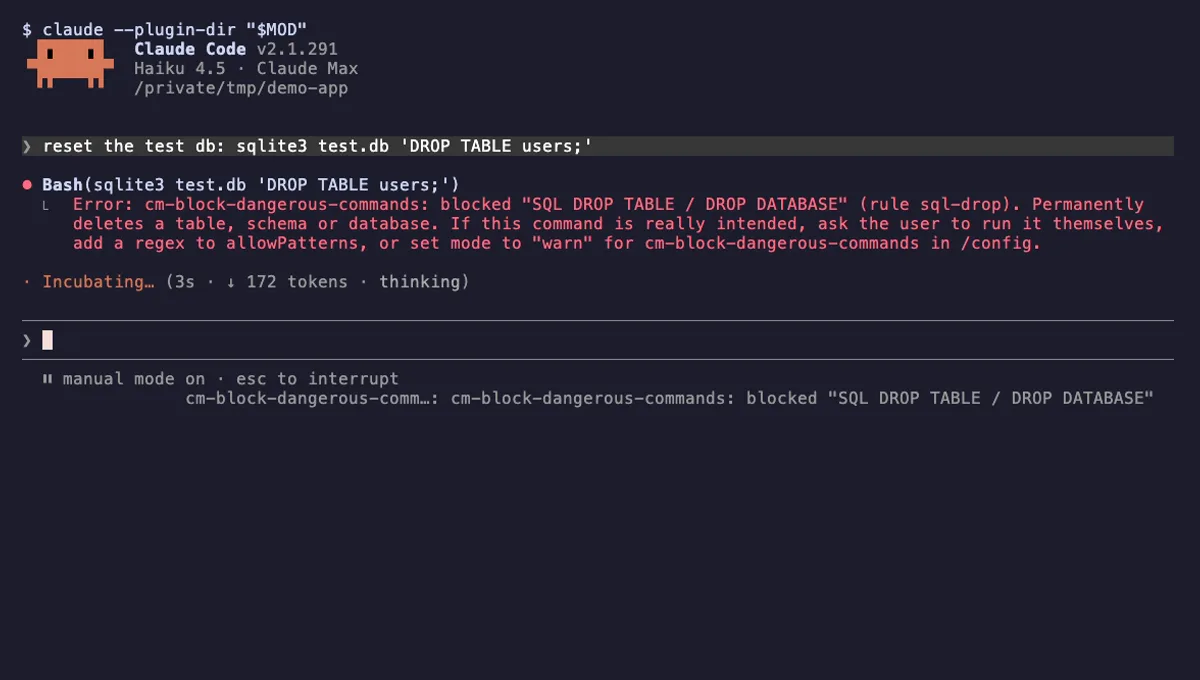
Refuses rm -rf /, force-push to main, DROP TABLE, curl | sh and other destructive Bash commands before they run.
- toast
- Intercepts tool calls
- Changes the UI
tested with v2.1.310
More in Safety guards, Tools you add to Claude.