Recording Mode Claude Code mod: screen recording without leaking secrets
Run /rec before you record: keys, emails, names and money are masked on screen and private files stay closed.
Permissions
- Reads filesCan read files and list directories on your machine ($.fs.read / list / stat / exists).
- Writes filesCan create or overwrite files on your machine ($.fs.write).
- Intercepts tool callsSees every tool call Claude makes (tool.call / tool.check) and could block or change it.
- Reads your promptsCan see what you type and the conversation transcript (prompt.* / session.append / session.messages).
- Changes the UIDraws into the Claude Code interface: bands, panes, status text, toasts (ui.render / $.ui.*).
- Adds commands/toolsRegisters new slash commands or tools that you or Claude can invoke ($.command.register / $.tool.register).
- tested with
- v2.1.310
- last tested
- requires
- Claude Code ≥ 2.1.287
- surfaces
- above-prompt, toast, transcript
- source
- Nate Herk (nateherkai) (MIT)
Install inside Claude Code:
/plugin install recording-mode --marketplace nateherkai/claude-code-modsWhat does this mod do?
The Claude Code recording mode mod, Recording Mode, is a community mod by Nate Herk (nateherkai), one of four plugins in his claude-code-mods collection. It is built for Claude Code screen recording: you run /rec before you hit record, and while it is on the transcript is drawn with sensitive text masked, and a pulsing red ● REC marker sits above the prompt as a reminder.
While it is on, the mod masks these in prompts, replies, command output and tool rows: API keys and tokens, values from any .env file in the project folder or its parents, emails, names, phone numbers, street addresses, card, account and ID numbers, money, and figures that sit next to business words such as revenue, margin or payroll. Results from mail, chat, task, calendar and finance tools are drawn as ••• hidden while recording. /rec strict also masks every large figure and percentage.
It also acts on Claude. Reads of private files (.env, credentials, SSH and cloud keys, Claude's memory folder, and paths that look like payroll, invoices, contracts or budgets) and calls to finance tools are denied, and a note is added to each prompt asking Claude to keep names, amounts and plans out of its replies. The author's README says everything stays on your machine.
Demo
The recording starts Claude Code with the mod loaded in the small demo project and runs /rec. A toast says Recording mode is on and a red ● REC appears above the prompt and in the footer. Then it sends a prompt with a made-up email, card number and revenue figure; in the transcript they show as •••@•••, •••• •••• •••• •••• and $•••, and Claude answers that it will not repeat them. Last it sends read .env, which Claude refuses because private files stay closed while recording. The clip ends with /rec off, after which the same prompt is drawn unmasked.
Install
Use any of the methods in the install block; they install straight from the author's own nateherk-mods marketplace. After installing into a session that is already open, run /reload-plugins, then run /rec.
$ install recording-mode
Requires Claude Code ≥ 2.1.287
Installs from the author's own marketplace: nateherkai/claude-code-mods
1.One line, inside Claude Code
/plugin install recording-mode --marketplace nateherkai/claude-code-modsPaste into a running session (v2.1.275+). Claude Code asks to add the marketplace first.
2.From your shell
claude plugin marketplace add nateherkai/claude-code-mods claude plugin install recording-mode@nateherk-modsThen run /reload-plugins in any session that is already open.
3.Try it without installing
git clone https://github.com/nateherkai/claude-code-mods claude --plugin-dir ./claude-code-mods/recording-modeLoads the mod for one session only. Nothing is added to your settings.
How it works
The plugin is a function-hooks module, hooks/register.mjs, plus a pure masking library, hooks/privacy.mjs. /rec writes a small JSON flag, and every session checks it every 3 seconds, so turning it on in one window covers the others. The tool gate, from register.mjs:
on('tool.call', async ($, e, next) => {
  if (!rec.on) return next(e)
  const hit = financeTool(e.tool, config.closedTools) ? 'finance tools' : privatePathHit(toolCallTargets(e).join('\n'), config.privatePaths)
  if (!hit) {
    if (businessSource(e.tool, e, config.businessTools)) businessCalls.add(e.tool_use_id)
    return next(e)
  }
  blocked += 1
  return { deny: `Recording mode is on, so "${hit}" stays closed ...` }
})
Masking itself is done in ui.render hooks for user and assistant messages, command output, tool input and tool results, so the text on screen is rewritten but the conversation Claude receives is not. .env values are read into memory when recording starts, matched anywhere on screen and never written anywhere. Names are learned from emails and contact fields (for example From: lines) and kept in memory only.
Customize it
/rec config creates ~/.claude/mods-data/recording-mode/config.json with example values:
keepNames: your own name or brand, shown even while recording.names: people whose names are always masked.privatePaths: folders or file names Claude may not open, matched anywhere in a path in any case.businessTools: tool or command names whose results are drawn as hidden.closedTools: tool names Claude may not call.
Save the file and run /rec again. The patterns themselves (SECRET_PATTERNS, PRIVATE_PATHS and the rest) are constants at the top of privacy.mjs if you want to edit them.
Permissions & safety
We read every file the plugin can execute before running it: plugin.json, hooks/hooks.json, register.mjs and privacy.mjs. There is no package.json, install script, binary or bundled code, and no network, shell or process calls.
- Writes files (
$.fs.write): only when you run a command./recand/rec offwrite~/.claude/mods-data/recording.json(the on/off flag), and/rec configcreates~/.claude/mods-data/recording-mode/config.json. These are outside the plugin's own store, and they are shared by every session on the machine, which is how the flag spreads to other windows. - Reads files: the flag and config, and
.envand.env.localin the working folder and up to three parent folders..envvalues are kept in memory to mask them and never stored or sent. - Intercepts tool calls and adds text to prompts: while on,
tool.callcan deny a call, andprompt.submitappends a note asking Claude to keep personal and business details out of replies. Both only act while recording is on, and both match what the README says. The three gating hooks have no.catch; validate lists this as a note, not a warning. - Background timer:
$.clock.everypolls the flag every 3 seconds, only inside a running session. - No telemetry, no daemon, no env writes; it reads only
HOMEandUSERPROFILE.
claude plugin validate passed with no errors and no warnings in the plugin; it only reports that the plugin has no icon. The author ships no tests, and claude plugin test found none. The mod is MIT licensed with a LICENSE file in the repository.
- Reads files
- Can read files and list directories on your machine ($.fs.read / list / stat / exists).
- Writes files
- Can create or overwrite files on your machine ($.fs.write).
- Intercepts tool calls
- Sees every tool call Claude makes (tool.call / tool.check) and could block or change it.
- Reads your prompts
- Can see what you type and the conversation transcript (prompt.* / session.append / session.messages).
- Changes the UI
- Draws into the Claude Code interface: bands, panes, status text, toasts (ui.render / $.ui.*).
- Adds commands/tools
- Registers new slash commands or tools that you or Claude can invoke ($.command.register / $.tool.register).
Compatibility & troubleshooting
Checked with Claude Code 2.1.310 on macOS (validate, a static read and a recorded session). If something is not masked or hidden:
- Run
/recagain if it toasted "off": a bare/recwhile it is on turns it off. The red● RECmarker shows the current state. - Masking is pattern based. A key without a known prefix, or a figure with no business word nearby, may stay visible; try
/rec strict. - Recording does not mask your terminal title, window list or other apps, only the Claude Code transcript.
- If
/recis taken by another command, the mod registers/recordinginstead. - After editing the config file, run
/recagain so it is reloaded.
FAQ
- Does Recording Mode change what Claude sees?
- Mostly no. The masking only changes what is drawn on screen; Claude still receives your text as typed. The two exceptions are that Claude cannot open private files or finance tools while recording is on, and that a short note is added to each prompt asking it to leave names, amounts and plans out of its replies.
- How do I turn it on and off?
- Run /rec to turn it on and /rec off to turn it off (running /rec again while it is on also turns it off). /rec strict also masks every large figure and percentage. The state is a flag file, so it applies to every open Claude Code session that has the mod loaded, within about 3 seconds.
- Does it send anything over the network?
- No. The code uses no network, shell or process calls. Everything it keeps is a flag file and an optional config file under ~/.claude/mods-data.
- How do I keep my own name visible or hide a teammate?
- Run /rec config. It creates ~/.claude/mods-data/recording-mode/config.json with keepNames, names, privatePaths, businessTools and closedTools. Edit it, save, and run /rec again.
- Is the masking guaranteed to catch everything?
- No. It is pattern based (key formats, emails, phone and card numbers, money, numbers near words like revenue or payroll), so unusual formats can slip through. Check a test recording before you publish.
# Related mods
 Featured
Secret Redactor
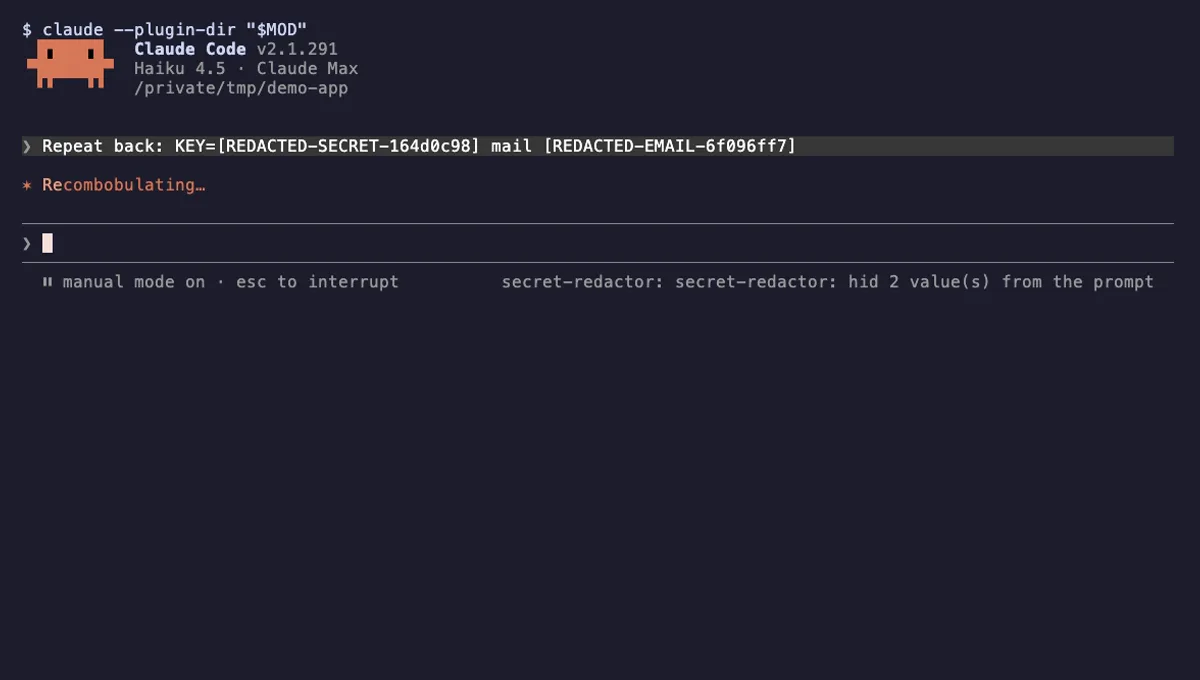
Swaps API keys, emails and public IPs for placeholders before Claude sees them, and restores them when a tool runs.
- toast
- Intercepts tool calls
- Reads your prompts
- Changes the UI
tested with v2.1.291
Transcript Redactor
Swaps API keys and passwords for stable placeholders before Claude reads them, and restores them for local tools.
- toast
- transcript
- Reads files
- Intercepts tool calls
- Reads your prompts
- Changes the UI
tested with v2.1.307
PII Guard
Replaces Taiwanese personal data with placeholders before Claude sees it and restores real values when Claude writes.
- none
- Reads files
- Runs commands
- Network
- Intercepts tool calls
- Reads your prompts
tested with v2.1.291
More in Safety guards, Slash commands.