Secret Redactor Claude Code mod: Claude Code secret redaction for prompts
Swaps API keys, emails and public IPs for placeholders before Claude sees them, and restores them when a tool runs.
#5 in Best Claude Code ModsPermissions
- Intercepts tool callsSees every tool call Claude makes (tool.call / tool.check) and could block or change it.
- Reads your promptsCan see what you type and the conversation transcript (prompt.* / session.append / session.messages).
- Changes the UIDraws into the Claude Code interface: bands, panes, status text, toasts (ui.render / $.ui.*).
- tested with
- v2.1.291
- last tested
- requires
- Claude Code ≥ 2.1.287
- surfaces
- toast
- source
- Ray Amjad (ray-amjad) (MIT)
Install inside Claude Code:
/plugin install secret-redactor --marketplace ray-amjad/awesome-claude-code-function-hooksWhat does this mod do?
Secret Redactor is a community mod by Ray Amjad (ray-amjad), one of the plugins in his awesome-claude-code-function-hooks collection. It does Claude Code secret redaction on three paths: what you type, what a tool reads back, and the context blocks attached to the first message. Each secret, email address or public IP address is swapped for a placeholder such as [REDACTED-SECRET-164d0c98] before the model sees it.
The value is not destroyed. The same value always gets the same placeholder, so Claude can still tell one customer or one key from another. When Claude then calls a tool, the hook swaps placeholders back, so a Bash command or a Write still carries the real value. A cat .env shows Claude the placeholders, and a later command that uses them still works.
It hides vendor-shaped keys (sk-ant-, ghp_, AKIA, sk_live_, JWTs, Slack and Discord webhooks, private key blocks, the password in a connection string), high-entropy tokens, email addresses and IP addresses. Private IP ranges such as 127.x, 10.x and 192.168.x stay visible by default. Stripe object ids like price_ and prod_ are treated as public. According to the author's README, it needs function hooks turned on, which is the first thing to check if nothing seems to happen.
Demo
The recording starts Claude Code with the mod loaded in the small demo project, with function hooks enabled. We type a prompt that contains the author's fixture key from test/fixtures/sample.env (not a live credential) and a fixture email address, and press Enter. The submitted prompt in the transcript now reads KEY=[REDACTED-SECRET-164d0c98] mail [REDACTED-EMAIL-6f096ff7], and a toast at the right of the footer says secret-redactor: hid 2 value(s) from the prompt. The clip ends while Claude is still working; we did not capture its reply.
Install
Use any of the methods in the install block; they install straight from the author's own marketplace. Then turn function hooks on: add "env": { "CLAUDE_CODE_ENABLE_FUNCTION_HOOKS": "1" } to ~/.claude/settings.json, or start a session with CLAUDE_CODE_ENABLE_FUNCTION_HOOKS=1 claude. To try it without installing, clone the repository and run claude --plugin-dir ./awesome-claude-code-function-hooks/plugins/secret-redactor.
$ install secret-redactor
Requires Claude Code ≥ 2.1.287
Installs from the author's own marketplace: ray-amjad/awesome-claude-code-function-hooks
1.One line, inside Claude Code
/plugin install secret-redactor --marketplace ray-amjad/awesome-claude-code-function-hooksPaste into a running session (v2.1.275+). Claude Code asks to add the marketplace first.
2.From your shell
claude plugin marketplace add ray-amjad/awesome-claude-code-function-hooks claude plugin install secret-redactor@awesome-claude-code-function-hooksThen run /reload-plugins in any session that is already open.
3.Try it without installing
git clone https://github.com/ray-amjad/awesome-claude-code-function-hooks claude --plugin-dir ./awesome-claude-code-function-hooks/plugins/secret-redactorLoads the mod for one session only. Nothing is added to your settings.
How it works
The hooks module is a single file, hooks/redact.ts. A module-level vault holds two maps, and the placeholder is the kind plus an FNV-1a hash of the value:
function mint(kind: Kind, value: string): string {
  hidden++
  const seen = byValue.get(value)
  if (seen) return seen
  const tag = `[REDACTED-${kind}-${fnv1a(value)}]`
  byValue.set(value, tag)
  byTag.set(tag, value)
  return tag
}
prompt.submit scrubs the text you type and shows the toast. tool.call first restores placeholders in the tool input, lets the tool run with await next(input), then scrubs the result and puts a count on the tool row. prompt.context scrubs secrets, but not emails, in the blocks attached to the first message.
A value is a secret if it matches a vendor pattern, if it is a 24-character-or-longer mixed-case token above 3.6 bits per character, or if a shorter token above 3.0 bits sits after a name like API_KEY=, "token": or Bearer. Rules for words, camelCase names, alphabets and bare hex stop git SHAs and identifiers from being hidden.
Customize it
The plugin declares twelve options, which you can change in /config or under pluginConfigs in your user settings:
secrets,pii: turn each class off.restoreInToolInputs: stop putting real values back before a tool runs.notify: turn off the toast and the tool-row count.minEntropy(3.6),minLength(24),contextMinEntropy(3.0): raise them to hide less.redactPrivateIps: also hide127.x,10.x,192.168.xand other reserved ranges.allow,allowEmails,allowPrefixes,denyPrefixes: comma-separated exceptions and additions.
Permissions & safety
We read every file the plugin can execute before running it: plugin.json, hooks/hooks.json, hooks/redact.ts (the only module, with no imports besides types), the test and the fixture. There is no package.json, install script, binary or bundled code.
- Network, commands, files, environment: none. The module calls neither
$.http,$.process,$.fsnor$.env, and it uses no$.storeor$.state. The vault lives in module memory and dies with the session. The only API calls are$.ui.toastand$.ui.notice. - Intercepts tool calls and reads your prompts. This is the point of the mod, and it is what the README says. It rewrites your prompt, rewrites tool inputs (placeholder to real value) and rewrites tool results (value to placeholder). It never denies a call.
- Restoring is a capability. Any placeholder in a tool input is replaced with the real value, whatever the command is. If a tool result carries injected instructions, Claude could be talked into putting a placeholder into a
curlcommand, and the real key would be sent. TurnrestoreInToolInputsoff if that worries you, at the cost of tools receiving the placeholder text. - Placeholders are not secret. The hash is a 32-bit FNV-1a, so a placeholder for a low-entropy value such as an email or an IP can be guessed by hashing candidates. It hides the value from the model's context, not from someone who can already test guesses. Two values could in principle share a hash.
- Heuristics miss things. Entropy rules can leave a secret visible or hide a harmless token. It does not scan what the model writes, and it does not survive a restart.
- No telemetry, no injected instructions. It adds no text of its own to prompts beyond the placeholders.
- License: MIT, with a LICENSE file in the repository.
claude plugin validate reported no errors or warnings, but its notes flag two gating hooks without a .catch (prompt.submit and tool.call). If the hook throws, there is no fallback guard, so a bug in the hook could fail the prompt or tool call instead of passing it through. claude plugin test found nothing to run, because the author's test is test/detect.test.mts (a plain Node script), not a *.test.ts file. We did not run it.
- Intercepts tool calls
- Sees every tool call Claude makes (tool.call / tool.check) and could block or change it.
- Reads your prompts
- Can see what you type and the conversation transcript (prompt.* / session.append / session.messages).
- Changes the UI
- Draws into the Claude Code interface: bands, panes, status text, toasts (ui.render / $.ui.*).
Compatibility & troubleshooting
Checked with Claude Code 2.1.291 on macOS: validate passed, and the demo ran with the plugin loaded. If nothing is hidden:
- Function hooks are on:
CLAUDE_CODE_ENABLE_FUNCTION_HOOKS=1in your settings or in the shell that starts Claude Code. - After installing into a session that is already open, run
/reload-plugins. - The value is on the keep list: documentation domains such as
@example.com,noreply@addresses, private IP ranges and Stripe object ids are left alone by design. - Your own text is shown as typed in the input box; the placeholders appear once the prompt is submitted.
FAQ
- Does Secret Redactor send my secrets anywhere?
- No. We found no network calls, no shell commands and no file access in the code. The real values are kept in a map in the hooks module's memory for the session and are gone when it ends.
- Why is nothing hidden when I install it?
- The author's README says it is a function hook and does nothing until function hooks are on. Set CLAUDE_CODE_ENABLE_FUNCTION_HOOKS=1 in the env block of ~/.claude/settings.json, or start one session with that variable set.
- Can Claude still use a key it cannot see?
- Yes, in tool inputs. Before a tool runs, the hook swaps a placeholder such as [REDACTED-SECRET-164d0c98] back for the real value, so a Bash command or a Write still carries the real key. The model only ever sees the placeholder.
- Does it hide a secret that Claude writes itself?
- No. Only what Claude reads is scanned, meaning your prompt, tool results and the blocks attached to the first message. A key the model types into a command is a key it already had.
- How do I stop it hiding values I want to keep visible?
- Use the options in /config. allow takes exact strings, allowEmails takes addresses or a domain such as @yourdomain.com, allowPrefixes marks extra id prefixes as public, and raising minEntropy hides less.
# Related mods
 Featured
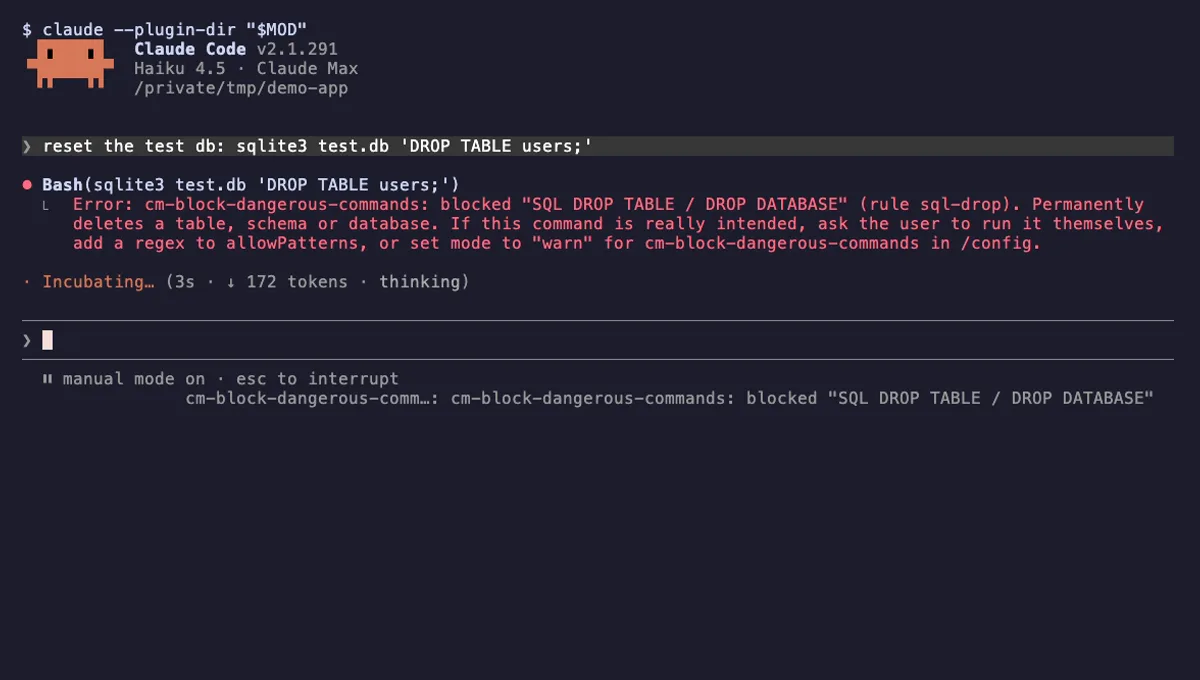
Block Dangerous Commands
Refuses rm -rf /, force-push to main, DROP TABLE, curl | sh and other destructive Bash commands before they run.
- toast
- Intercepts tool calls
- Changes the UI
tested with v2.1.310
 Featured
Tool Call Counter
Counts Claude's tool calls per turn and session, shows the count by the spinner, and adds /tally for a breakdown.
- spinner
- transcript
- status
- Intercepts tool calls
- Changes the UI
- Adds commands/tools
tested with v2.1.310
More in Safety guards, Tools you add to Claude.